
Giveaway: SecureDrive PRO (Lifetime) – Protect Files in Encrypted Drives

 Leona
Leona Table of Contents
What is SecureDrive PRO?
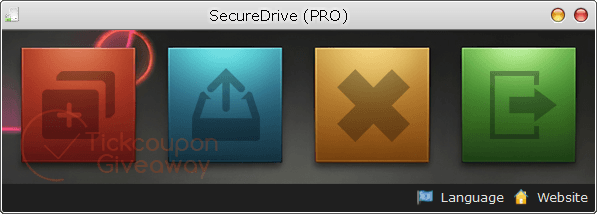
SecureDrive PRO is a Windows encryption utility that creates protected virtual disks for private files. Each encrypted container mounts as a standard drive letter, so you can manage documents through File Explorer like any other disk. The app supports multiple encrypted volumes, separate passwords, read-only access, automatic dismounting, and portable use.
Key Features
- Create encrypted container files for private data.
- Mount containers as standard Windows drive letters.
- Manage several encrypted volumes with separate passwords.
- Keep mounted drives active after closing the main window.
- Dismount drives automatically when the program exits.
- Open selected volumes in read-only mode.
- Run the portable edition without a standard installation.
| Version | 1.0 (giveaway build) |
| Supported OS | Windows 10 (1809)/11 or later & Windows Server |
| File size | 4.63 MB |
| License type | Lifetime, strictly non-commercial use |
| Publisher | Reezaa |
| Category | Encryption |
Our Quick Test
Based on the activation process, setup requires installing the supplied build and entering the giveaway key in the upgrade window. The license remains tied to this release, so installing a future upgrade may remove the activated status. Free technical assistance is also excluded. You must handle setup or usage questions without vendor support. This deal is worth taking for personal file storage when you can remain on the giveaway build.
How to Get the Free License Key
SecureDrive PRO
Create encrypted virtual disk & read-only secure drives on Windows.
Still want this product?
Grab it at a special discounted price.
Need help with an existing license? Contact support
Instructions
Step 1. Download the SecureDrive PRO 1.0 giveaway installer: securedrive-tickgiveaway.exe
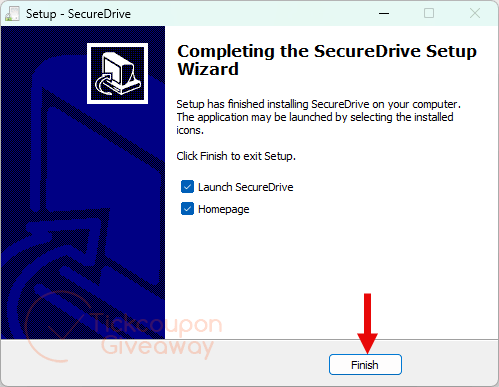
Step 2. Open the installer and complete the setup. Run the program and click Upgrade to Pro, marked with a key icon.
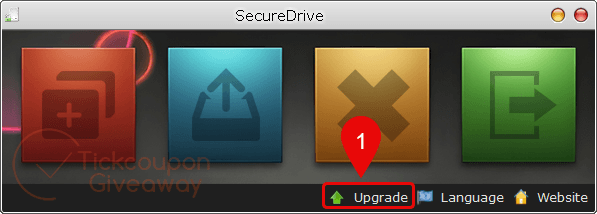
Step 3. Enter the provided giveaway key and submit the activation form.
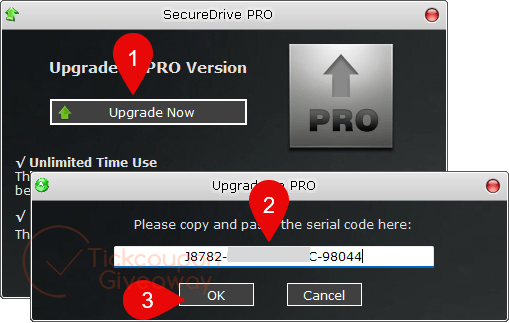
Step 4. Get it for life for free!
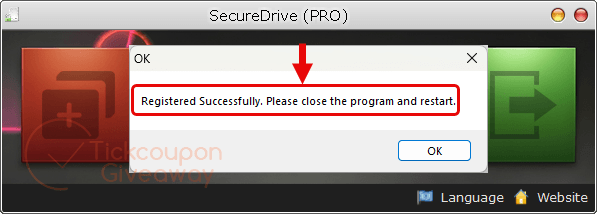
Troubleshooting
- The key is reported as invalid.
Remove any other build and install the giveaway installer. The giveaway key is intended for that installer. - No keys are available.
Leave a comment on the giveaway page so the TickGiveaway team can check key availability.



Turns out this steals veracrypt binaries and imposes a restrictive child like GUI on top of veracrypt, disabling the choice of encryption used, the filesystem used, the file type used. no one is divulging what encryption is used in the constructed containers and veracrypts plausible deniability is trashed by forcing the use of .sdd file extension so wherever a *.sdd file is encountered it is known the contents is an encrypted exfat partition as that is all this can produce. The fact it’s always exfat means there is known text that can be used to rapidly verify a brute forced key as I’m sure with proper debugging environment one can trace the command lines sent to the veracrypt executables to create the encrypted containers.
This is 100% warez that reduces the effectiveness of the veracrypt system. It doesn’t really need to be activated or used…. dig down the folder tree branches and use the veracrypt files directly and make a much more secure system!
I need a software for spotify podcast downloader please i need urgent
If they suspect you are using a spotify content downloader on their servers they WILL ban your account and only re-activate it if you provide a legally binding undertaking never to use such unauthorised download software on their servers ever again.
much of what this does can practically be done with encrypted 7z archives using AES 256 encryption… what encryption does this use? the description above does not say and whether it’s implementation has been validated by any independent security validating service? And of course like all encrypted volume products there is zero plausible deniability that you have no encrypted data on your system… that needs a password or key to gain access to. Can result in loss of finger, limbs or relatives in order to coerce the secrets from you in the wrong hands and application.
I have read products home page and there is NO mention of the encryption algorithm used, therefore they have NO confidence in the algorithm or they would have bragged about it…they are using security through obscurity not through tested algorithm strength, therefore despite all the other disadvantages of creating encrypted volumes I do not recommend putting secret data under the protection of this product.