

Giveaway: Coolmuster Word to PDF Converter (1-Year) – Convert Docx Word to PDF

 Leona
Table of Contents
What is the Coolmuster Word to PDF Converter?
The PDF file is very popular and has many advantages, such as easily sharing a document without risking someone altering the content. You have several Word files, and if you want to turn a Word file into a PDF at some point, let’s use Coolmuster Word to PDF Converter right now! This tool is a good idea when searching for a converter application that can help you convert Word documents (.docx) to PDF. This tool has a clear and easy-to-use interface that can not be overwhelming for beginners.
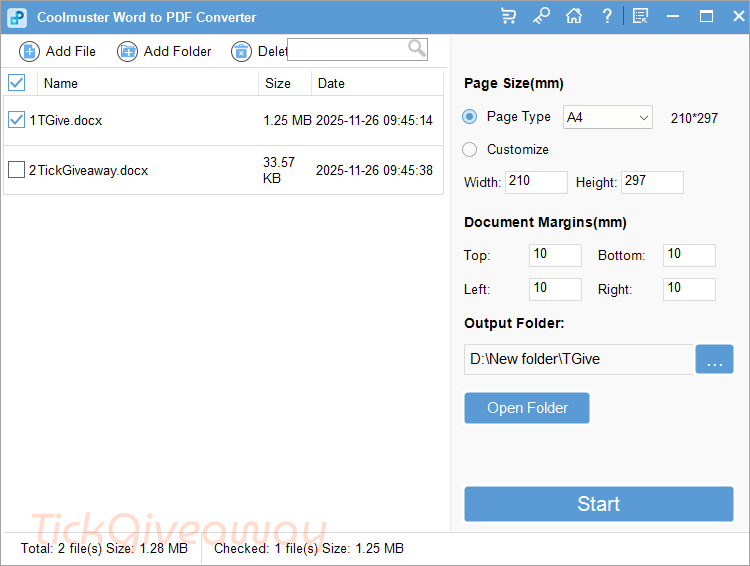
Coolmuster Word to PDF Converter can convert Word docs to PDF without losing quality and ensures the security of your documents. You can customize your PDF output, including page type, page size, document margins, and the output folder. The batch conversion function is best handled by this dedicated converter; use it for batch processing to save time.
Key Features
- Coolmuster Word to PDF Converter is a powerful Word to PDF converter tool that allows you to convert your docx files into professional-quality PDFs.
- This tool also helps you protect your sensitive information while converting DOCX to PDF and customizing your PDF output, including page size, document margins, and output folder.
- It offers batch conversion to convert multiple documents at once.
- This tool has a user-friendly interface, provides friendly customer support and regular updates, and supports DOCX files, making it an ideal tool for converting Word docs to PDF files.
Supported OS: Windows 11/10/8/7
Price: $15.95/year
How to get the Coolmuster Word to PDF Converter license key for free?
Special offers
Coolmuster Word to PDF Converter - 1 Year License(1 PC)
Coolmuster Word to PDF Converter - Lifetime License(1 PC)
Coolmuster Word to PDF Converter for Mac - Lifetime/1 PC
Instructions
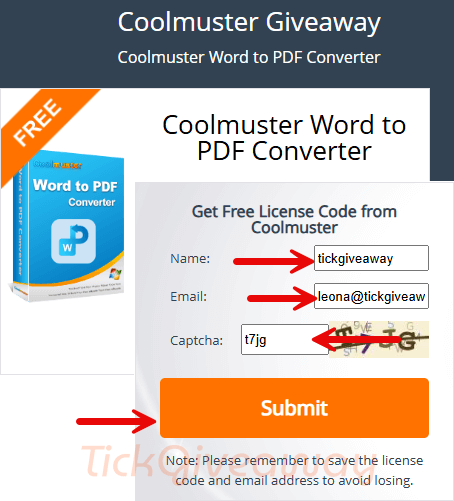
Step 1. Visit the Coolmuster Word to PDF Converter giveaway page.
To receive your free license code, enter your name and email address on the Coolmuster Word to PDF Converter giveaway page.
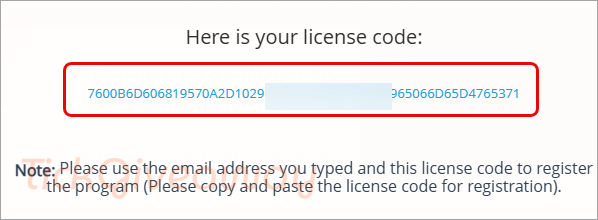
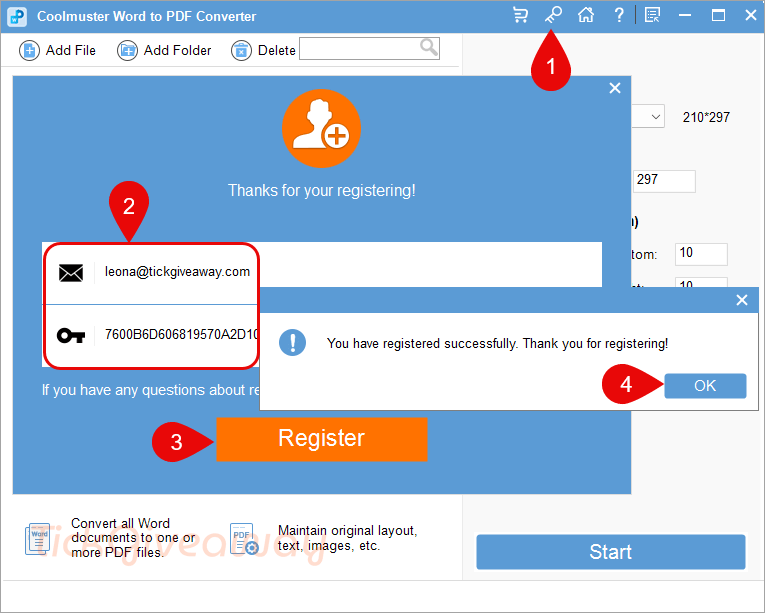
Step 2. Click on the download link to download the software for free. After downloading it, install it on your computer and activate it using the free license code above.
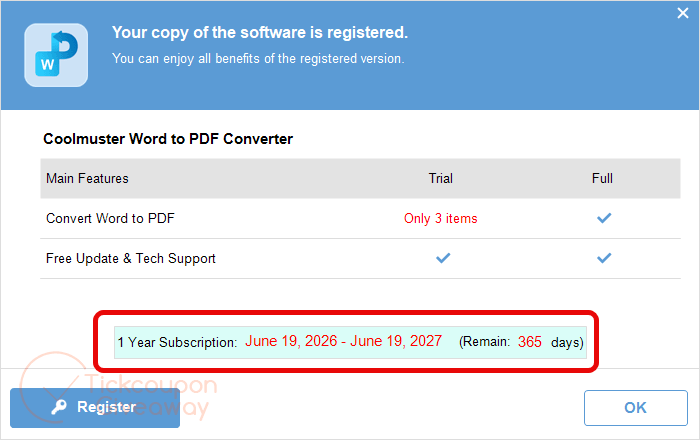
Step 3. Enjoy it for 1-year free!


Completely unnecessary one can convert word or any printable document/image/object to PDF with any number of always free PDF virtual printers including but not limited to CutePDF, Nitro PDF readers bundled free PDF virtual Printer… not forgetting the always free Microsoft virtual printer “Save to PDF”