
Giveaway: MultCloud Premium – Cloud Transfer, Migrate, Move, Copy, & Backup

 january
 Table of Contents
What is MultCloud?
As you know, MultCloud Premium is a professional cloud transfer manager tool that offers an advanced solution for connecting all your cloud drives and transferring or syncing files from one cloud service directly to another. This cloud management service will help you to manage multiple cloud storage accounts from different providers, such as Google Drive, Dropbox, OneDrive, and more, in one unified interface.
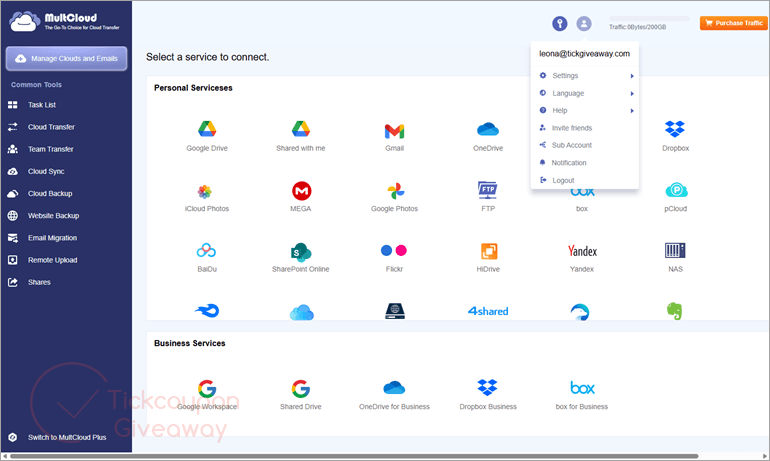
With a set of clever and powerful features, MultCloud Premium allows you to easily transfer files/folders between different cloud storage accounts without downloading. You can also use it to set up automatic transfers at specified times, making it convenient for regular data synchronization or backups. A really nice feature is the ability to synchronize files and folders between connected cloud storage services so that any changes made in one location can be automatically reflected in another. You can also manage files across multiple clouds, all under one virtual roof, with upload, download, cut, copy, paste, move, delete, rename, etc.
Key Features
- MultCloud Premium is designed to help you directly transfer files from one cloud drive to another without downloading.
- You are allowed to schedule automatic file transfers between different cloud storage services at regular intervals or for specific times.
- You can transfer files with particular file extensions from one cloud storage service to another using the “Filter” function.
- MultCloud Premium makes it simple to synchronize two clouds. Your data will always remain up to date because any modifications to files in the source cloud are instantly synced to the target cloud.
- This tool allows you to easily back up data between cloud drives and restore files in the event of data loss.
- It provides functionality to access and manage all your online storage services with a single login.
- Additionally, it offers a number of file management features that are just as simple to use on a Windows computer, including upload, download, cut, copy, paste, move, delete, and rename.
- You can store more files, folders, documents, sheets, photos, images, videos, movies, and music from Dropbox, Google Drive, Box, MEGA, FTP, and more, all in one online service.
Supported: all web browsers
Price: $39.99/500GB
How to get MultCloud Premium for free?
Special offers
🏆🏆🏆 Special Offer for You: Up to 70% Off MultCloud Coupon Codes for Free!
MultCloud Biggest Discount Ever: Save Up to 70%!
MultCloud's Biggest Discount Ever is here! Get up to 70% off premium plans and easily manage, transfer, sync, and back up your files across multiple cloud services with one secure solution.
MultCloud (Lifetime Unlimited)
MultCloud Yearly Unlimited
MultCloud 100GB /Month
Instructions
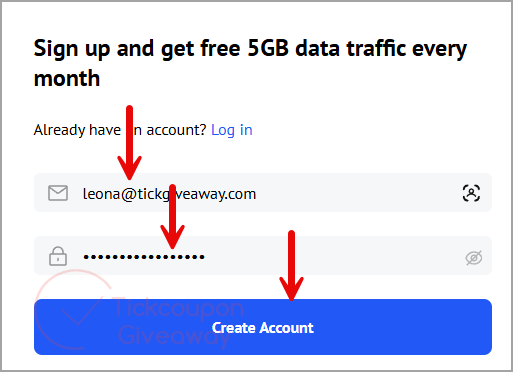
Step 1. Because MultCloud is web software, there is no installation package or registration code. Let’s go to the MultCloud sign-up page, enter your name and email address, then click on the “Create Account” button to create an account. Or sign in with your existing account.
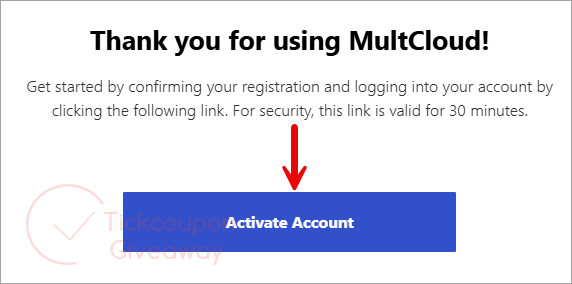
Step 2. If you are a new user, confirm your registration and log in to your account using the activation link sent to your email. If you already have a MultCloud account, skip this step and proceed to the next one.
Step 3. Log in to your MultCloud Premium account, then copy and paste the license code to activate the license.
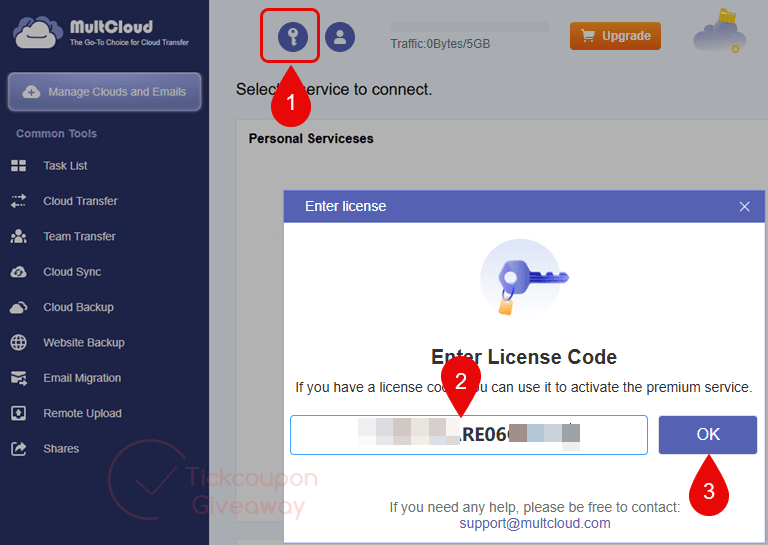
Step 4. Now you can get 500GB for free.
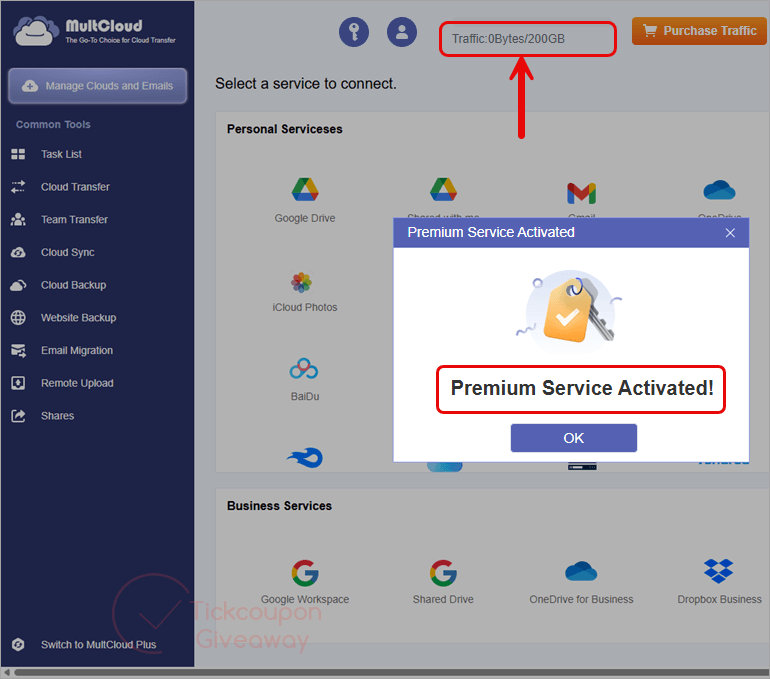




this traffic 500gb For liftime or is temporary ?
“500GB Data Traffic for Lifetime”… OR until it’s consumed which ever comes first. Note this does not provide any storage space just a cloud based interconnection service to avoid having to download from one cloud provider in order to upload to another or visa versa.
thanks work
ITS FINISHED
please restart this cloud storage for 500 gb data reply me
Sooo.. Exactly how stupid does AOMEI their own customers are…?
This AmAzInG oFFeR of $119/yearly ONLY, for a limited time..
..is the same deal you get at CBackup (https://www.cbackup.com/pricing.html)
..except CBackup costs $90 a year, and adds 5TB cloud storage.
So definitely everyone will pick one of them, thinking it’s a great deal.
And certainly not notice the address at the bottom of the offer-page is the same mentioned at the bottom of CBackup’s ‘About Us’.
Nobody will ever see the address at the bottom of MultCloud’s ‘About Us’, is the same as AOMEI HQ.
Don’t trust people who have no notion of respect for their own customers. Anything you upload, you might as well consider ‘publicly available’.
https://www.multcloud.com/partners/multcloud-giveaway-zyp-sharewareonsale-2023.html
This link is working
Sorry, time is up, giveaway is over.
Hi,
Sorry for the late reply.
The giveaway link is updated.
Is over!! don’t work… update it please
Hi,
Aomei stopped this giveaway.
Awesome.