Working with ordinary photos can feel limiting when you want a more artistic result but do not want to spend hours learning advanced editing tools. Many users simply want a faster way to add texture, change the mood of an image, or turn a basic photo into something more creative. Imagelys Picture Lab is designed for that kind of workflow, helping users generate visual effects, backgrounds, and stylized images with only a few adjustments. It may be useful for hobbyists, digital artists, designers, and anyone who likes experimenting with image looks on a Windows PC. Through this Imagelys Picture Lab giveaway, eligible users can get version 9.6 at no cost for personal use.
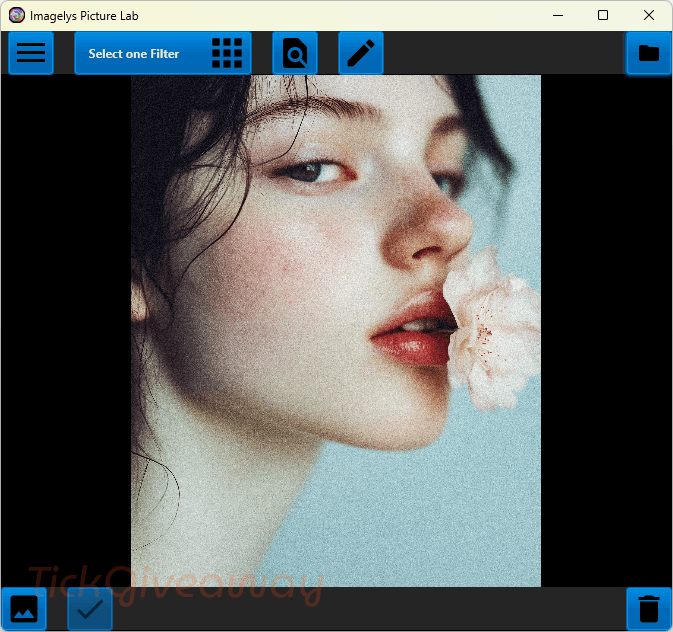
Table of Contents
What Does Imagelys Picture Lab Help You Do?
- Turn standard photos into more artistic or stylized images.
- Create textures, backgrounds, and seamless visual patterns.
- Apply ready-made effects without needing advanced design skills.
- Adjust and customize effects to better match a personal project.
- Build a unique image look by modifying existing filters.
- Use edited results in creative work such as wallpapers, digital art, or visual drafts.
Imagelys Picture Lab Giveaway Details & How to Join
Giveaway Overview
| Version included | v9.6 |
| License type | Free lifetime license |
| Supported platform | Windows 7, Windows 8, Windows 10, and Windows 11 |
| Original price | $9 |
How to Join
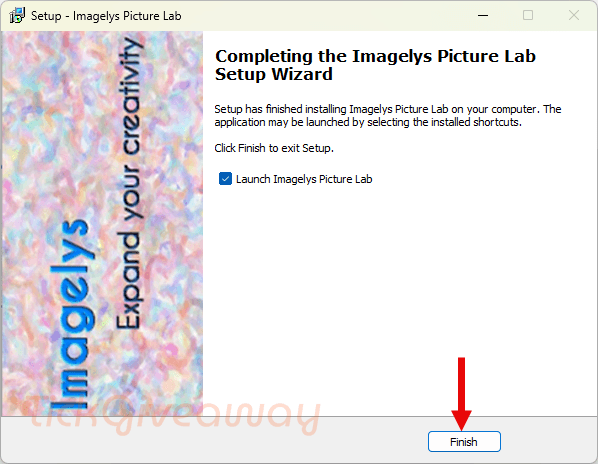
Step 1. Download and install Imagelys Picture Lab on your Windows computer —> imagelys-picture-lab-v9.6.exe
Open the software after installation is complete.
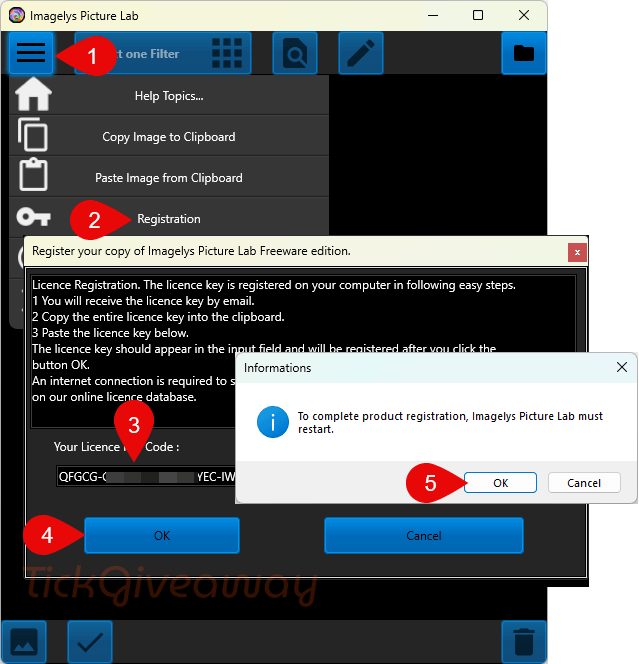
Step 2. Enter the provided license code to activate the program.
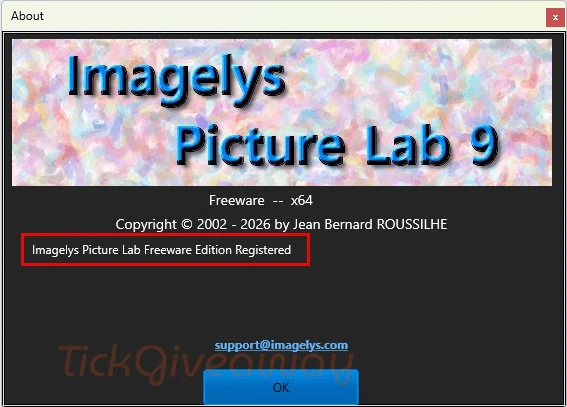
Step 3. Once activation is accepted, you can use version 9.6 under the giveaway terms.
Who Is This Giveaway Most Useful For?
This giveaway may be a good fit for people who want to experiment with photo effects without committing to more expensive editing software. It can also suit digital artists who regularly create textures, decorative backgrounds, or stylized image assets for personal projects.
It may be especially useful for users who enjoy making wallpapers, social media visuals, or creative image edits at home. People who like trying different visual styles quickly, rather than building every effect from scratch, may also find this offer worthwhile.
On the other hand, this giveaway may be less suitable for commercial studios or users who need ongoing support and future upgrades included with their license.
Terms & Conditions
- The giveaway includes Imagelys Picture Lab version 9.6
- The license is free for lifetime use, as stated by the organizer
- Usage is limited to non-commercial purposes only
- Free technical support is not included
- Free upgrades to future versions are not included
- The software is for Windows 7, 8, 10, and 11
- Activation requires the provided license code
- Terms are limited to this promotion and its included version
This is an unauthorised clone of todays giveawayoftheday.com giveaway.
What is the difference between “magelys Picture Lab” and “magelys Picture Styles” ? The vendors website does not make it clear what the difference is between the two products as both seem to include:
“Includes all Imagelys Filter Library
Includes all Brush Stroke Textures Packs
Lifetime access and updates
Email support included at no extra charge”
The only differences mentioned are the name, licensed number of devices and price point.
Ah right… this is NOT an editor but a 64bit ONLY filter application…. the way you open image files is you click on the folder icon in top right corner and it launches a file open browsing window with *.* as the file type filter so it shows all files not just the ones it can open… and if you try and open a file type it has not been programmed to decode it throws up an error box… it’s not intuitive and requires a 64bit editor as the photoshop plugin file is a 64bit only plugin… It also misuses the users Documents folder by using it instead of the Users AppData\Roaming hierarchy to store the programs data files so if you have a backup set including all your Documents folder you will NEED to exclude the subfolder C:\Users\[WINDOWSLOGINNAME]\Documents\Imagelys MS and its contents from your backup set as that is just wasting backup resources backing up program data and not just your Documents. Jean Bernard is not quite the software building expert he claims to be. Some of the interface text is still French and not in the systems language, and in the About window it’s called Freeware not the commercial version… Also current version is 9.5 on https://www.imagelys.com/downloads.php Is this the Lite or Studio edition? as there is a BIG difference in functionality between the two! https://www.imagelys.com/products.php
There is NO undo in the program either! It also does not seem to make full use of multi-core CPUs using just a single cores worth of CPU computing capability. And the program WILL EXIT without prompting you to save the changes you’ve just spent considerable time experimenting with! The giveaway license does NOT activate the downloadable version on imagelys.com website and the installer and program are NOT digitally signed and conflict with windows 10 or above ransomware/protected folder access and windows 11 default preference for only letting digitally signed programs to execute. There are no zoom controls and the image defaults to zoom to fit a bigger image to window so you cannot see details or how moderately large images will look in 1:1 zoom ratio…. Oh just found Save As…. the picture of a mountain icon in bottom left of the window, would be a sensible idea for Jean Bernard to learn how to implement “tool tips” for his non-standard user interface to make it a bit more intuitive. Oddly the program allows you to run multiple instances of it, no idea why it would but it does!