Giveaway: UpdateStar Premium Edition (1-Year) – The Software Update Management Tool

 Leona
Table of Contents
What is UpdateStar Premium?
UpdateStar Premium Edition monitors installed programs and alerts you when newer versions or security patches are available. It provides verified download links, tracks minor updates, and shows security information for installed software. You can schedule automatic scans, manage selected applications, save license details, and import or export software setups. The program also includes registry cleaning tools for removing leftover entries from uninstalled applications.
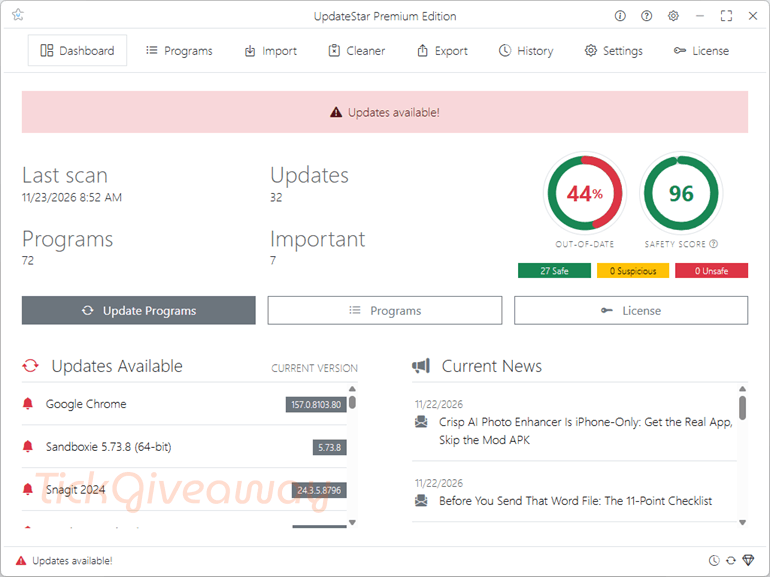
Key Features
- Monitor installed applications for available updates.
- Track minor releases and security-related patches.
- Open verified download links from software publishers.
- Review security levels for installed applications.
- Export or import software setup snapshots.
- Remove leftover registry entries from uninstalled programs.
- Schedule automatic software scans.
| Version | 16.0.125 (giveaway build) |
| Supported OS | Windows 11/10 |
| File size | 44.5 MB |
| License type | 1-year, non-commercial use |
| Publisher | UpdateStar |
| Category | Driver / Software Update |
Our Quick Test
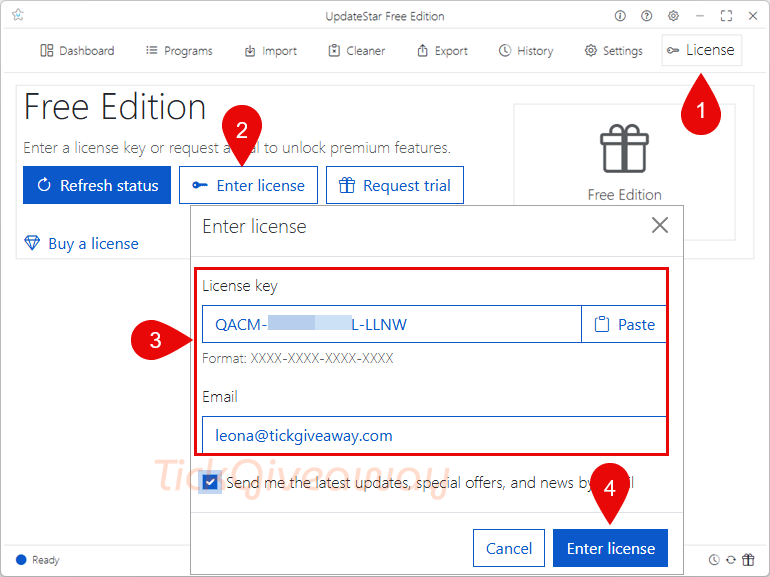
Based on the activation process, you request a code by email and install the supplied MSI. Registration then uses your name and code. The license expires after its stated term, so plan to replace or renew it later. Free upgrades and vendor help are excluded, so this copy should stay on the giveaway build. It is worth claiming for personal software update monitoring.
Supported OS: Windows 11/10
Price: $34.95/year/PC
How to get the UpdateStar Premium license key for free?
- License
- 1-Year · 1PC
- Version
- 16.0.125
- Availability
- Available
Still looking for a software updater?
Grab the best deals on software updaters!
Affiliate link — we may earn a commission if you buy, at no extra cost to you.
Special Offer
IObit Software Updater 9 PRO with Free Gifts
Systweak Software Updater
Glarysoft Software Update Pro
Instructions
Step 1. Visit the UpdateStar Premium Edition giveaway page. Please enter your name and email address to get your free license code.
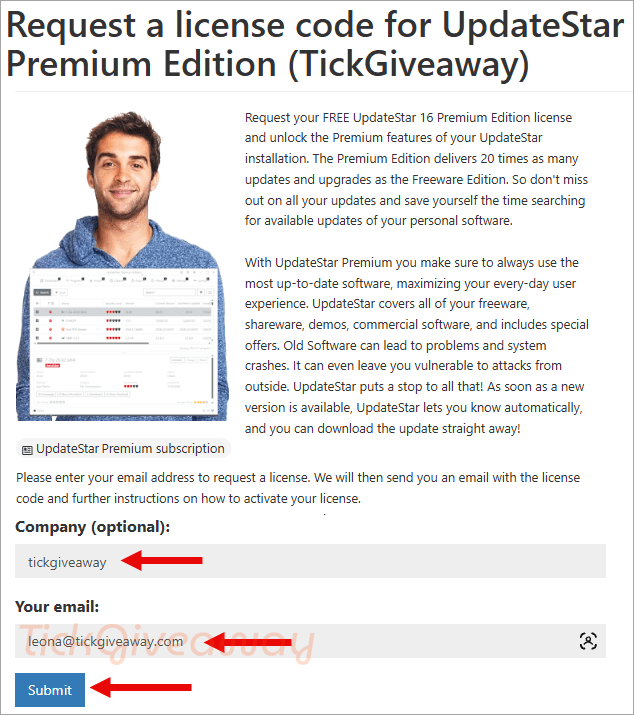
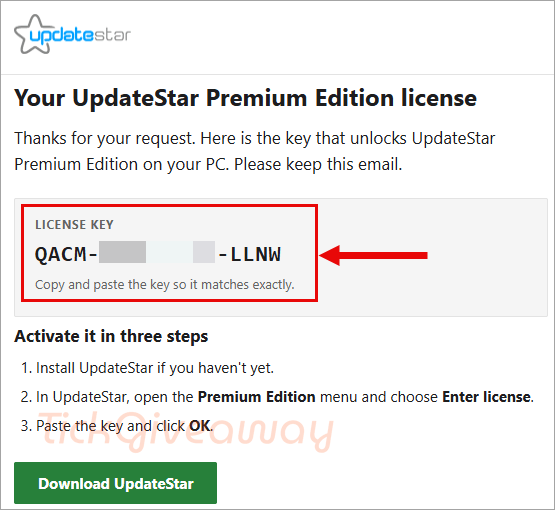
Step 2. Download the installer software on your computer. Please enter your name and license code to activate the software.
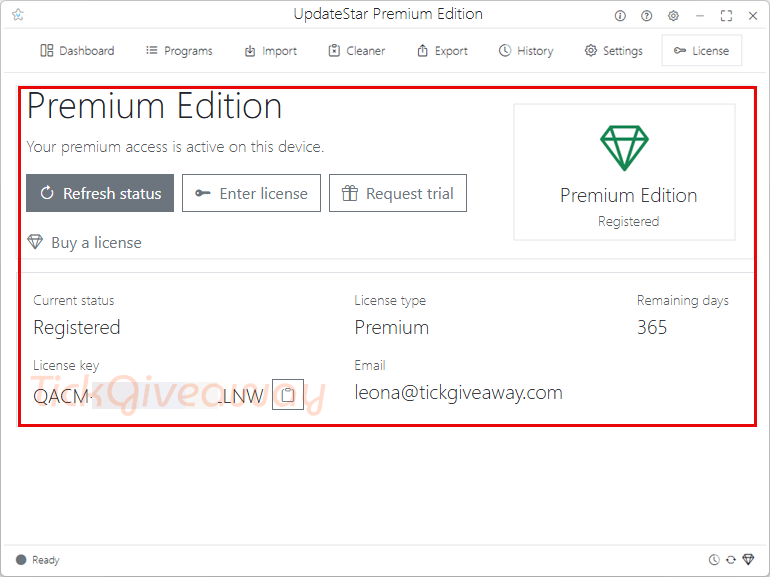
Step 3. Enjoy it for 1 year for free!
Having trouble?
- The key is rejected: Install the giveaway build listed above, then enter the supplied name and code again.
- The giveaway page stops issuing keys: Comment below so the giveaway status can be checked.