

Geekersoft Watermark Remover Key Free – AI, Accurate Eraser without Blur

 Leona
Leona Table of Contents
What is Geekersoft Watermark Remover?
Looking for ways to wipe an unnecessary watermark from images or videos? Geekersoft Watermark Remover makes it possible. This professional AI watermark removal tool offers excellent watermark removal accuracy without compromising the quality of the underlying picture or video. With 5 AI-powered watermark remover tools provided, you can instantly erase watermarks, brand logos, stamps, persons, text, dates, stickers, and any other unwanted objects from videos and images.
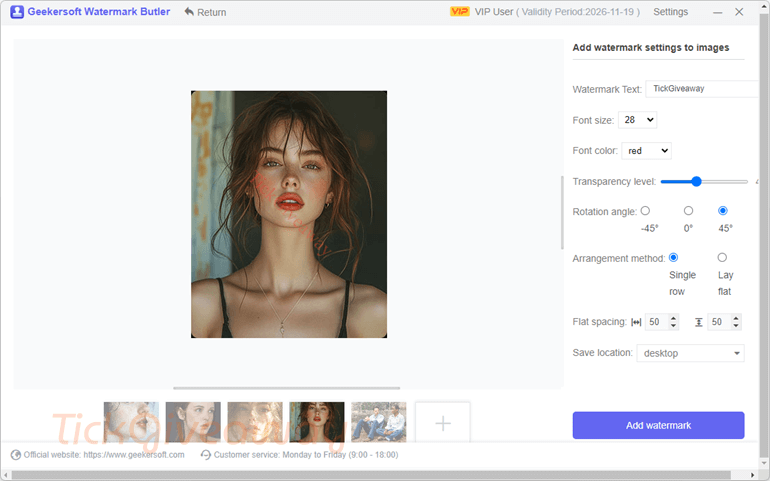
Along with removing the watermark, the Geekersoft Watermark Remover tool also can help you insert a watermark into videos or pictures. You are allowed to add watermark text to your images/videos with ease. You can adjust font size, font color, transparency level, rotation angle, arrangement method, flat spacing, and location to save.
Key Features
- Utilizes advanced AI technology to detect and remove various types of watermarks from images and videos.
- Offers five different modes (Al Model, Matte Filling, Color Selection, Smooth Filling, Gaussian Blur) to cater to different watermark removal needs.
- Ensures that the removed watermarks do not leave any blur or pixel spots, maintaining the original quality of the media.
- Allows you to preview the removal effects in real-time before exporting the final image or video.
- Drag-and-drop functionality for importing media files and easy selection of the watermark area.
- Capable of removing brand logos, stamps, text, dates, stickers, and other unwanted objects from videos and images.
- Exports images and videos without watermarks in high quality, ensuring professional results.
- Designed for ease of use, making it accessible even for beginners without any prior editing experience.
- Quickly removes watermarks and unwanted objects without compromising on speed or efficiency.
- Highly rated by users for its effectiveness and simplicity, making it a reliable tool for both professionals and amateurs.
- Allows you to add a watermark text to your photos and videos with a single click.
Supported OS: Windows 7, 8/8.1, 10, and 11 (32-bit and 64-bit)
Price: $39.99/year
How to get the Geekersoft Watermark Remover license key for free?
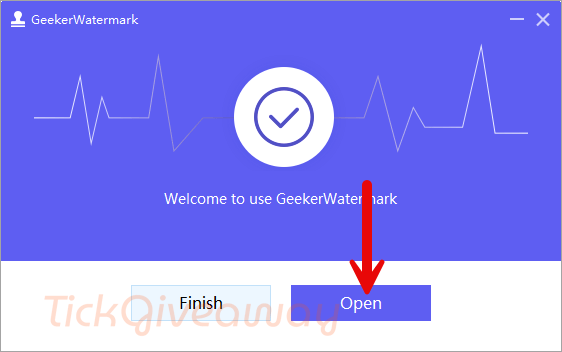
Step 1. Download the software installer –> WatermarkRemover_setup.exe
Install the software on your computer.
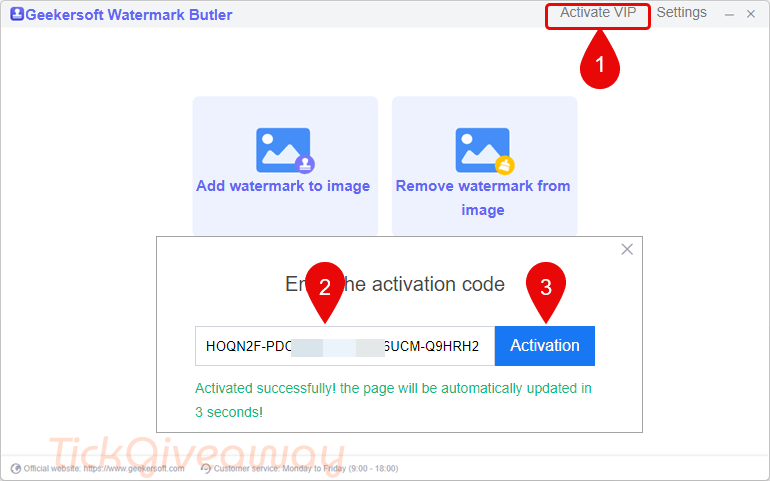
Step 2. Register with the Geekersoft Watermark Remover license code below:
iMyFone MarkGo Lifetime Plan
HitPaw Watermark Remover – Perpetual/1 PC
FliFlik KleanOut for Photo - Lifetime / 1 PC
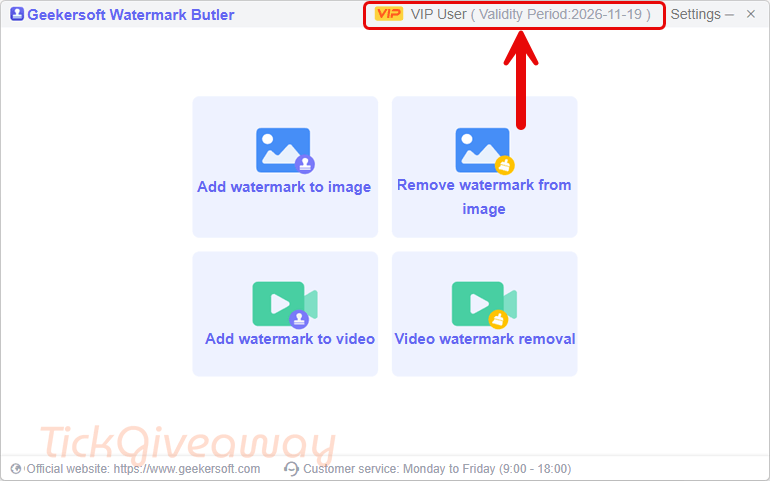
Step 3. Enjoy it for 1 year free!
Terms & Conditions
- This is a 1-computer, 1-year license, for noncommercial use
- You get free updates for one year
- No free tech support
- You must redeem the license key before Feb 02, 2026 GMT+0 08:00
- It may not be resold





I’ve tried this before … and there is still some VIP left so I cannot apply the new 1 year trial license. The program is a 64bit application so the main page:
IS WRONG!
It defaults to installing into a chinese characters named subfolder of C:\Program Files (x86) and is a 64bit application so that is majorly WRONG.
Cannot handle images larger than the window size, no zoom so that is WRONG, only allows one to specify a rectangle for water mark removal and because it cannot display the image correctly I cannot define an out of window area for the watermark… that too is WRONG.
It is a web based application and if it cannot download the webpage it needs from their server it sits there with a blank white rectangle instead of the starting screen to select which wizard you want… that is WRONG it should retry and or produce an error and some user interface to escape the error situation.
found you can add additional rectangle areas for watermarks but it did NOT remove them when the Remove Watermark button was pressed, it immediately popped up a popup window stating it had removed the water mark with no noticable processing time and never has it mentioned what the computational unit was for the supposed AI watermark removal, in fact there is NO mention of AI/CPU or GPU in the program at all! Me thinks this AI is just a marketing lie which is then expounded on untested by Ashraf. Last time I used this it did abuse pirated GPLv3 FFMPEG.EXE to do the video watermark removal that was ugly, no AI and very obvious with no real control over where and when the watermark removal was applied. WRONG
When removing video watermarks one can add extra rectangular areas and by dragging the video progress bar one can set the start and end time of each area BUT each area is handled by a single pass of re-encoding to a temporary .webm encoded intermediate video file using lossy enconding and as experienced before the watermark removal is obvious and ugly and no AI is used. This program is a SCAM, it offers NO AI and a very very crude bug ridden User interface. They bring shame to the nick name “Geek” they have very limited computer programming skills even worse than the normal Chinese bedroom developer that tries to sell into the capitalist world to boost their communist lifestyle. The output .webm was over compressed as well with awful compression artifacts… Guess what… UNINSTALLING WITH PREJUDICE.
PS
Another STUPID BUG it defaults the output folder to the users Desktop WRONG
and resets to the Desktop each time you start another session… it does NOT remember your preference WRONG
Anyway back to uninstalling this fraudulent garbage.
This seems to be a self defeating program… it’s a watermark add/remove tool… if it can remove the water marks it adds what’s the point of ever adding them! As it’s only a 1 year trial license I won’t waste my time with AI bloat installation as I only have 2.5TB storage on this laptop and it already has plenty of AI tools that all probably use the same open source AI code but each requires loads of model downloads… it becomes a waste of space and erase/write cycles to install, try and uninstall as they are nothing new or useful to the normal user.