Giveaway: Folder Warden (Lifetime) – Protect Folders with Password and Encryption

 Leona
Leona What is Folder Warden?
Folder Warden protects folders on Windows by locking, hiding, or encrypting them with a password. It keeps each folder in its original location and does not rename or move your files. Locking works quickly, while AES-256-GCM encryption adds stronger protection for sensitive data. You can also use a recovery key if you forget the master password. The program checks each lock or access change before reporting that the action was completed.
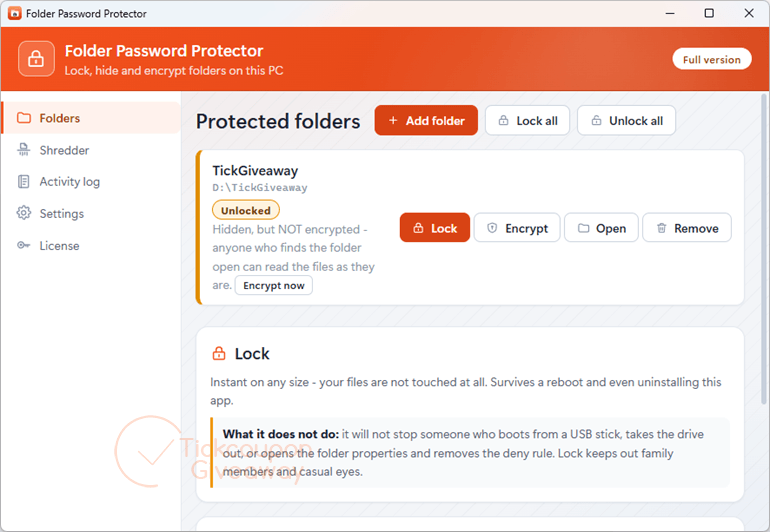
Table of Contents
Key Features
- Lock folders instantly without renaming, moving, or packing them into containers.
- Encrypt files with AES-256-GCM and derive keys with Argon2id.
- Hide protected folders separately from locking and encryption.
- Verify each lock and unlock action against the folder before reporting success.
- Recover access with an offline recovery key if the master password is forgotten.
- Add folders through drag-and-drop or the Explorer right-click entry.
- Decrypt protected data without a license, including after reinstalling the app.
| Version | 3.2 (giveaway build) |
| Supported OS | Windows 11/10/8.1/8/7 (32/64 bit) |
| File size | 68.5 MB |
| License type | Lifetime, noncommercial use |
| Publisher | GRTSoft |
| Category | Folder Lock, Password Protect and Encrypt a Folder |
Our Quick Test
Based on the activation process, setup follows the supplied three-step flow from code request to registration. You request the code by email, install the giveaway build, then enter the master password and license code. Updating this build may break registration, so keeping the giveaway build avoids that risk. Support is excluded, so activation problems may require self-troubleshooting. Keep the installer and license email in case you need to register again. The process has no supplied support channel for troubleshooting. This giveaway suits home users who want long-term folder protection on one computer.
How to Get the Free License Key
Folder Warden
Lock, hide and encrypt folders on Windows 11 and 10.
- License
- Lifetime
- Version
- 3.2
- Availability
- Available
Instructions
Step 1. Enter your email address in the giveaway form and request a license code.
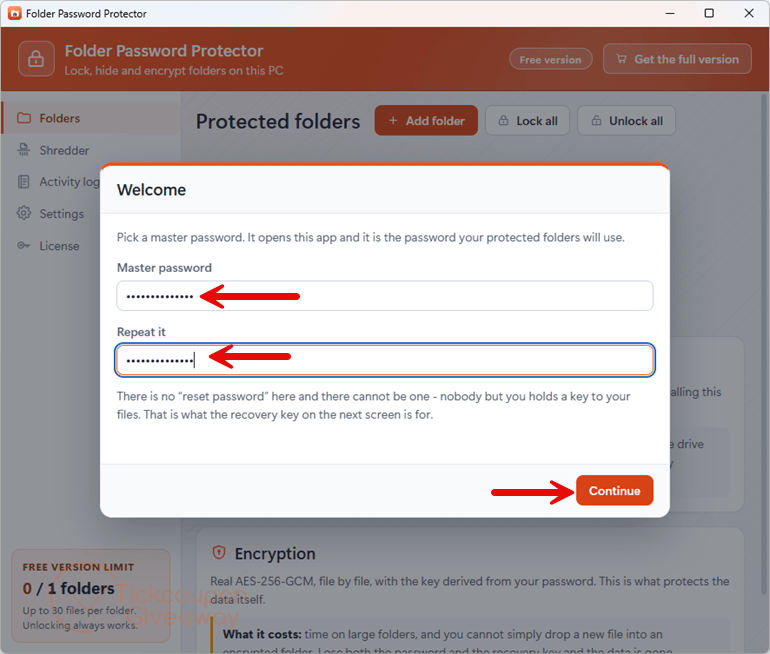
Step 2. Install Folder Warden 3.2 from the giveaway download link. Create the master password when the app first opens.
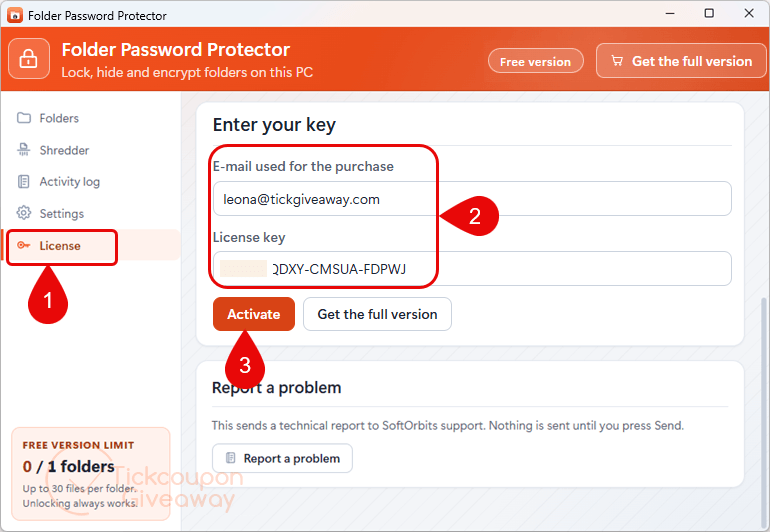
Step 3. Enter the license code you received and complete registration.
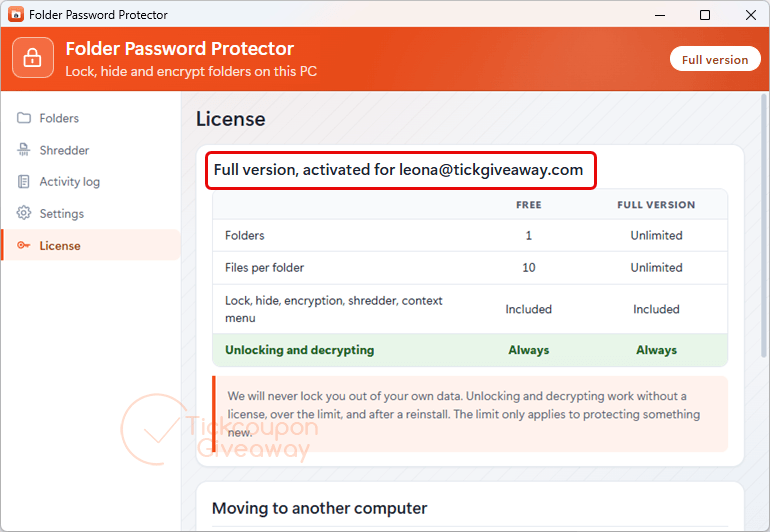
Step 4. Got it for life, free!
Troubleshooting
- Invalid key: Use the giveaway installer linked above. A different build may reject the code. Copy the code directly from the license email.
- No keys left: Comment on the giveaway page and ask for another code. Save the installer once you receive access to it.
Special Offer
🏆🏆🏆 Special Offers for You: If you miss the giveaway above, you can still get the best price on alternative software.
Protected Folder (1 year subscription /1 PC)-Exclusive
NewSoftwares Folder Protect
32% Off coupon code, regular price $49.95, discounted price $33.96
Top Data Protector Pro 1 Year / 3 PCs
$0.6 / Mon / PC
Vovsoft Hide Files
BulkFolderLocker PRO
33% off coupon code: regular price $29.95, discounted price $19.95