

Giveaway: Coolmuster PDF to JPG Converter (1-Year) – Convert PDF to JPG/Image Quickly & Effortlessly

 Leona
Leona Table of Contents
What’s Coolmuster PDF to JPG Converter?
A simple and user-friendly PC PDF converter tool is Coolmuster PDF to JPG Converter. The program is well-suited to handle the effortless conversion of PDF files to picture format. With the use of this tool, you may quickly and effectively convert PDF files into JPG, PNG, TIF, BMP, and GIF formats. Using the Coolmuster PDF to JPG Converter, you can be sure that the original fonts, layout, and image quality will be preserved in your converted images.
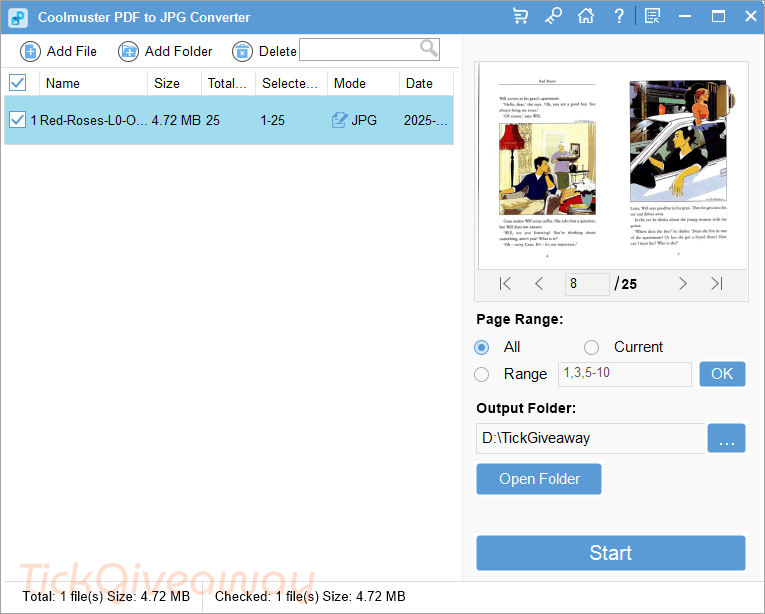
This tool also enables you to convert one or more PDF files into picture format simultaneously. The batch process enables you to process a high volume of documents quickly and effectively, saving you a great deal of time and effort. When you have trouble finding certain pages for conversion, you can rapidly preview any PDF file using the built-in file reader offered by this PDF to JPG converter, and you can accurately pick the pages you wish to convert.
Key Features
- Coolmuster PDF to JPG Converter allows you to convert PDF to JPG, PNG, TIF, BMP, and GIF formats with ease.
- It can maintain the original layout, fonts, and images.
- You can use it to convert any number of PDFs to images at will.
- This tool also allows you to preview and selectively choose specific pages or page ranges before converting.
- With its help, you can get fast and precise conversion results.
- It is intuitively designed for user-friendly operation.
- This tool also can protect the privacy and security of sensitive data.
Supported OS: Windows 11/10/8/7
Price: $15.95/year
How to get the Coolmuster PDF to JPG Converter license key for free?
This giveaway ended on .
The terms and product details above stay on record. Stay tuned - we publish new giveaways every day.
Special Offer
Coolmuster PDF to JPG Converter - 1 Month/1 PC
Coolmuster PDF to JPG Converter - 1 Year/1 PC
Coolmuster PDF to JPG Converter - Lifetime License(1 PC)
Instruction
Step 1. Visit the Coolmuster PDF to JPG Converter giveaway page
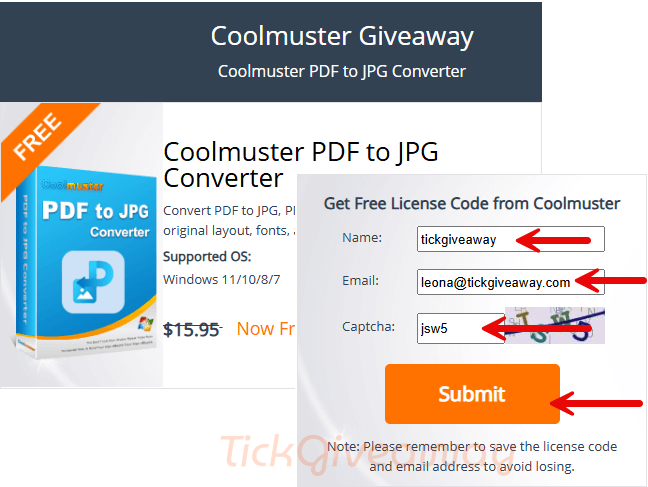
To obtain your free license code, please fill out the Coolmuster PDF for the JPG Converter giveaway page with your name and email address.
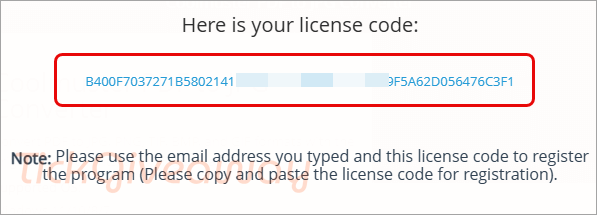
Step 2. Click on the download link to download the software for free. After downloading, install it on your computer and use the above free license code to activate it.
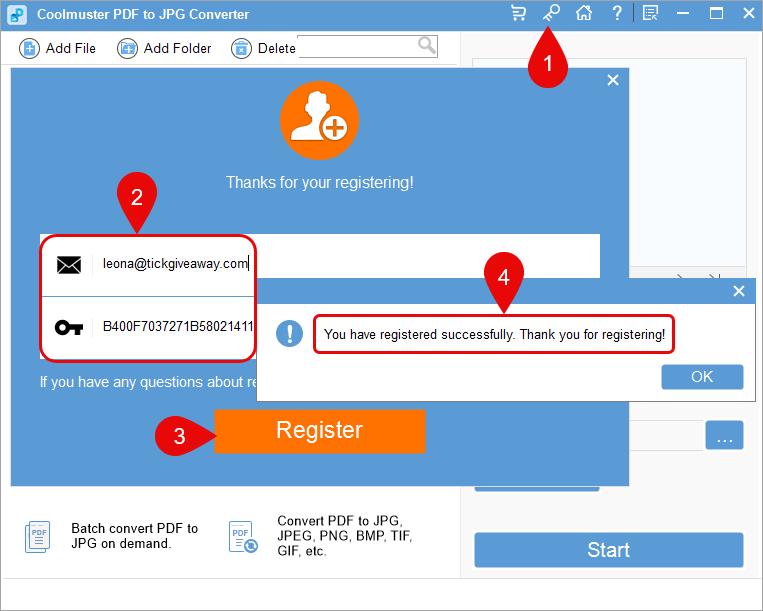
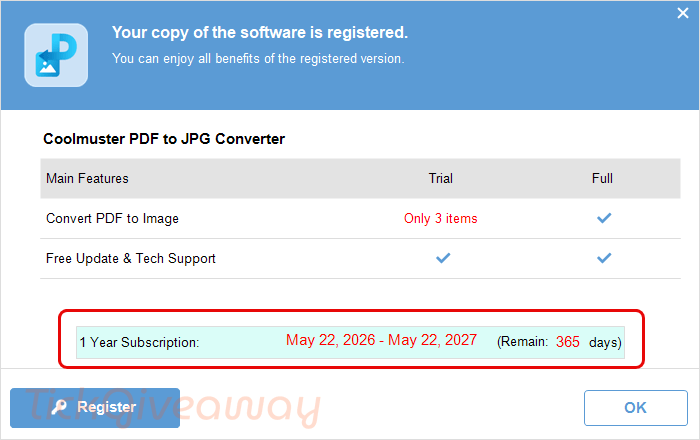
Step 3. Enjoy it for 1-year free!


Um die Lizenznummer zu bekommen, muss mann es mit Freunden bei Facebook oder Instagramm teilen. Dann könnt ihr eure Sache hier behalten.
To get the license number, you have to share it with friends on Facebook or Instagram. Then you can keep your stuff here.
You don’t have to share it with anyone on Facebook or Instagram. You just have to click through the Facebook button and then close the popped up login window and the key is revealed underneath. Personally I find this program useless and have never needed to convert a PDF to a JPG file or PNG… Maybe someone has such a need but it certainly isn’t me.
You DO have to use a new email address if you have ever participated in a giveaway of the same product before and you may need to invalidate a previous 1 year freebie trial license to be able to input the new 1 year trial license, this can be done by using nirsoft runasdate.exe to temporarily nudge the perceived system date to after the current 1 year trial license expires, then you can paste in the new 1 year trial license details which will replace the older information and let you us the new license normally if you really want to.
A big missing feature of this is specifying the size of the raster image generated it is fixed to an apparently arbitrary size.