


 jasmine
 Table of Contents
About Ashampoo Meta Fusion
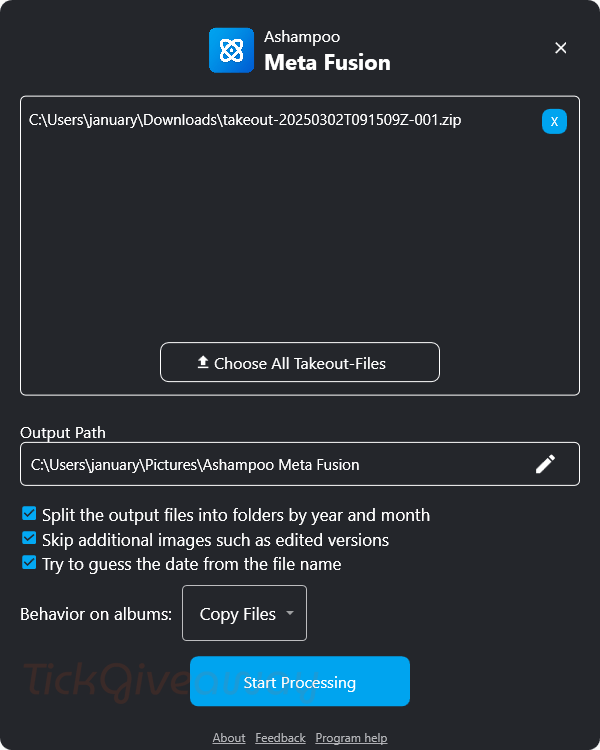
It is widely known that metadata plays an essential role in a photo, and it’s challenging to manage and organize your photo without metadata information like capture dates, locations, camera settings, etc. You can face issues like missing metadata when exporting photos from Google Photos using Google Takeout. Ashampoo Meta Fusion can solve this problem. It is a simple but efficient software solution that allows users to grab all photos from Google Takeout with 100% integrity by merging these metadata files into the corresponding images.
Key Features
- Combines image files with their corresponding JSON metadata, restoring essential details such as EXIF, IPTC, and XMP data.
- With metadata fully restored, users can efficiently organize, sort, and filter their photo collections based on various criteria, including capture dates, locations, and camera models.
- This photo editing offers an intuitive interface that allows users to merge metadata with minimal effort.
- It preserves the original quality of the file.
- It previews and edits metadata before completing the merging process.
- It is compatible with popular image formats such as JPEG, PNG, etc.
- It supports processing multiple photos simultaneously.
Supported OS: Windows 11, Windows 10 (x64)
Price: $20/lifetime
How to get the Ashampoo Meta Fusion Lifetime Giveaway?
Special offers
Ashampoo Meta Fusion
Up to 91% Off Ashampoo software products
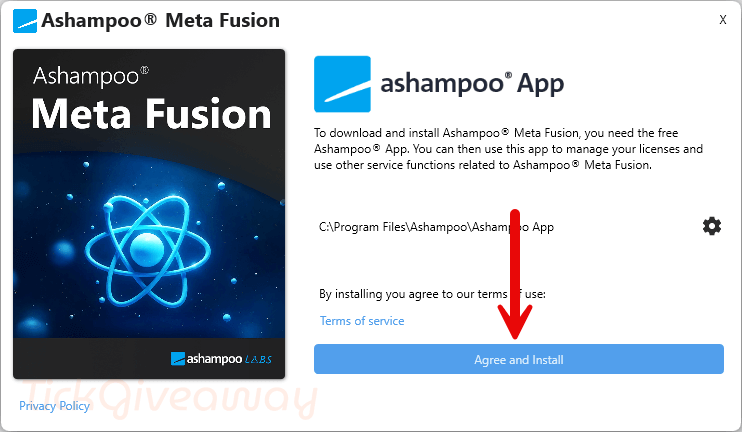
Step 1: Download the giveaway installer. Install this software on your computer:
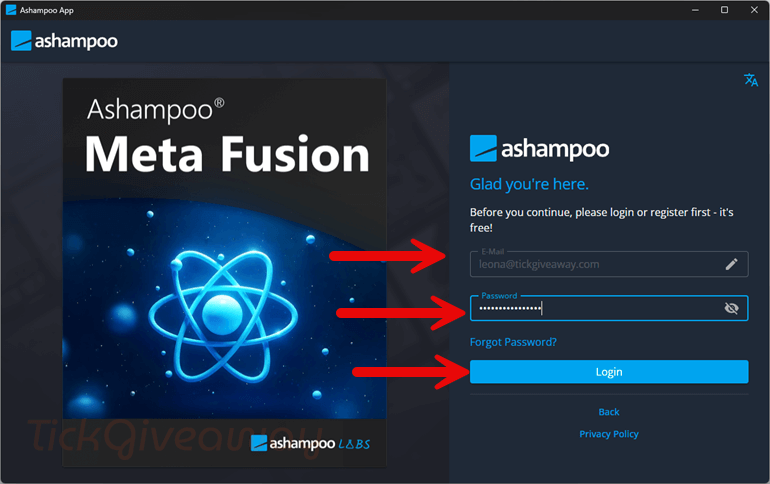
Step 2: Log in to the Ashampoo app or register if you don’t have an account.
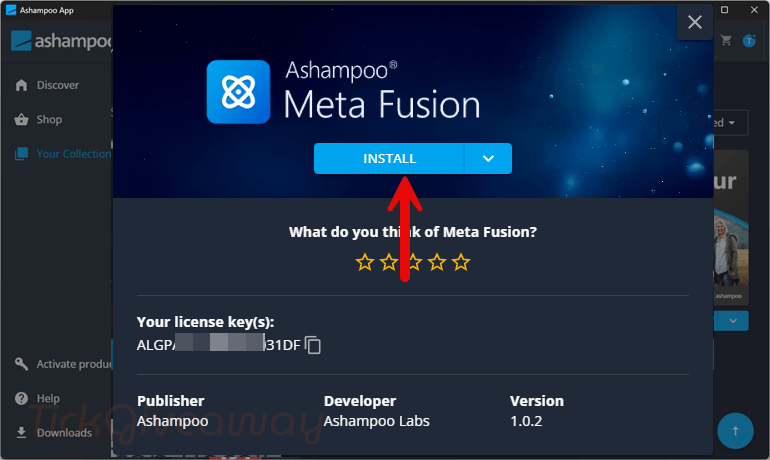
Step 3: In the Ashampoo App Center, click “Get” for Ashampoo Meta Fusion, and then the license key and download will be shown. Press “Install” to install Ashampoo Meta Fusion.
Start using the software when the installation is done!


Watch out this is an Ashampoo App installation that many have had trouble getting the program, getting it activated etc. Remember it’s a one function program, if you don’t use google photos export using google takeout or do but always keep a local copy of your original photos you have no need for this… even if you do use google take out you can always manually rebuild the exif metadata with programs like irfanview and use notepad to read the .json files with the meta info…