

Giveaway: AOMEI Backupper Professional (1-Year) – PC Backup & Restore, Sync and Clone Software

 jasmine
 Table of Contents
What is AOMEI Backupper Professional?
AOMEI Backupper Pro is a professional backup and recovery program that is simple to use. It completely safeguards your PC against data loss. It securely backs up your PC and server, offers a one-click backup of your system partition or drive, and does it in minutes. It can also clone partitions or drives. The program supports Microsoft Volume Shadow Copy Service (VSS), which allows data backup without interfering with current applications. If your data is accidentally destroyed or corrupted, the application may inspect the generated image and restore it to the hard drive. Additionally, you may create a bootable recovery CD to restore your data if the computer fails and the application is unreachable via the Windows interface.
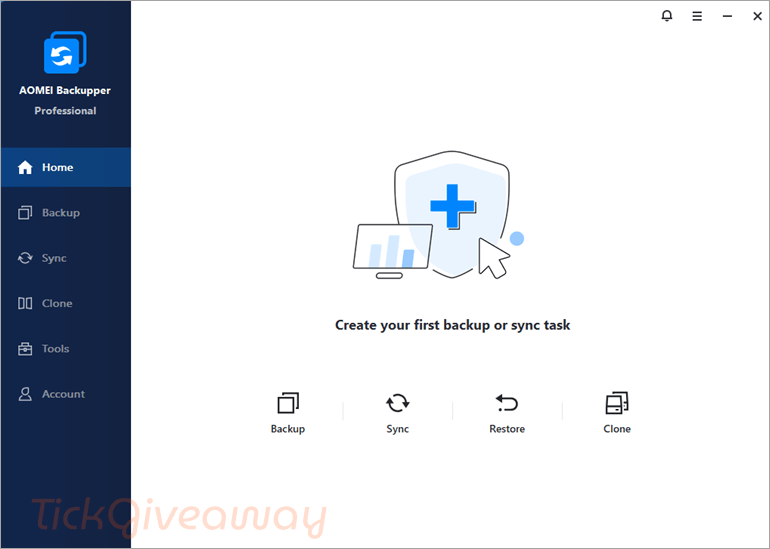
In addition to its core functionalities, AOMEI Backupper Professional offers a range of exceptional features to simplify system backup and restoration. These include Schedule Backup, Backup Scheme, Dissimilar Hardware Restore, Create Bootable Media, Pre/Post Command, Email Notification, Image Management, and Backup Task Management.
Key features
- System Backup & Restore: Create full system images and restore them quickly to ensure business continuity.
- Disk Backup & Restore: Backup entire hard disks, including partitions and data.
- Partition/Volume Backup & Restore: Backup selected partitions or volumes flexibly.
- File/Folder Backup & Restore: Backup specific files and folders with ease.
- Automatic/Scheduled Backup: Set schedules (daily, weekly, monthly, event-based, or USB plug-in) to run backups automatically.
- Incremental & Differential Backup: Save time and space by backing up only changed or new data.
- File Sync: Real-time and scheduled sync between drives, including mirror sync and two-way sync.
- Clone Features: System clone, disk clone, and partition clone to migrate OS or upgrade to SSD without reinstalling.
- Universal Restore: Restore the system to different hardware without compatibility issues.
- PXE Boot Tool: Boot multiple client computers through the network for maintenance or recovery.
- Command Line Backup/Restore: Advanced users can run backups via command-line scripts.
- Compression & Splitting: Reduce image size with compression and split large image files automatically.
- Backup Scheme: Auto-delete old backups to save disk space while keeping recent versions.
- Pre/Post Commands: Run specific programs or scripts before/after a backup task.
- Email Notifications: Get alerts after backup completion or errors.
- Create Bootable Media: Build a WinPE or Linux bootable USB/CD/DVD for system recovery.
- Merge Backup Images: Combine multiple incremental backups into a single image for easier management.
- Dynamic Disk & GPT/UEFI Support: Compatible with advanced disk configurations.
Supported OS: Windows 11/10/8/7
Price: $39.95/1 year
How to get the AOMEI Backupper Professional Giveaway?
Special Offer
AOMEI Halloween Sale: Up to 80% OFF
Celebrate Halloween Sale 2026 with AOMEI and enjoy savings of up to 80% on trusted backup, partition management, and data recovery solutions for your PC.
AOMEI Backupper Professional - 1Year
AOMEI Backupper Professional (Lifetime Upgrades / 1 PC)
AOMEI Backupper Pro Family (Lifetime Upgrades / 5 PCs)
Instruction
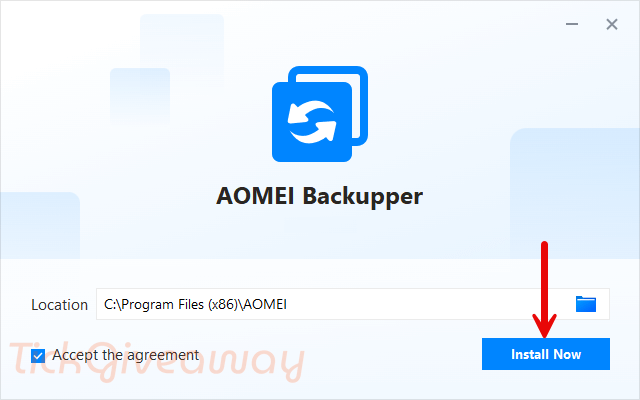
Step 1. Download the giveaway installer. After the download is finished, run the .exe file to install the software.
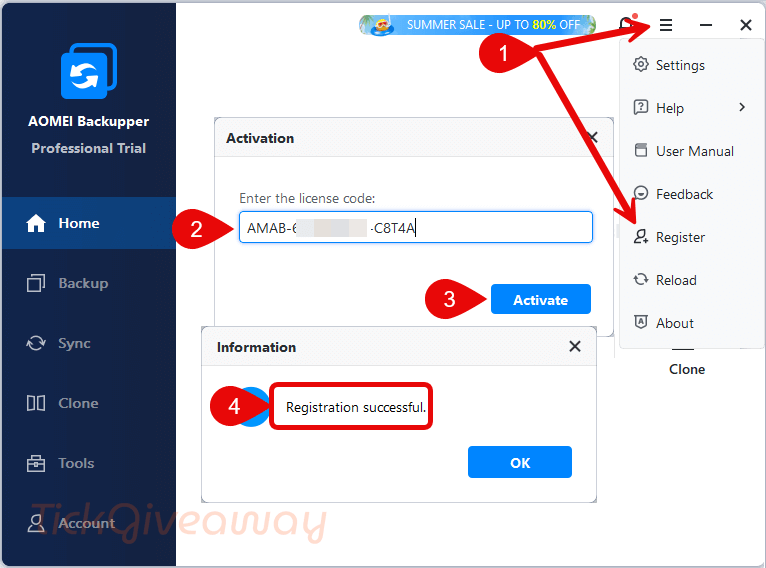
Step 2. Copy and paste the license key to register the software. Use the license code above.
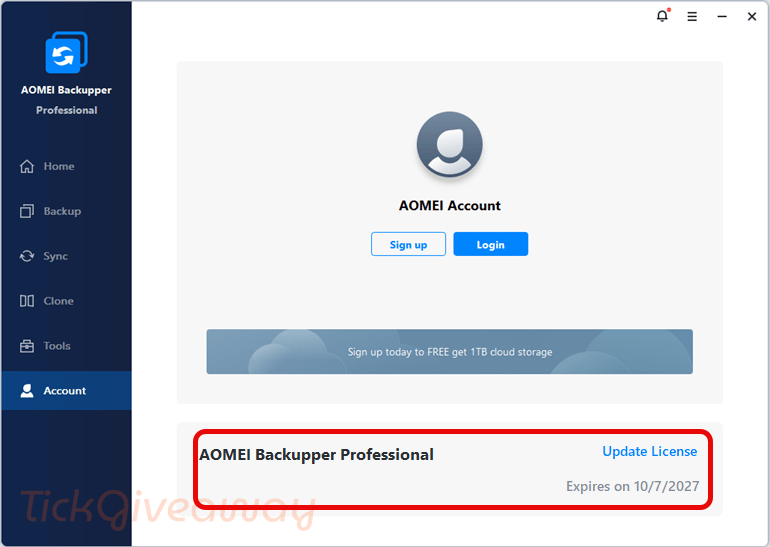
Step 3. Enjoy it for 1 year free!
Step 4. (Optional) Download the installer from AOMEI at https://www.ubackup.com/ss/download/adb/ABProTrial.exe, then reinstall the software on your computer to enjoy the PRO version without the “CHIP” tag appearing on the interface, and enjoy v8.4.

Where do you go in the software to confirm license information? It said the code was updated successfully but nothing like the screenshot where it has the date here. Do I have to create a login and be logged in?
Muchas gracias.
I cant activate the program, i got this message:
Registration failed. The license code has exceed the maximum number allowed devices, please buy a new license code to register. If you have any questions, please contact support@aomeitech.com for help.
How i can solve this problem?
Funcionando! Muchas Gracias
the second code works i updated it to the latest version 7.1.2 and the code works
Code isn’t working. Can someone one help?
Good
Code is not working anymore 🙁
merci
bah bah agha hamid, fekr nemikardam iraniha ham az in giveaway ha estephadeh konan chon aksaran az crack estephadeh mikonan.
Have any for AOMEI Backupper server ?
Give a Shot!
AMPR-113W7-3P74X-E7V7L
AMPR-Z9U7Q-06T5Z-Z7J1O
AMAB-GBMCF-1RPT0-1PBHN
AMAB-WQZ4C-JUE7Y-2MPT
AMAB-EY5TI-UY907-8TURJ
The only draw back is that if there’s already damp in place,
it doesn’t take away the damp.
Code not working
Hi,
This giveaway has ended.
Leider gibt es keinen Licence Key. Der Link führt nur zum Download der Pro Version und nach deren Installation gibt es keinen Key.
Een compliment aan AOMEI heb nog niet eerder zo gode backuper gehad makelijk in gebruik een aanrader…
Ik doe onderzoek naar de werking van software
Dus ik weet waar ik over praat
Went to buy AOMEI Backupper Professional with lifetime upgrades and they wanted to charge a 20% VAT, I live outside of the EU. Why would I be charged that 20% VAT?
Thanks, but I didn’t choose a language when installing. The language option is available after installation under settings. Kind regards
Thanks, I downloaded it from the AOMEI site. It installed as English and registered with the code provided in the giveaway. Also, I had contacted their support and was shown a screenshot where under Settings the language can be changed.
Thanks for the sharing. May you choose the wrong language during installation?
Please, I installed and registered, but the GUI is not in English. Can I change this?
Try to re-install it!
The download link that I provide in the post is the English version.
Code is not working. Please check again.
Update a new license code.
Thanks so much. Code is working now!