

Giveaway: MobiKin Backup Manager for Android – Backup/Restore Android Data Flexibly

 Leona
Leona Table of Contents
What is the MobiKin Backup Manager for Android?
MobiKin Backup Manager for Android is one of the best Android backup & restore software that comes with the most user-friendly interface out there. The software can help you easily back up complete or selected Android data for future use. It supports backing up Android contacts, messages, call logs, photos, videos, audio, documents, and apps, covering 8+ file types. More importantly, the new backup files will not overwrite the old ones.
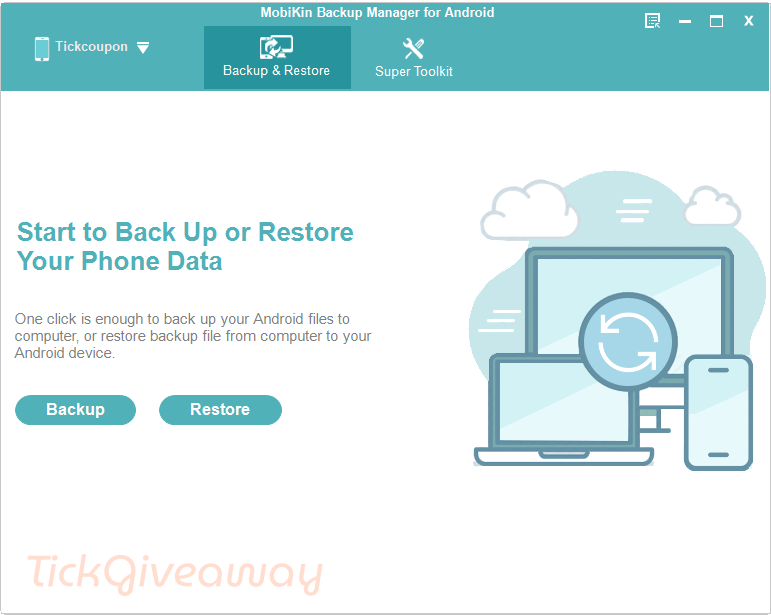
Key Features
- One-Click Android Backup: Back up Android data from phones or tablets to a computer with a simple click.
- Flexible Data Restore: Restore saved backup files from the computer back to the same Android device or another Android phone/tablet.
- Multiple File Types Supported: Supports contacts, messages, call logs, photos, videos, music, documents, and apps.
- Selective Backup and Restore: Choose specific data types instead of backing up or restoring everything at once.
- Safe Restore Process: Restore backup data without overwriting or losing existing Android files, with an option to clear data before restoring.
- Export Android Data to Computer: Save Android data to a PC in formats such as HTML, CSV, and vCard for easier viewing, sharing, or printing.
- USB and Wi-Fi Connection: Connect Android devices to the computer using a USB cable or Wi-Fi QR code scanning.
- Backup Folder Management: Add backup folders manually, so you can restore backup files stored outside the default directory.
- File Preview Details: View basic file information such as name, size, date, and item count before backup or restore.
- Wide Android Compatibility: Works with 8000+ Android phones and tablets, including brands like Samsung, Xiaomi, OPPO, OnePlus, Huawei, Sony, Motorola, Google, and more.
- Supports New Android Versions: Compatible with Android 6 and above, including Android 16.
- Beginner-Friendly Interface: Designed with a simple layout, so users can back up and restore Android data without technical skills.
Supported OS: Windows 11/10/8/8.1/7/Vista, Windows XP
Price: $39.95/year
How to get the MobiKin Backup Manager for Android license key for free?
MobiKin Backup Manager for Android
flexibly back up and restore Android files
Special offers
MobiKin Backup Manager for Android - 1 Year, 1 PC
MobiKin Backup Manager for Android - Lifetime, 1 PC
MobiKin Backup Manager for Android (Mac) - 1 Year, 1 PC
MobiKin Backup Manager for Android (Mac) - Lifetime, 1 PC
Instructions
Step 1. Please enter your email address into the giveaway form to get your free license code
Step 2. Download the installer for MobiKin Backup Manager for Android –> mobikin-android-backup-and-restore.exe
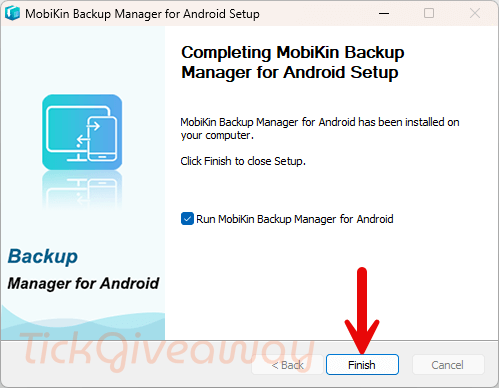
Follow the instructions to install the program:
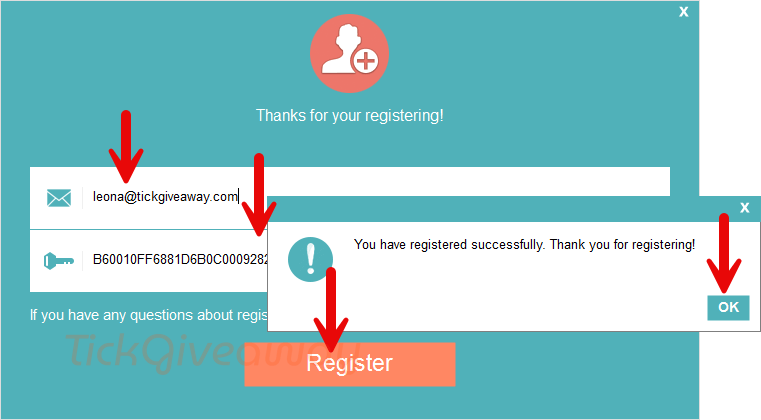
To register the software, please fill in the registration form with user info, including the Licensed email and license key, and click the “Register” button to unlock full functionality.
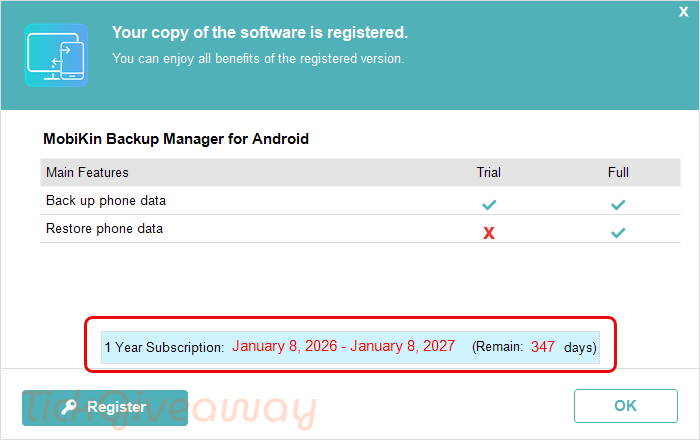
Step 3. Now, you can enjoy the software for free for one year, with full features and no limitations!


This is just a bog standard android backup program that requires you enable USB debugging which can negatively affect certain applications as they detect it as a hack attempt against their protected data and shut down serving protected content.
It also does not backup any applications data just the raw APK files you can get for free by any number of free apps. It does not backup any chats, just SMS messages like backup programs for old dumb phones. Nothing has progressed in the past 20 plus years.