
Giveaway: Kerish Disk Health – Monitor The Physical Condition of Your Disks

 Leona
Leona A dying drive rarely gives you a convenient warning. One day your PC feels normal, and the next you’re dealing with slowdowns, errors, or missing files. Kerish Disk Health is designed for people who want earlier signals so they can plan a replacement before a disk becomes critical. It keeps an eye on drive health and temperature in the background and turns that information into a clearer picture of how your SSD or HDD is holding up. If you manage multiple PCs at home or just want peace of mind about your main computer, this can help you stay ahead of surprises. This post explains how to join the Kerish Disk Health free license giveaway.
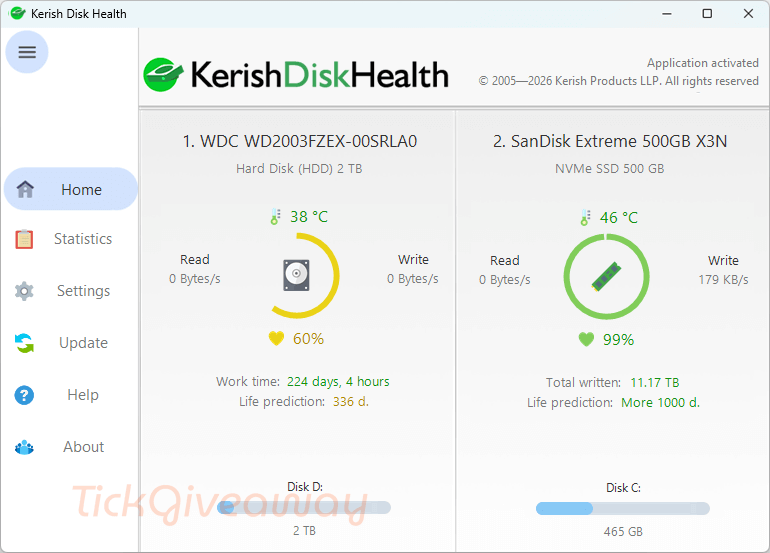
Table of Contents
What Does Kerish Disk Health Help You Do?
- Check a simple health percentage so you can spot when a drive is moving toward a risky state.
- Estimate how much service life may be left, helping you plan a replacement timeline.
- Watch the drive temperature and get warned when a disk is overheating.
- Review disk statistics to identify which parameters might need attention.
- Monitor drive activity trends (like read/write status) as part of ongoing upkeep.
- Keep an eye on S.M.A.R.T. values in real time to catch early warning signs.
Kerish Disk Health Giveaway Details & How to Join
Giveaway Overview
| Version included | 1.00 |
| License type | Personal |
| License duration | 1 year |
| Supported platform | Windows 11 / 10 / 8 (8.1) / 7 |
| Original price | $24.95 (1-year license for 1–3 PCs) |
| Updates | Free upgrades for 12 months; after that, upgrades may require an additional discounted payment (as stated by the organizer) |
How to Join
Step 1. Go to the Kerish Disk Health giveaway page to get the free license code
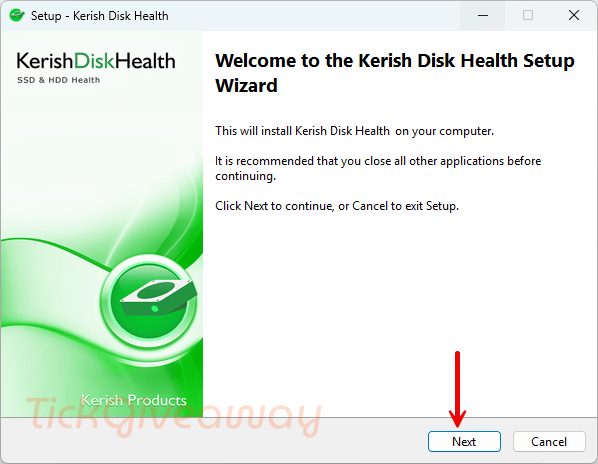
Step 2. Download the software installer using the organizer’s provided download link and install it on your Windows PC —> Kerish_Disk_Health_1.00.exe
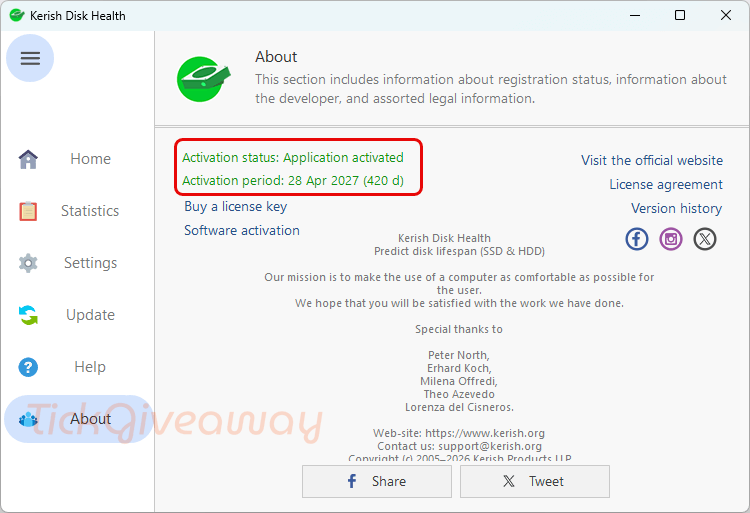
Open the app and go to the registration/activation area. Copy and paste the above license code to register.
40% Off Hard Disk Sentinel Standard Coupon Code
40% Off Hard Disk Sentinel Professional Coupon Code
40% Off Hard Disk Sentinel Professional Family license Coupon Code
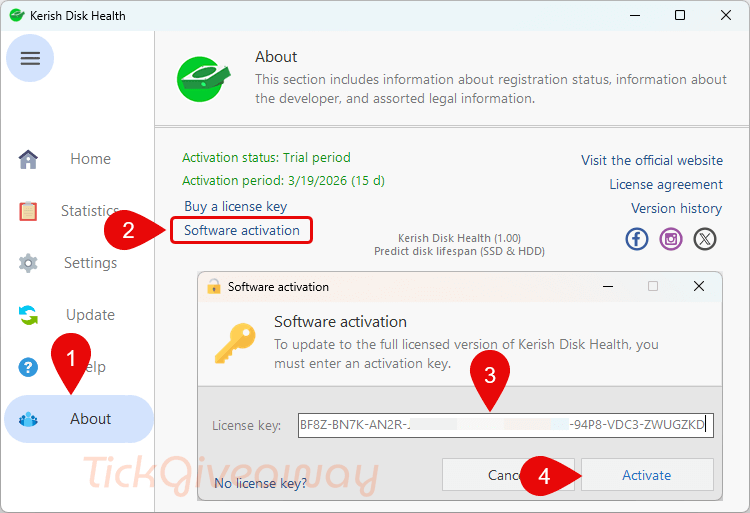
Step 3. Double-check that your registration information matches exactly what the organizer shows, then confirm activation and use the software during the 1-year license period.
Who Is This Giveaway Most Useful For?
- Home PC owners who want fewer surprises: If you’d rather replace a drive on your schedule than during a crash, having health and temperature signals can help.
- Anyone running an older laptop or desktop: Older systems often have drives that are closer to wear limits, so ongoing monitoring can feel more important.
- Students or creators with important local files: If your work depends on one computer, knowing when a disk is becoming risky can prompt you to back up sooner.
- Families with multiple computers: A simple, quick “health percentage” view can make it easier to decide which PC needs attention first.
Terms & Conditions
- The giveaway provides Kerish Disk Health v1.00 with a personal license.
- The license duration is 1 year from activation (as described by the organizer).
- The original pricing reference is $24.95 for a 1-year license covering 1-3 PCs; confirm device/activation limits in the organizer’s instructions if shown.
- Upgrades are free for 12 months; later upgrades may require a paid, discounted upgrade (per organizer terms).
- Support/maintenance policies beyond what’s stated above are not specified here.



It is not possible to obtain the license code in any way. Why did they choose such a difficult method?
Mnie doszła BF8Z-BN7K-B68U-PVQU-B9FZ-SLE8-HQ6B-H85U-VKC3-BB9T-BKBKZSR
On Kerish website the version history states:
“Version 1.00
18 November, 2025
Release of Kerish Disk Health”
BUT
On the product page it states quite clearly
“Technical specifications
Latest release: 3 March 2026
Support for: Windows 11 / 10 / 8 (8.1) / 7
Size: 12 MB
Version: 1.00”
What is going on? Is it a new release… the installer seems to be new with the main executable being dated 3/3/2026 … what’s going on? Looking at archive.org version 1.00 goes back to 2024 and is finally released as a downloadable in December 2025… and supported Vista in that incarnation… I just extracted the current installer using the latest version of innoextractor and edited the .iss install script to revert it back to Inno v5.x compatible compiler and rebuilt the installer and it installed fine under Vista and still works… There has been NO development on this product since it’s initial release back in 2025 and was only re-released to recompile it using a version 6.7.0 inno installer compiler. Don’t expect any new version during the 1 year license term.
This is a simple but not mature program I personally would recommend a far more mature Hard Disk Sentinal lifetime license which is offered on giveaway sites from time to time.
I consider this giveaway to be an unannounced public beta test and only a 1 year giveaway license too! Not worth installing for only a years use to beta test it for them! License for these unannounced beta tests like this should be non-expiring and cover the fixed version that will likely follow after bug reports and suggestions from this giveaway are received.
It’s not even a legitimate tickcoupon giveaway its a bits de jour giveaway being promoted by tickcoupon! Of course the problem with BDJ giveaways if more often than not the license emails NEVER arrive and they do not provide any secondary backup method of obtaining the license code. I would not bother with it if I were you!