

Coolmuster Mobile Transfer Free Code – Phone to Phone Data Transfer

 jasmine
 Table of Contents
About Coolmuster Mobile Transfer
Coolmuster Mobile Transfer is renowned as one of the best mobile data transfer software. It allows transferring content such as contacts, SMS, photos, videos, eBooks, apps, and more between Android and Android, Android and iOS, Android and Symbian, and iOS and Symbian without any quality loss. The software is compatible with the latest iOS 17 and Android 14 and supports a variety of devices, including iPhone, iPad, iPod, Samsung, HTC, LG, Sony, Google, Motorola, and more.
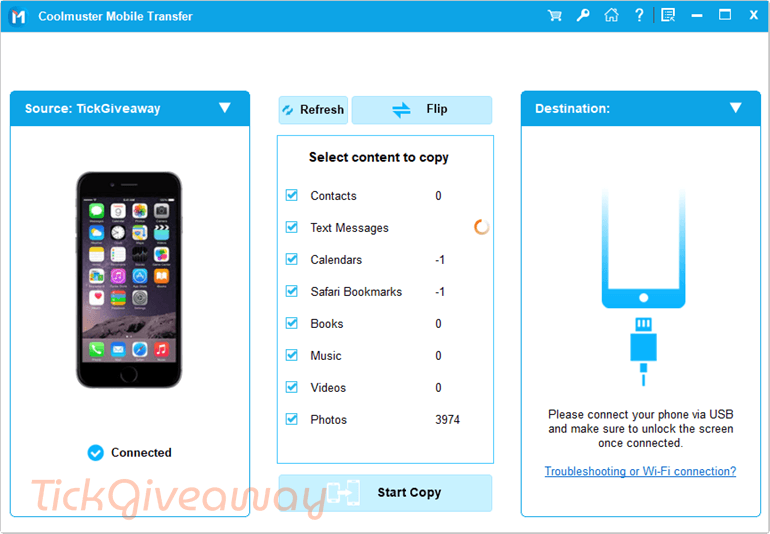
With the One-Click Data Transfer function, the tool permits users to transfer their data in three simple steps: connect devices, select files, and click start. The intuitive interface makes the transfer process straightforward and accessible to all users. Additionally, it can handle large amounts of data, such as thousands of photos, with ease and speed.
Key Features:
- Phone-to-Phone Transfer: move data directly between two devices with just a few clicks.
- Cross-Platform Support: transfer data between Android and iOS, including Android to Android and iPhone to iPhone.
- Multiple Data Types: supports contacts, SMS, photos, music, videos, and more.
- One-Click Operation: a simple process to copy selected data without complicated steps.
- No Data Loss: Keeps original data intact during the transfer process.
- Fast Transfer Speed: completes data migration quickly, even for large files.
- Selective Transfer: Lets you choose specific file types instead of copying everything.
- Wide Device Compatibility: works with most Android phones and iPhones, including newer models.
- Clean and Easy Interface: a straightforward layout that is easy to understand from the start.
Supported OS: Windows 11/10/8/7
Price: $25.95/year
How to get the Coolmuster Mobile Transfer Giveaway?
Step 1. Go to this Coolmuster Mobile Transfer giveaway page
50% Off Coolmuster Mobile Transfer - 1 Year License(1 PC) Coupon Code
50% Off Coolmuster Mobile Transfer - Lifetime License(1 PC) Coupon Code
50% Off Coolmuster Mobile Transfer for Mac - 1 Year License(1 PC) Coupon Code
50% Off Coolmuster Mobile Transfer for Mac - Lifetime License(1 PC) Coupon Code
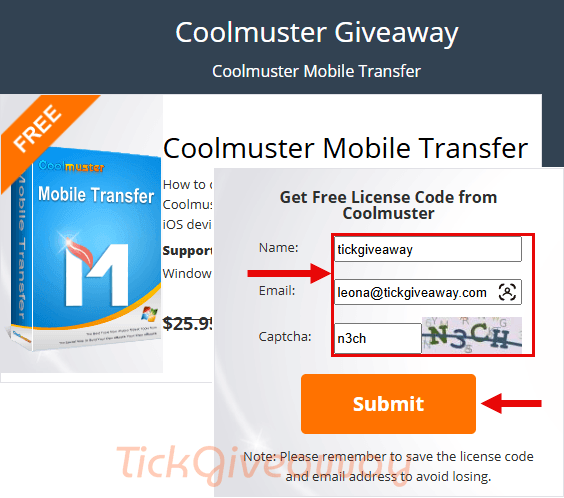
Please enter your name and email address, then click on the “Submit” button.
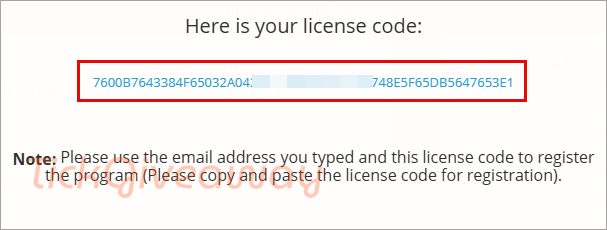
The license code will show
Step 2. Download the installer —> cool-mobile-transfer.exe
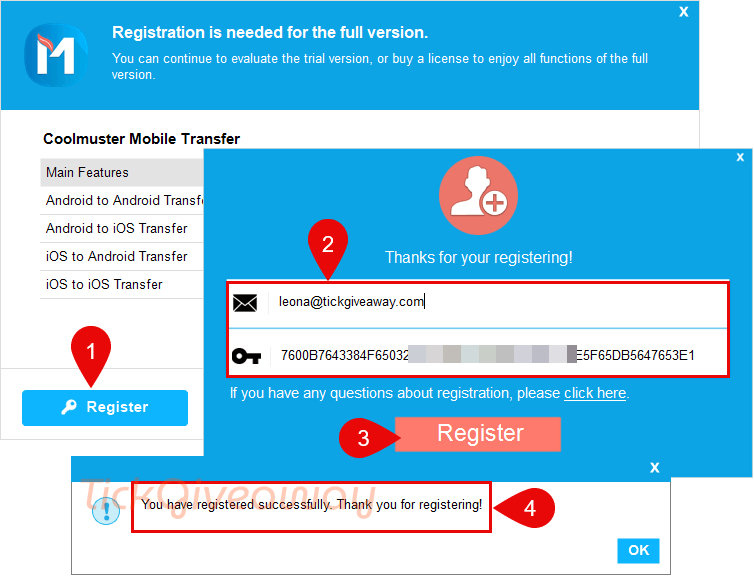
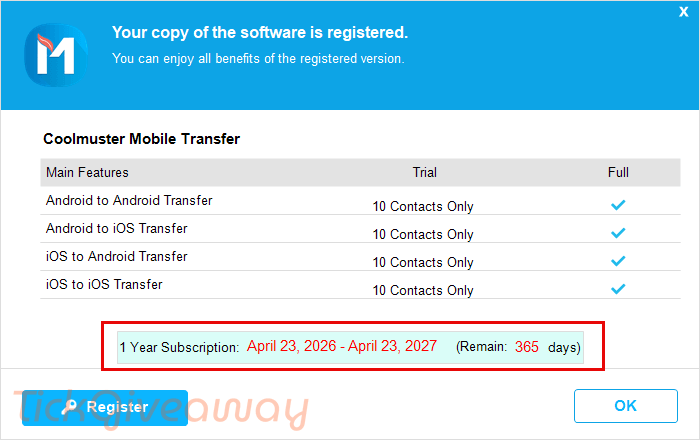
Click on the .exe file to install the software on your computer, then open it, access the main menu, click on the key icon/register, then paste exactly your email address and your license key to register it:
Step 3. Enjoy it for 1 year with full features!
Terms of use
- This is a 1-year license
- No free update
- No free tech support
- Register before Apr 25, 2026



Requires USB Debugging to be enabled on the Android device which some apps detect as hacking activity and decline to show DRM protected content as a result and this only transfers a subset of device data.. it does not transfer app databases even between like architectures that share the exact same APP requirements.
hlow