
Giveaway: Coolmuster Android Backup Manager (1-Year) – Back Up and Restore Android Data

 Leona
Leona Table of Contents
What is the Coolmuster Android Backup Manager?
Coolmuster Android Backup Manager is an Android backup and restore software that lets you back up and restore Android devices with a single click. It lets you quickly save contacts, messages, call logs, photos, videos, music, documents, and apps from your Android phone or tablet to a computer, then restore them whenever needed. With support for USB and Wi-Fi connections, fast and read-only transfers, and compatibility with almost all Android devices, Coolmuster Android Backup Manager offers a safe and convenient way to manage Android backups without ads or complicated steps.
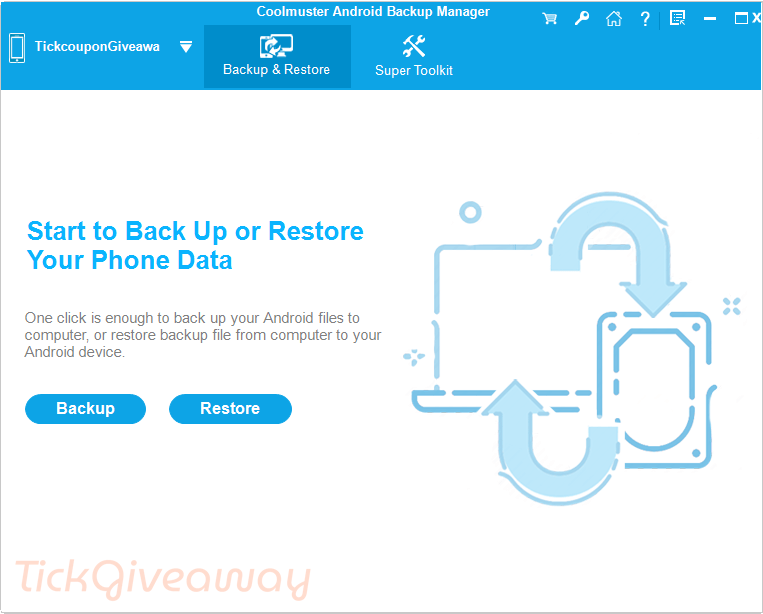
Key Features
- Backs up all or selected data from an Android phone or tablet to a computer with a single click.
- Restores Android data from a backup file on your PC to any connected Android device easily.
- Works with contacts, text messages, call logs, photos, videos, music, books, documents, and user apps.
- Allows Android devices to connect to the computer via USB or wirelessly via Wi-Fi.
- Lets you choose specific data types, set a custom backup location, and monitor backup progress.
- Displays all available backup files and allows selective restoration without deleting existing data unless chosen.
- Supports almost all Android phones and tablets from major brands and runs on Android 6.0 and above.
- Performs backup and restore tasks without modifying or leaking personal data on the device.
- Completes backup and restore processes quickly and efficiently.
- Supports managing and backing up multiple Android devices simultaneously.
- Green, clean software with no ads and a small installation size.
Supported OS: Windows 11/10/8/7
Price: $19.95/year
How to get the Coolmuster Android Backup Manager license key for free?
This giveaway ended on .
The terms and product details above stay on record. Stay tuned - we publish new giveaways every day.
Special offers
Coolmuster Android Backup Manager - 1 Year (1 PC)
Coolmuster Android Backup Manager - Lifetime (1 PC)
Coolmuster Android Backup Manager for Mac - 1 Year (1 PC)
Coolmuster Android Backup Manager for Mac - Lifetime (1 PC)
Instructions
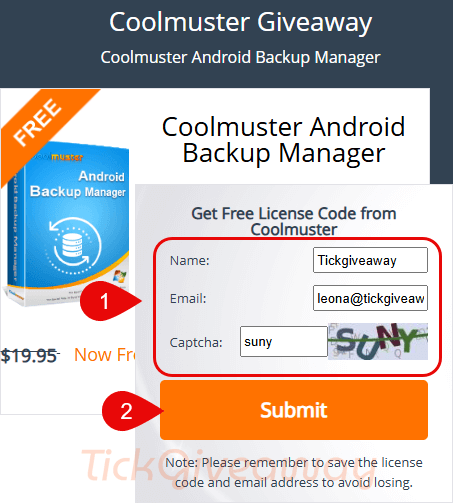
Step 1. Go to the Coolmuster Android Backup Manager giveaway page
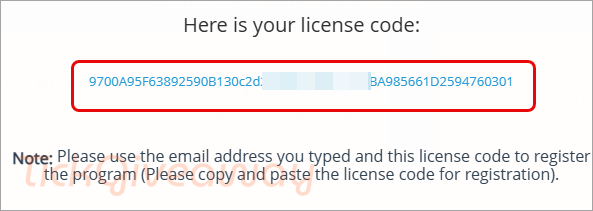
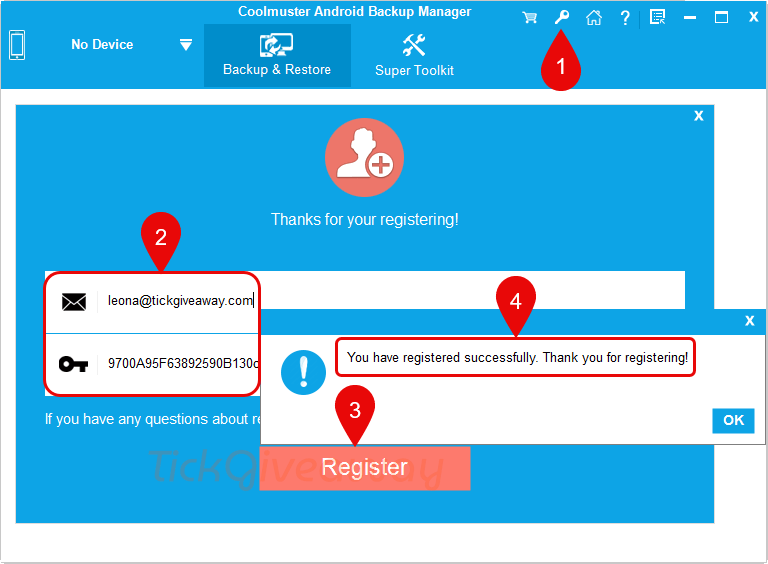
Step 2. Run the software, click the “Key” icon in the top-right menu, then click the “Register” button. Copy and paste the licensed email address and the license code to register for the program:
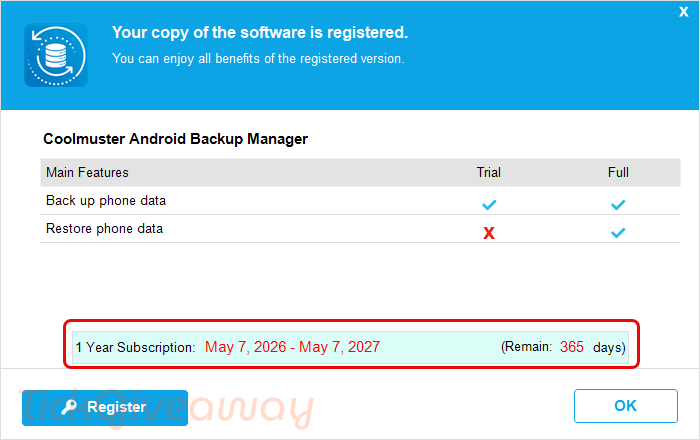
Step 3. Enjoy it!


al 3 x geprobeerd ik geeft mij email maar krijg geen sleutel…
Na het invoeren van je e-mailadres en het klikken op de knop ‘Verzenden’, deel het dan met je vrienden op Facebook of Twitter. Daarna ontvang je je gratis licentiecode.
Does NOT backup the Android Phone, just select standard data like .APK’s and SMS and call logs and contacts and loose files in downloads but no app specific databases… If you want to restore the backup after a factory reset, you’d have to add accounts to email programs, re-download all the emails, assuming they are still on the email servers and you weren’t using POP3 which deletes them from the server when you originally retrieved them unless set to leave a copy on the server… You’d have to rebuild app specific profiles, somehow reconnect your whatsapp and telegram accounts to the phone… and probably lose the history of chats like Boris Johnson claimed to do… Pretty much useless IMHO.
i need to register
A new giveaway has been announced, and you can now get a free key.
Message after Installation : only running with OLDER Android versions 🙂
I need it for macbook