Giveaway: Donemax Recorder (Lifetime) – Record Screen Videos With Auto-Zoom

 Leona
What is Donemax Recorder?
Donemax Recorder is a Windows screen recording tool that captures your screen, webcam, microphone, and system audio. It can add automatic zoom effects based on clicks and cursor movement, helping viewers follow important actions. After recording, you can adjust cursor style, backgrounds, borders, rounded corners, and webcam placement. The software also supports common video aspect ratios, making it suitable for tutorials, product demos, online courses, presentations, and social media videos.

Table of Contents
Key Features
- Magnify important click areas automatically after recording.
- Smooth cursor movement and change cursor style or speed later.
- Adjust backgrounds, margins, borders, and rounded corners after capture.
- Reposition and resize webcam footage inside the finished recording.
- Capture camera, microphone, and system audio as separate tracks.
- Resize exports for common social platforms or custom dimensions.
| Version | 2.0 (giveaway build) |
| Supported OS | Windows 11/10 |
| File size | 108 MB |
| License type | Lifetime, noncommercial use |
| Publisher | Donemax |
| Category | Video Capture – Screen Recorder |
Our Quick Test
Based on the activation process, getting started requires an email request, installation, and code entry. Future upgrades are outside the included entitlement, so treat this as a fixed-version license. Complimentary vendor assistance is excluded, so activation problems may require self-troubleshooting. It suits home users who want a recorder they can keep without recurring license fees.
How to Get the Free License Key
Donemax Recorder
Records your screen, webcam and audio, then auto-zooms every click into a finished video.
- License
- Lifetime · 3 PCs
- Version
- 2.0
- Availability
- Available
Instructions
Step 1. Enter your email address in the giveaway form above.
Step 2. Download the software for version 2.0 and install the downloaded setup file on your computer.
Step 3. Enter the emailed license code in the app’s activation window.

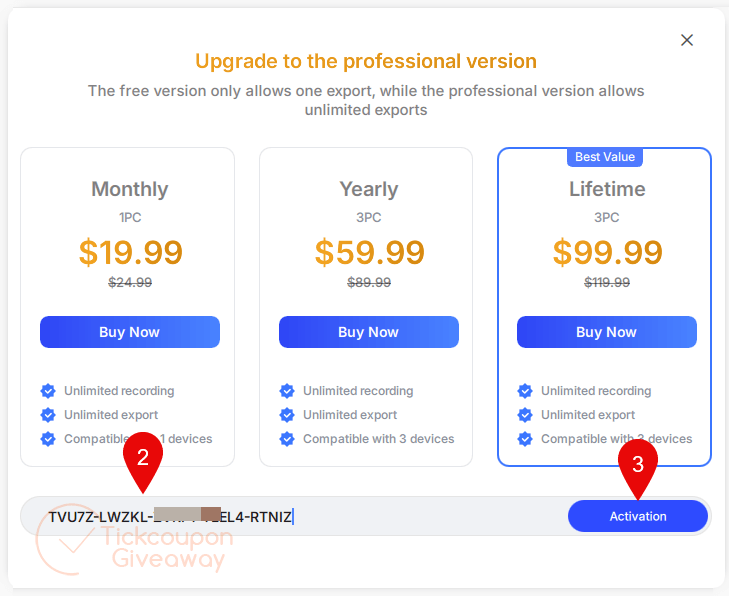
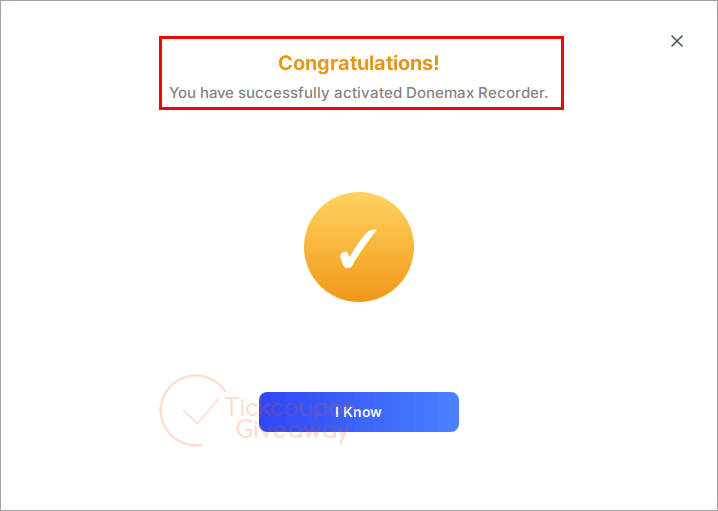
Step 4. Got it for a lifetime free!
Troubleshooting
- Invalid key: Use the exact giveaway installer listed above. A different build may reject the code.
- Key allocation exhausted: Leave a comment on the giveaway page to request another code.