


 Leona
Leona Table of Contents
What is the Tipard DVD Creator?
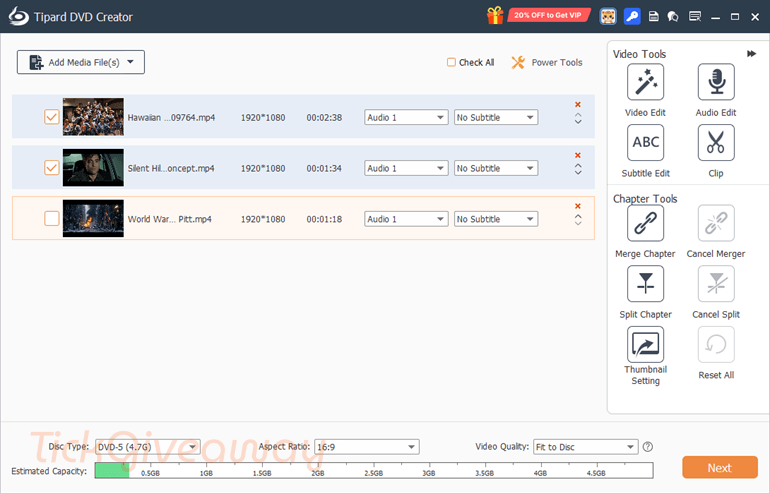
Tipard DVD Creator is professional software that gives users the ability to create DVDs quickly and easily. With it, the user can combine multiple clips together to form a DVD folder, such as creating Video DVDs from most of the current Video formats, music DVDs, build lists, disc covers, wallpapers, ISO image files, or many other devices. Besides, it also helps with tools related to video editing, so you can finish before burning the DVD. Plus, Tipard DVD Creator can burn DVD discs with any videos like MP4, AVI, MKV, MOV, WMV, TS, etc.
Key Features
- Design a DVD with video in the form of MP4, MOV, MPEG, FLV, WMV, MKV, AVI, etc.
- Add audio recording and subtitles to DVD/BD and merge/split parts.
- Free customization of DVD list, frame, button, text, background music, and images for free.
- Easily edit video files by trimming, cropping, adding watermarks, adjusting effects, and adding video filtering effects.
Supported OS:
- OS Supported: Windows Vista, Windows 7, Windows 8, Windows 10, Windows 11
- CPU: 1.2GHz Intel or AMD CPU, or above
- RAM: 1G RAM or higher recommended
Price: $30/month
How to get the Tipard DVD Creator Giveaway?
Step 1. Go to the Tipard DVD Creator giveaway page —>
Giveaway link-1, version: 5.3.26. Download: dvd-creator.exe
Giveaway link-2, version: 5.2.58. Download: https://www.tipard.de/downloads/dvd-creator.exe
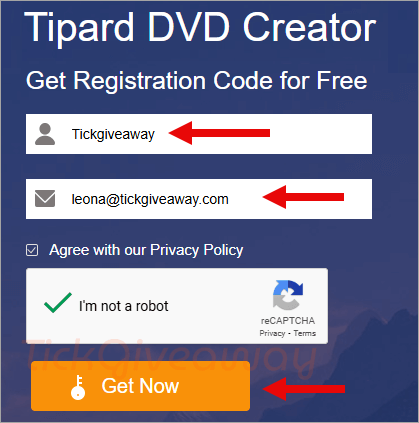
Enter your name and your Email address => Click on the ” Get Now” button to get the registration code
Tipard DVD Creator for Win
Get 50% Off Tipard DVD Creator for Win Coupon Code
Tipard DVD Creator for Mac
Get 50% Off Tipard DVD Creator for Mac Coupon Code
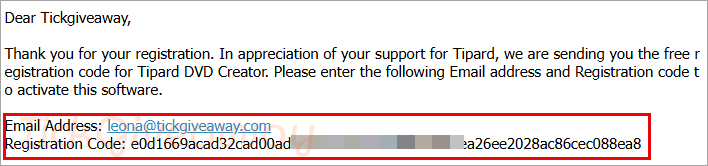
Step 2. Check your mailbox to get the registration code.
Step 3. Download the software on your computer and install it. Click on the “Log in” button on the main screen software.
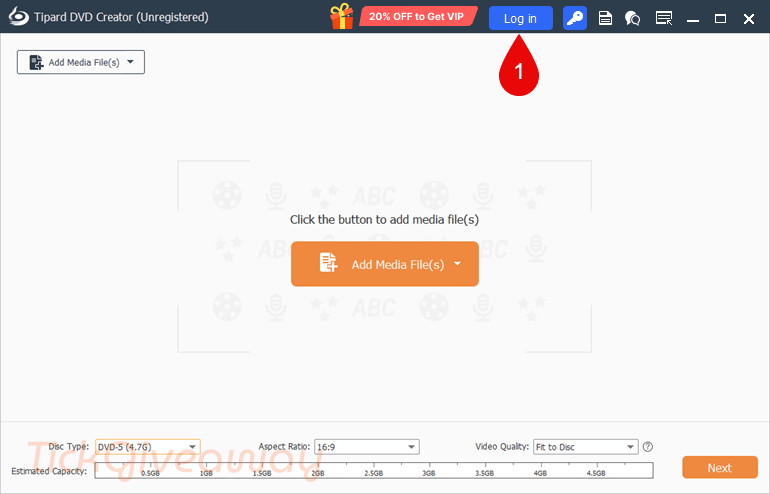
Then, log in without a password.

When login is successful, please use the email and registration code above to activate the software.
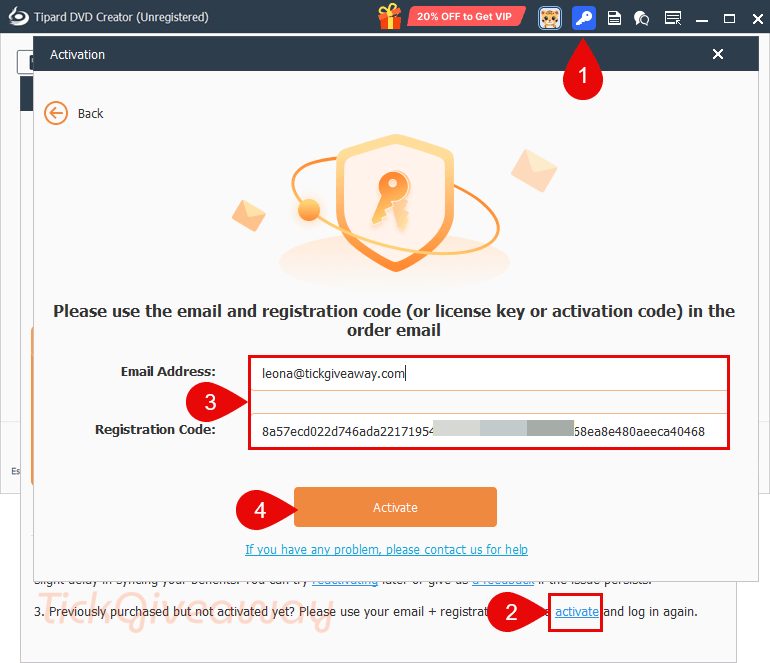
Step 4. Enjoy!!!
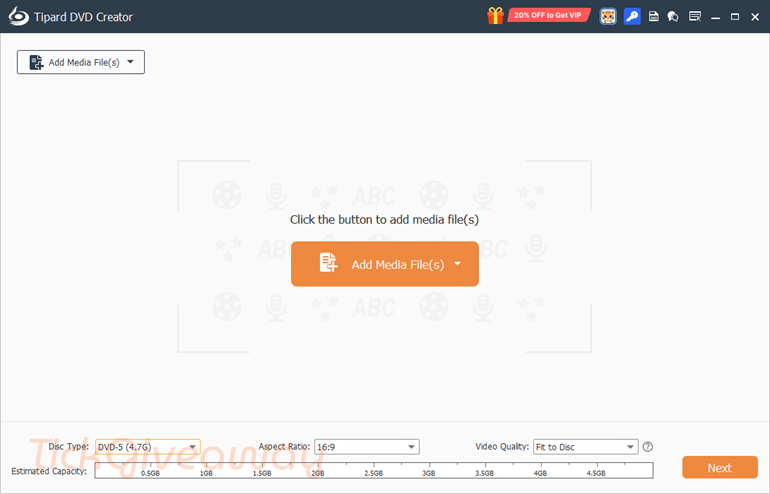
How to change the language?
German is the default language; you should change the language to English to use it. Just come to the Language folder in the software installation location, then delete the “de.rcc” file (or rename the “de.rcc” file to the “en.rcc” file). Open the software and use it in English.
Windows x32: C:\Program Files\Tipard Studio\Tipard DVD Creator\language
Windows x64: C:\Program Files (x86)\Tipard Studio\Tipard DVD Creator\language
Terms & Conditions
- This is a 1-year license code for the current version
- Non-commercial use
- No free updates or technical support


TIPARD DVD CREATOR GIVEAWAY ENDED WITHIN 10 HOURS?
Thanks for the feedback.
This giveaway has ended
Thanks for the report.