

GrabTube Pro Key Free – Download videos from YouTube, TikTok, Instagram & 1800+ Sites

 Leona
Leona Downloading online videos for offline viewing can be frustrating when websites limit downloads or when you need a file in a different format for your device. Many users also want one tool that can handle video downloads, audio extraction, playback, and file conversion without switching between multiple apps. GrabTube Pro is designed to help with everyday media tasks by letting users save content locally, play files in the app, and convert them to formats that suit different needs. It may be useful for people who watch videos offline, collect learning materials, or manage audio and subtitle files. A limited-time giveaway is currently available for users who want to try the Pro version.
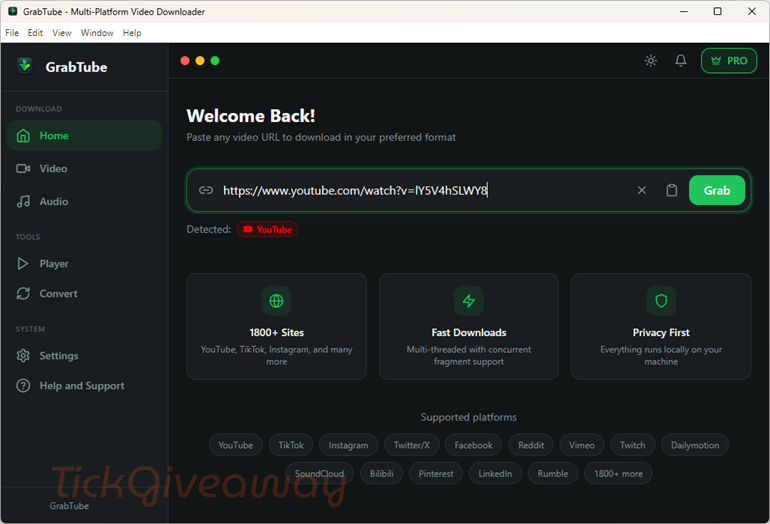
Table of Contents
What Does GrabTube Pro Help You Do?
- Save videos from a wide range of supported websites for offline access.
- Download media in different quality levels based on your viewing needs.
- Convert video, audio, image, and subtitle files into other formats.
- Extract audio from video files for music, podcasts, or spoken content.
- Play downloaded files inside the app with subtitles and playback controls.
- Keep media files organized in one desktop tool instead of using separate utilities.
GrabTube Pro Giveaway Details & How to Join
Giveaway Overview
| Version included | GrabTube Pro |
| License type | 6-Month Pro Trial |
| License duration | 6 months |
| Supported platform | Windows, macOS, and Linux |
| Original price | $19.99 |
How to Join
Step 1. Visit the GrabTube Pro giveaway page and enter your name and email address, then click on the “Claim Your Free Pro License” button
Get 94% Off StreamFab All-In-One coupon code free
82% Off Allavsoft Lifetime License Coupon Code
77% Off FliFlik UltConv Standard - Lifetime Plan Coupon Code
Auslogics Video Grabber
Save 44% Off 4K Video Downloader Plus - Pro Coupon Code
50% Off EaseUS Video Downloader (Lifetime Upgrades)
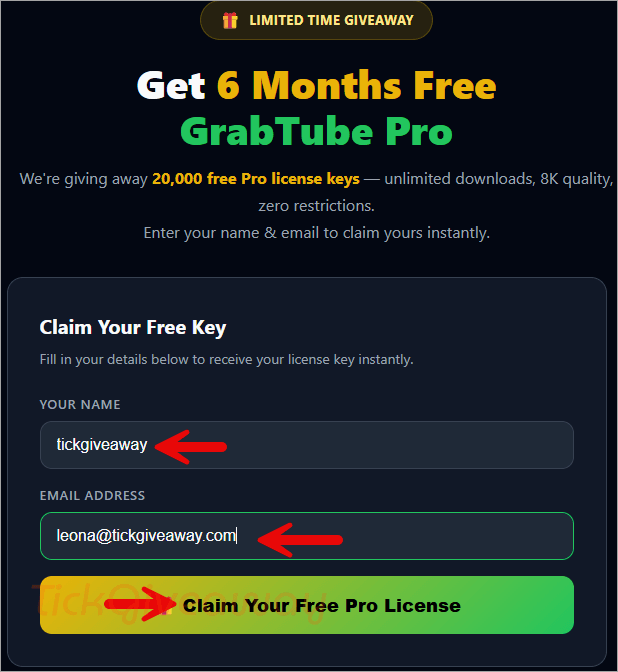
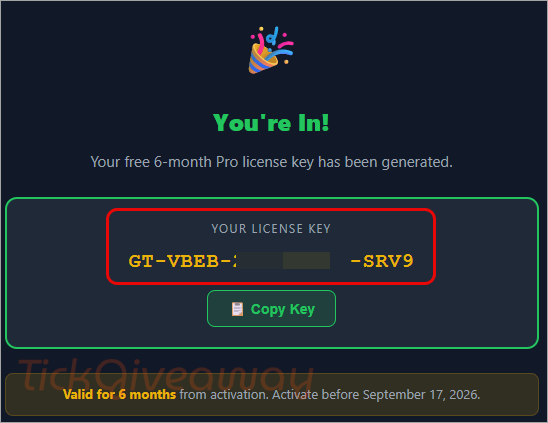
You will receive your license key instantly.
Step 2. Download and install GrabTube for your platform (Windows, macOS, or Linux)
GrabTube.Setup.1.0.54.exe
GrabTube-1.0.54-arm64.dmg
GrabTube-1.0.54.AppImage
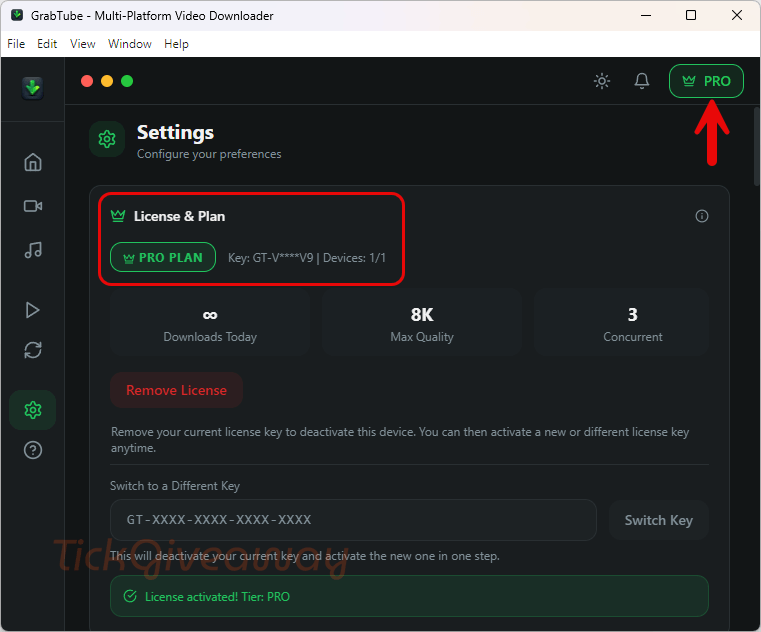
Launch the software, then use the license code above to activate the software.
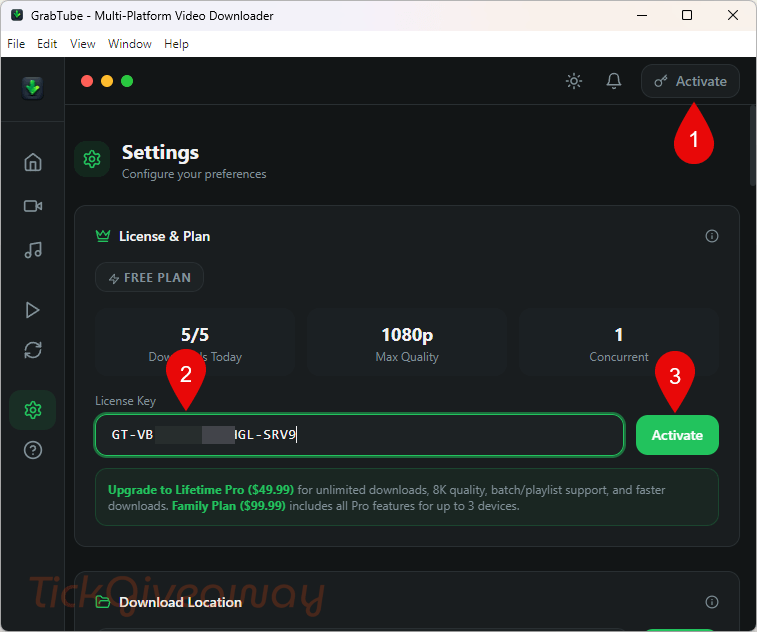
Step 4. Got it for 6-month free!
Who Is This Giveaway Most Useful For?
- People who regularly save online videos for offline watching.
- Users who convert video files into audio for phones or other devices.
- Students who want to keep reference videos locally.
- Researchers who need offline access to saved video materials.
- Tutorial viewers who rewatch instructional content multiple times.
- Users who want one desktop app for playback, subtitles, and conversion.
Terms & Conditions
- The offer is limited to 20,000 license keys
- Keys are available on a first-come, first-served basis
- The license is valid for one computer
- The giveaway license lasts for six months
- Use is limited to noncommercial purposes
- Free minor updates are included during the six-month period
- No free technical support is included with the giveaway version
- The license must be redeemed before March 19, 2026.
- Supported systems include Windows, macOS, and Linux.



what after six month? licence switch to free linitation version??
While in some official descriptions they do acknowledge the use of FFMPEG.EXE by this program, unless the license of this program is GPLv3 compatible (there is NO indication that the license for this is GPLv3 compatible) it is still illegal and is pirating the FFMPEG binaries as the ones they use are compiled with GPLv3 license options enabled. They should recompile them to use LGPLv3 options and include a copy of the LGPLv3 license text. There is no license text displayed and requires acceptance during the install process so it’s absolutely NOT GPLv3 licensed or licensed in a compatible manner.
I have heard from a 3rd party the developer has listened to my assertions and the new version now distributes the LGPLv3 FFMPEG binaries and includes a copy of the LGPLv3 license document which I’ve checked it the new current version is using LPLv3 license for FFMPEG.EXE and FFPROBE.EXE which makes a nice change! Current version offered both here is 1.0.55 NOT 1.0.54 which had the wrong licensed version of FFMPEG binaries. It’s now legal in that respect… obviously using it to download is a breach of contract law you have to agree to when signing in to an account on any provider you download from without authorisation from the rights owners.
Thank you both GrabTube, and TickGiveaway!
Is it true that we can postpone the installation till September 17, 2026? Of course, having gotten the key before.
The license will be expiring by then… or have you found a license limitation workaround by setting system date to September 17 2026? maybe by using the runasdate program?