Giveaway: Apeaksoft Video Converter Ultimate (1-Year) – Convert/ Edit/ Enhance Videos and Audio

 Leona
Leona Table of Contents
What is Apeaksoft Video Converter Ultimate?
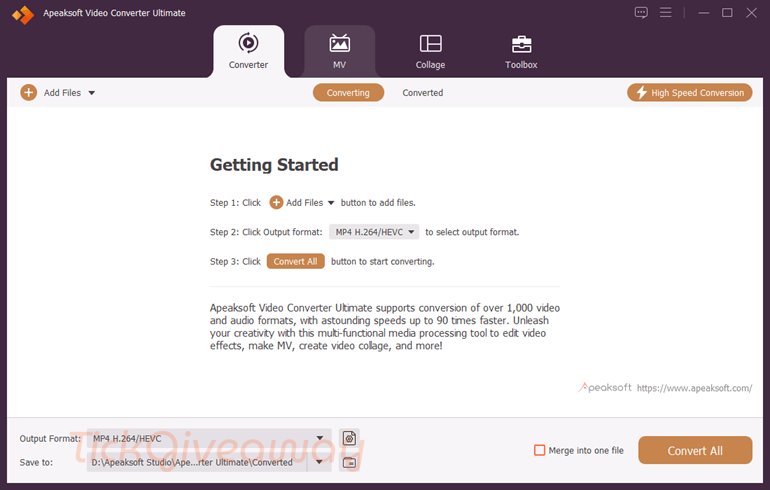
Apeaksoft Video Converter Ultimate is an all-in-one multimedia application designed to convert, edit, compress, and make videos; make GIFs and 3D videos; etc., with ease. It supports over 1,000 formats to help you transform media files for various devices, including smartphones, gaming consoles, and editing software.
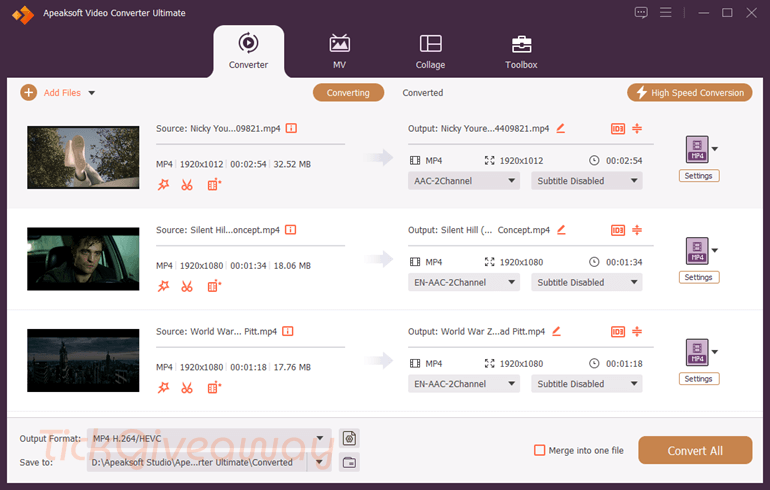
In addition to conversion, Apeaksoft Video Converter Ultimate offers editing tools, including trimming, merging, cropping, adding filters, and applying watermarks. It also provides advanced features such as video enhancement, compression, 3D video creation, and GIF creation. Besides, it includes creative options such as an MV maker for stylish slideshows and a collage tool for multi-screen video layouts.
Key Features
- Convert video and audio files to 1,000+ formats, including MP4, MOV, AVI, MKV, MP3, and more.
- Compatible with devices like iPhone, Android, gaming consoles, and editing software.
- Supports batch conversion for multiple files at once.
- Trim, crop, rotate, and merge videos.
- Add filters, effects, watermarks, and subtitles.
- Adjust brightness, contrast, saturation, and hue.
- Improve video quality by upscaling resolution, optimizing brightness and contrast, and removing noise.
- Compress large video files without losing quality.
- Preview compression results before saving.
- MV Maker: Create stylish music videos and slideshows.
- Collage Maker: Combine multiple videos into a single screen layout.
- GIF Maker: Convert videos or images into animated GIFs.
Supported OS: Windows 11, 10, 8.1, 8, 7 (32-bit/64-bit)
Price: $29.90/month
How to get the Apeaksoft Video Converter Ultimate license key for free?
Special Offer
Apeaksoft Video Converter Ultimate - Monthly
Apeaksoft Video Converter Ultimate for Mac - Monthly
Apeaksoft Video Converter Ultimate
Apeaksoft Video Converter Ultimate for Mac
20% Off Apeaksoft Video Converter Ultimate - 3 PCs
Apeaksoft Video Converter Ultimate for Mac - 3 Macs
Step 1. Visit the Apeaksoft Video Converter Ultimate giveaway page. Enter your name and your email address, then click the “Get Now” button to get your annual license.

You will receive an email with an annual license after that.

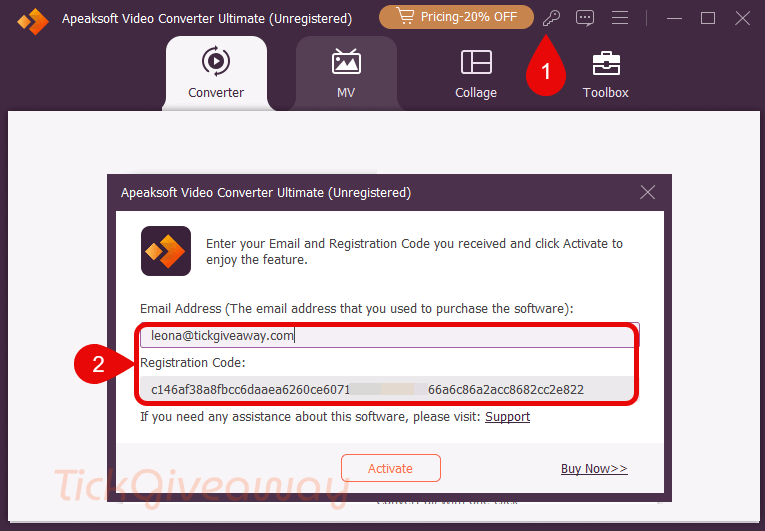
Step 2. Click on the download link to download the software for free. After the download is finished, run the .exe file to install the software. Then use your license code to activate the software with full functions.
Step 3. Enjoy it for 1 year free.