

Giveaway: Coolmuster ePub Converter (1-Year) – Create Your Own ePub Books

 Leona
Leona Table of Contents
About Coolmuster ePub Converter
Are you looking for the best eBook creator software to help you publish your new eBook? Look no further than Coolmuster ePub Converter, one of the best ePub creators for Windows and Mac, which is here to meet all your conversion needs. With support for more than five popular formats (.doc, .pdf, .html, .txt, .mobi, etc.), you can easily create ePub eBooks to read on any portable device. Need to convert multiple documents in bulk? Thanks to advanced technology, Coolmuster ePub Converter can convert a 500-page document to an ePub eBook in under 1 minute.
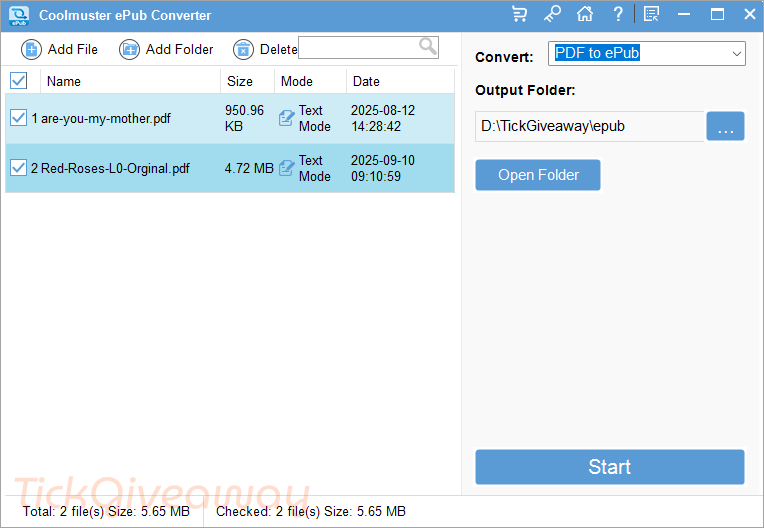
Key Features:
- It allows you to create ePub eBooks from popular documents, such as .doc, .pdf, .html, .txt, .mobi, etc.
- It’s a powerful tool for keeping the original document text, columns, tables, images, graphics, hyperlinks, and layout in the output of ePub eBooks.
- Coolmuster ePub Converter Pro can help you create ePub books that are able to be read on almost all popular portable devices
- It also supports users in importing and converting a batch of files to ePub at one time.
- No matter how many files you want to convert to ePub for reading, you can finish the conversion within a few clicks.
Supported OS: Windows 11/10/8/7
Price: $25.95/year
How to get the Coolmuster ePub Converter license key for free?
This giveaway ended on .
The terms and product details above stay on record. Stay tuned - we publish new giveaways every day.
Special offers
Coolmuster ePub Converter- 1 Year/1 PC
Coolmuster ePub Converter - Lifetime License(1 PC)
Coolmuster ePub Converter for Mac - Lifetime/1 PC
Instructions
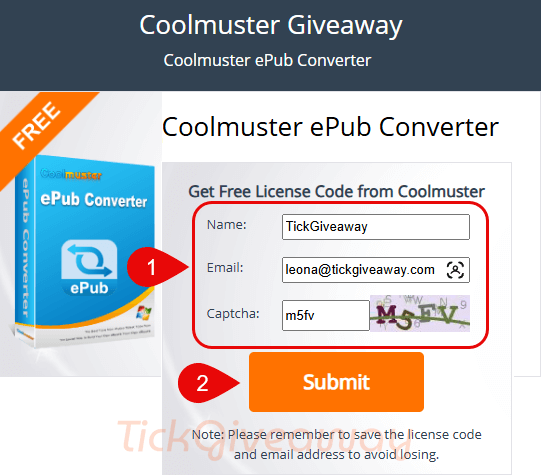
Step 1. Visit the Coolmuster ePub Converter giveaway page. Enter your name and email address to get your free license code. (Please remember to save the license code and email address to avoid losing it.)
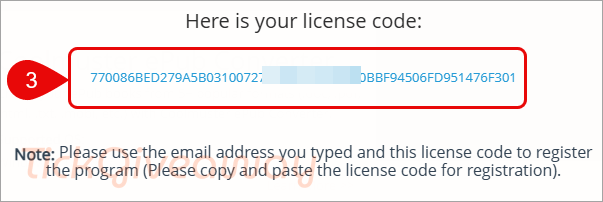
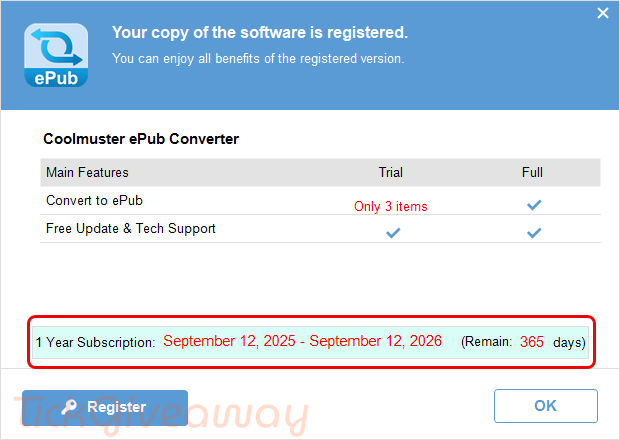
Step 2. Download and install the software on your computer. Access the main menu, click on the key icon “Register”, then paste exactly your email address and your license key to register it:
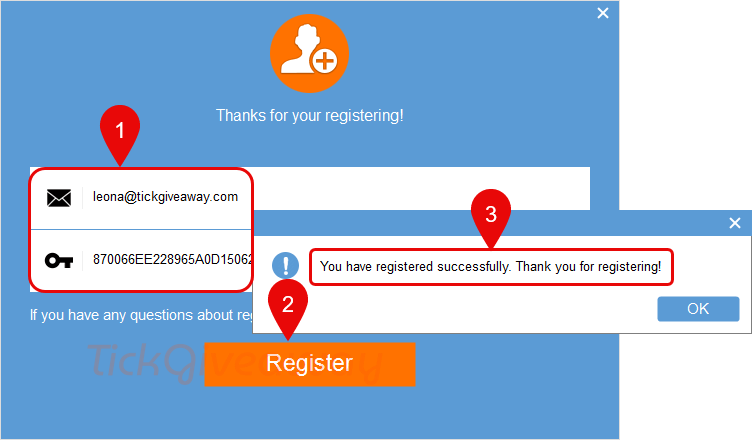
Step 3. Enjoy it for 1-year free!


The claim:
“It allows you to create ePub eBooks from popular documents, such as .doc, .pdf, .html, .txt, .mobi, etc.”
is a lie as there are no “etc.” other formats it accepts as inputs AND it does NOT accept .doc files as input but .docx files… there is a big difference between the file-types!
There is no OCR so if your PDF is a scanned to PDF raster/bitmap file you must choose image conversion as it won’t OCR a raster PDF or vector shape text into real text epub format.
A bad software, I tried converting 5 pdf files and they all gave me an error.
It functions effectively in Image mode, so avoid selecting Text mode.
It claims:
“It allows you to create ePub eBooks from popular documents, such as .doc, .pdf, .html, .txt, .mobi, etc.
It’s a powerful tool for keeping the original document text, columns, tables, images, graphics, hyperlinks, and layout in the output of ePub eBooks.”
How do you do image mode in text formats such as doc html and txt formats it’s supposed to keep the original document text, columns, tables images, graphics, hyperlinks and layout in the output of epub ebooks if it has to operate in raster image mode from non-image sources? Have they fixed it yet or is it still buggy and rented only no buy option?