
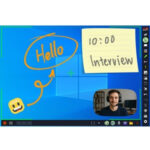
Giveaway: ZD Screen Marker Pro – All‑in‑One Screen Annotation & Recording

 Leona
Leona Table of Contents
What is the ZD Screen Marker Pro?
ZD Screen Marker Pro is an all‑in‑one screen annotation & recording application that is designed for anyone, from educators or presenters to students who need to draw, write, or highlight directly on their screen during live demos, hosting a webinar, or reviewing designs or recordings. ZD Screen Marker Pro combines seven unique pen styles, customizable shapes, persistent annotations, webcam overlays, and a full-featured screen recorder to help you easily create interactive experiences that captivate audiences.
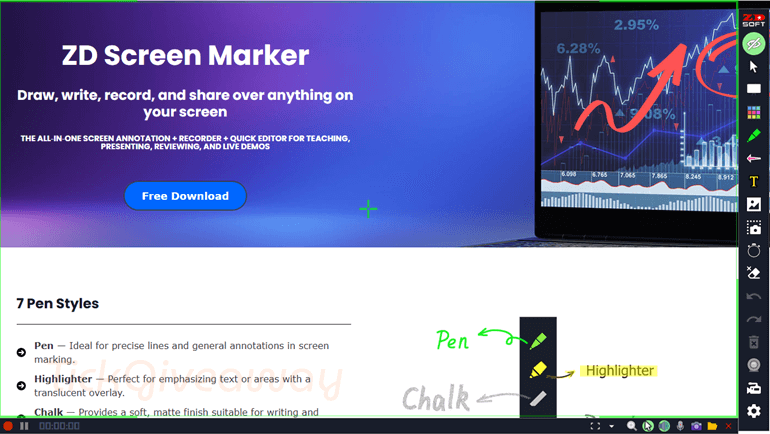
Key Features
- Seven pen styles include Pen, Highlighter, Chalk, Pencil, Ink Pen, Calligraphy Pen, and Ink Brush for varied drawing effects.
- The 10 shapes include arrows, numbers, and other shapes to emphasize or label screen elements.
- Three erasers are included: the Object Eraser, the Pixel Eraser, and the Area Eraser.
- Support for custom fonts and vibrant colors.
- Outline effects for enhanced visibility.
- Flexible alignment: left, center, right.
- Add images from canvas or import from files.
- Manage, rename, and tag images for easy retrieval.
- 1,000+ colorful icons across various categories.
- Quick insert and precise placement.
- Intuitive filtering and grid browsing.
- Auto-save canvas with optional disable.
- Full object manipulation: move, group, resize, reorder.
- Advanced selection and dynamic attribute editing.
- Export selections as scalable image objects.
- Unlimited undo/redo.
- Create and manage multiple whiteboards.
- 50+ built-in backgrounds or import your own.
- Infinite canvas with zoom and pan.
- Consistent tool access across all whiteboards.
- Full-featured screen recorder with webcam overlay.
- Snapshots and screenshots.
- Instant video trimming and merging.
- and more
Supported OS: Windows 8/8.1/10/11
Price: $39/lifetime
How to get the ZD Screen Marker Pro license key for free?
Special Offer
RecMaster PRO (Lifetime / 2 PCs)
SurFlex Screen Recorder: Lifetime Subscription (Windows)
HitPaw Edimakor Screen Recorder - Lifetime/1 PC
AWZ Screen Recorder Pro - Lifetime / 1 Windows
Instruction
Step 1. Download the giveaway installer. Install it on your computer.

Step 2. Activate with your license key; use the license code above.
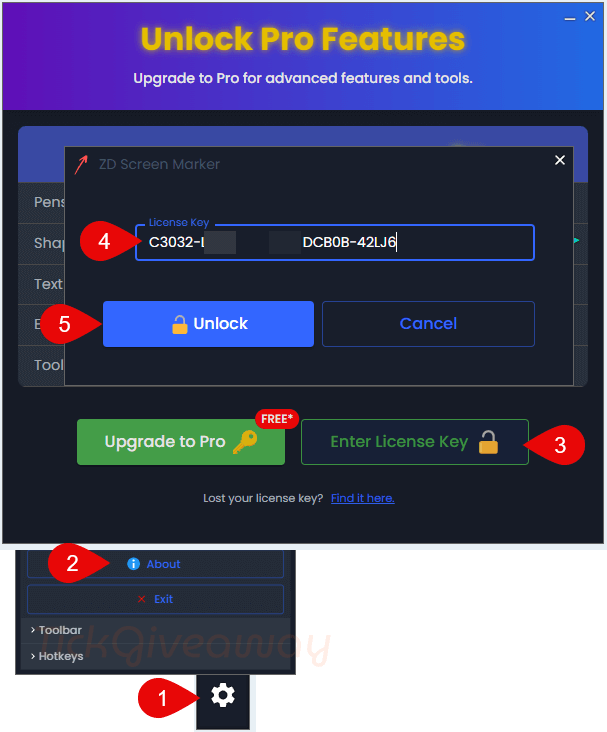
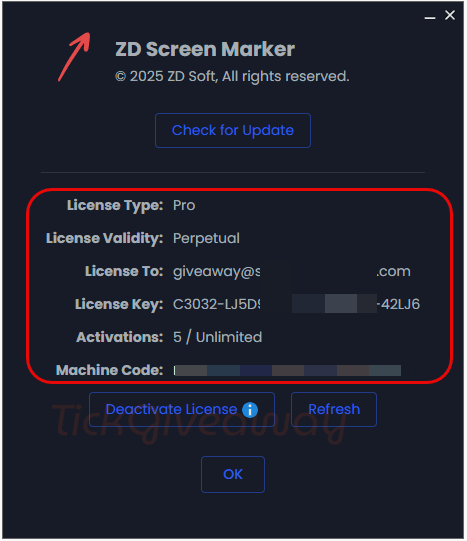
Step 3. Enjoy it for a lifetime for free.


Ключ не срабатывает. Исправьте, пожалуйста.
Прошу прощения – перепутал. Всё работает. Спасибо. Успехов Вам.