

Expired
Giveaway: ZD Meeting Recorder – Record online meetings, webinars, classes and training sessions

 Leona
Leona
$0.0
$39
$0.0
$39
ZD Meeting Recorder is a session-capture utility that integrates screen recording with local AI transcription to enable transcript-based timeline navigation. The software executes on-device processing to generate searchable text indexes from audiovisual streams, synchronizing dialogue with precise video timestamps for direct playback retrieval via keyword queries. The limited-time ZD Meeting Recorder giveaway currently provides a free 1-year license.
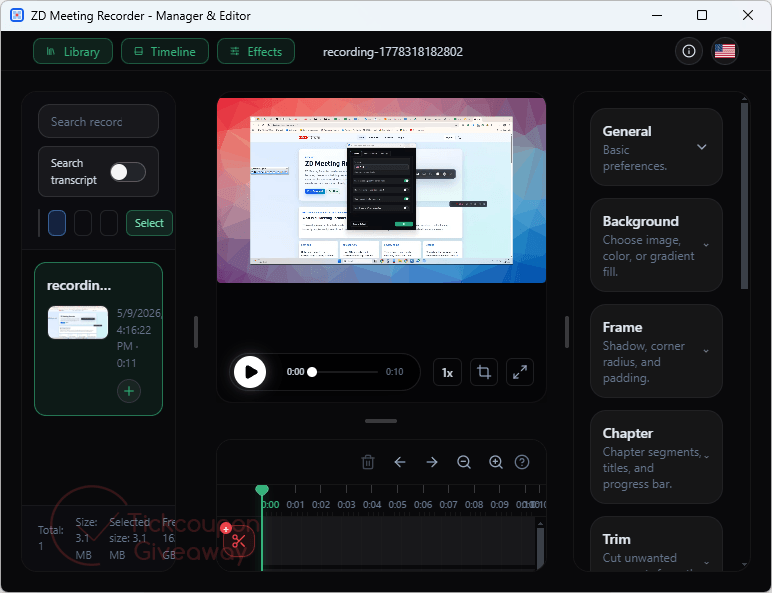
Table of Contents
What Does ZD Meeting Recorder Help You Do?

- Record online meetings, webinars, classes, and training sessions for later review.
- Search transcript text to locate specific discussion points faster.
- Jump directly from transcript results to the matching video timeline.
- Create reusable training clips by trimming or merging recordings.
- Add subtitles, annotations, chapters, and overlays to improve recorded content.
- Schedule recurring recordings for meetings, lessons, or training workflows.
ZD Meeting Recorder Giveaway Details & How to Join
Giveaway Overview
| Version included | v1.0.1 |
| License type | 1-computer license |
| License duration | 1 year |
| Supported platform | Microsoft Windows 8 / 8.1 / 10 / 11 |
| Original price | $39 |
How to Join
Step 1. Download and install ZD Meeting Recorder: MRSetup.exe
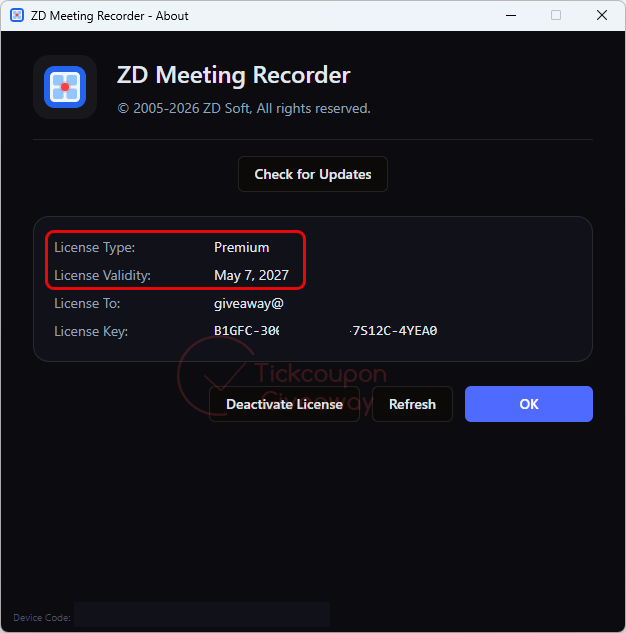
Step 2. Launch the software and click on About/ Unlock Premium Feature. Please use the license code below to register the software.
Members only 🎁 This giveaway is free — just log in or create a free account to unlock your download instantly. It only takes a few seconds!
🏆🏆🏆 Special Offer for You: If this giveaway product doesn’t meet your needs or has expired, you may also consider the following alternatives that offer discounted pricing.
50%Off
EaseUS RecExperts (Lifetime Upgrades)
$34.97$69.95
•••N11Show Code
90%Off
iTop Screen Recorder PRO - 1 Year/3 PCs
$29.39$279.99
•••offShow Code
61%Off
HitPaw Edimakor Screen Recorder - Lifetime/1 PC
$34.99$89.99
•••DTEShow Code
50%Off
Fast Screen Recorder - 1 year/1 PC
$19.90$39.90
•••dedShow Code
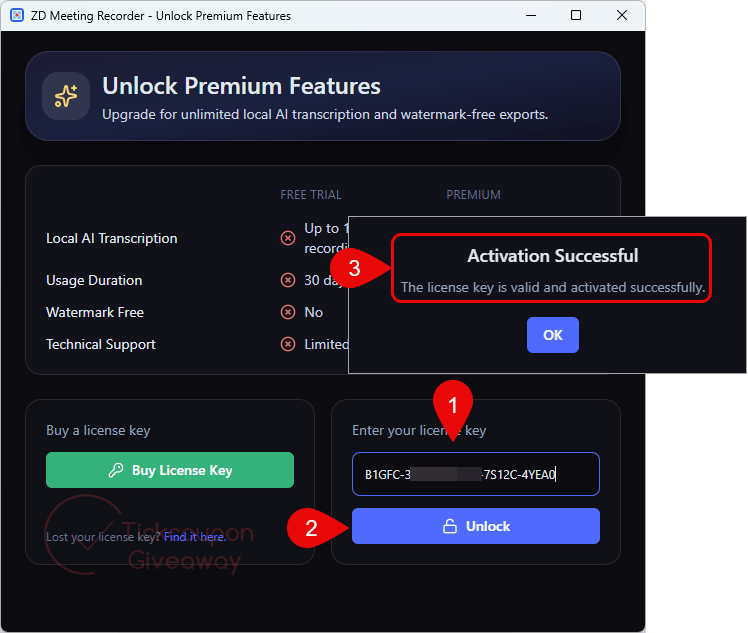
Step 3. Got it for 1-year free!
Who Is This Giveaway Most Useful For?
- Students and Online Learners: Recorded lectures and virtual classes can become easier to revisit when transcripts are searchable and linked directly to the correct video section.
- Remote Teams and Project Groups: Teams that frequently hold online meetings may benefit from searchable archives for follow-up discussions, task reviews, and internal documentation.
- Trainers and Educators: Training sessions can be edited into shorter learning materials with subtitles, chapters, and annotations for future reuse.
- Support and Knowledge Management Workflows: Organizations that need searchable meeting archives may find transcript-based navigation more practical than manually reviewing long recordings.
Terms & Conditions
- The giveaway license is valid for one computer only
- The license is intended for noncommercial use
- Users receive free software updates for one year
- Free technical support is not included with this promotion
- The license key must be redeemed before May 16, 2026, GMT+0 08:00
- The giveaway may be limited to the promotional period only
- The license cannot be transferred or resold
- Future upgrade policies may depend on the software publisher’s terms


It does not work the license key so what can i do?
It screen/audio captures to a temporary webm video file and once captured it lossy re-encodes it using stolen FFMPEG code… It’s really just a slightly enhanced screen and sound capture program there is no requirement to be in a meeting.