

Giveaway: Vovsoft Website Screenshot Generator – Captures Website Screenshots

 january
 Table of Contents
What is the Vovsoft Website Screenshot Generator?
Vovsoft Website Screenshot Generator is a powerful and remarkable tool that simplifies the process of capturing screenshots from multiple web pages with utmost ease. Whether you’re a web developer, a designer, or a marketer, this software provides a seamless solution for a myriad of purposes, such as documenting page layouts, conducting competitor analysis, or seeking creative inspiration.
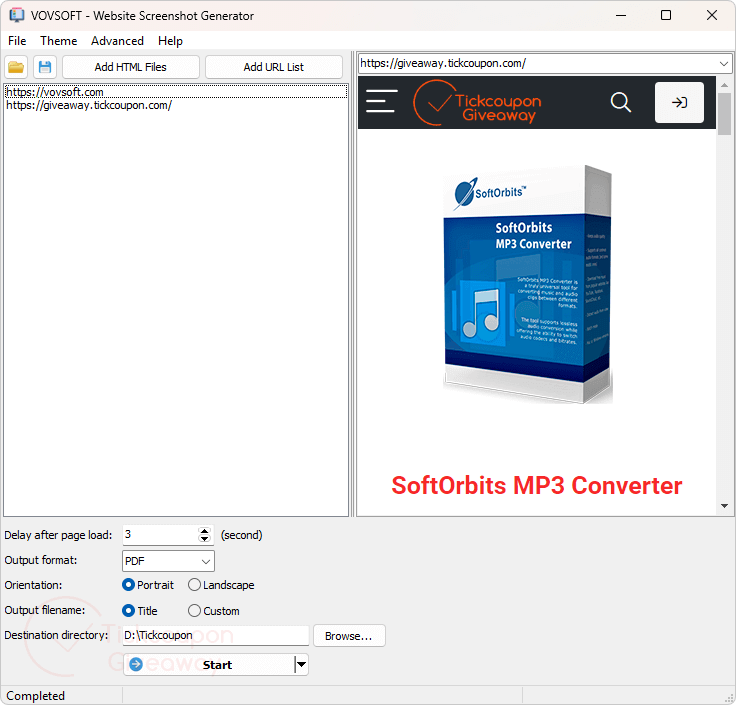
With its intuitive user interface, Vovsoft Website Screenshot Generator ensures a smooth and efficient experience. You can effortlessly enter the URLs of the desired web pages or even add HTML files directly, allowing for utmost flexibility. One notable feature of Vovsoft Website Screenshot Generator is its ability to save the resulting website snapshots in various preferred formats. Whether you prefer the convenience of PDF, the versatility of PNG, or the widespread compatibility of JPG, this tool caters to your preferences.
Key Features:
- Vovsoft Website Screenshot Generator allows you to capture the entire webpage as a screenshot.
- With its intuitive interface, it allows you to enter the URLs or insert HTML files, then adjust the capture settings
- This tool also helps you capture screenshots of multiple websites quickly
- You are allowed to save the website snapshots in PDF, PNG, and JPG formats.
Supported OS: Windows 11, Windows 10, Windows 8/8.1, Windows 7 (64-bit)
Price: $19/lifetime
How to get the Vovsoft Website Screenshot Generator license key for free?
This giveaway ended on .
The terms and product details above stay on record. Stay tuned - we publish new giveaways every day.
Special offers
Vovsoft Website Screenshot Generator Lifetime License
Vovsoft Universal License Lifetime
Instructions
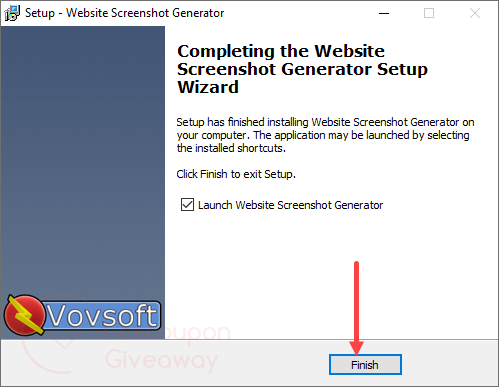
Step 1. Download the installer for version 2.5, then install it on your computer.
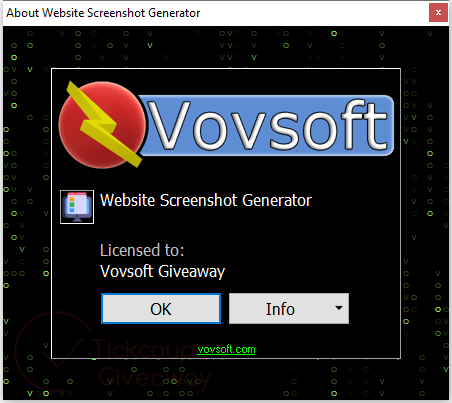
Step 2. Then register with the Vovsoft Website Screenshot Generator license code.

Step 3. Enjoy it for a lifetime for free!



The save as HTML makes a “snapshot” that looks nothing like the original website as it removes .css files, .js files, and graphics files or any kind.
The PDF file is ok but the basic idea of the program is damaged by the desire to maintain compatibility with long abandoned versions of windows no longer supported by the Chrome browser project meaning vovsoft has to use an ancient depreciated version 109 of the CEF which HAS known security flaws and bugs and is not current on the rendering engine so not all modern websites will function with the ancient version of CEF used. It is much quicker to use the real browser to print the webpage to “Save as PDF” or “Save to PDF” or save to HTML complete or in MSEdge chrome save to MHTML archive is much faster and produces predictable results, the only “advantage” is the ability to input multiple URL’s manually and set the preferences you want out of the choices, do NOT get too see a live preview of what will be rendered whether it’ll be landscape or portrait to simulate desktop or mobile device in theory… On first run using the sample URLs I was wondering if it was crawling the site snap-shotting multiple crawled pages but it turned out it was just very slow at loading pages and component files and rendering them in order to snapshot to PDF files. It also generates a cache folder which grew to 21.5MBytes in just my short tests… there are NO settings to define how much space this cache folder will grow to and when and IF it will be compacted… should a non-persistent browser engine even use a cache? It’s a 64bit only application so for the purposes of one of conversions all pages/files should be stored in strings in memory and not cached to disk as they should NEVER be needed more than the once!
“Condividi per sbloccare”…??????
No, ma cosa ci prendete? Numero di telefono? Contatti?
Non scarico più in questo modo….più trasparenza.
….sempre peggio….
STOP
We apologize for the inconvenience. Please try again.
(Right now, 28 June 2025, expired, invalid license)