


 Leona
Leona Table of Contents
What is the Vovsoft Log Analyzer?
Vovsoft Log Analyzer is the ultimate solution for effortless log file analysis. It provides functions for analyzing and monitoring log files generated by a diverse range of applications and systems. This tool surpasses the search capabilities of most text editors, making it the go-to solution for handling log files that reach staggering sizes, even exceeding one gigabyte.
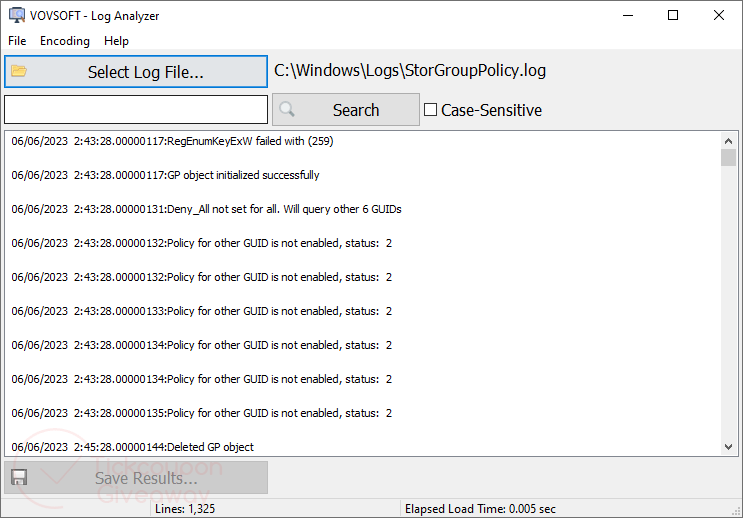
Vovsoft Log Analyzer boasts remarkable efficiency, reading files with unparalleled speed while effortlessly displaying up to 100,000,000 lines. Achieving this impressive performance is made possible by innovative features such as “buffered file stream” and “memory caching.” Besides, it empowers users to extract log data and save it as .txt files, facilitating further analysis or effortless sharing with colleagues and collaborators.
Key Features
- You can inspect and analyze massive text files with the aid of the Vovsoft Log Analyzer.
- Even if the log files are larger than one gigabyte, they still aid in searching for them.
- It can read files as fast as possible and can display up to 100,000,000 lines.
- This tool enables you to export log data to .txt files for further analysis or sharing with other persons.
Supported OS: Windows 11/10/8/8.1/7/Vista
Price: $19/lifetime
How to get the Vovsoft Log Analyzer license key for free?
Special Offer
Vovsoft Log Analyzer
Vovsoft Universal License lifetime
Instruction
Step 1. Download the giveaway installer for version 2.4. Install the software on your computer.
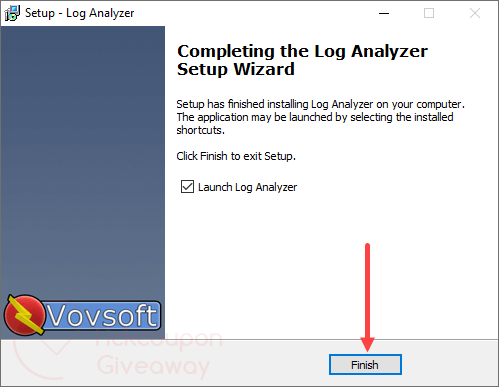
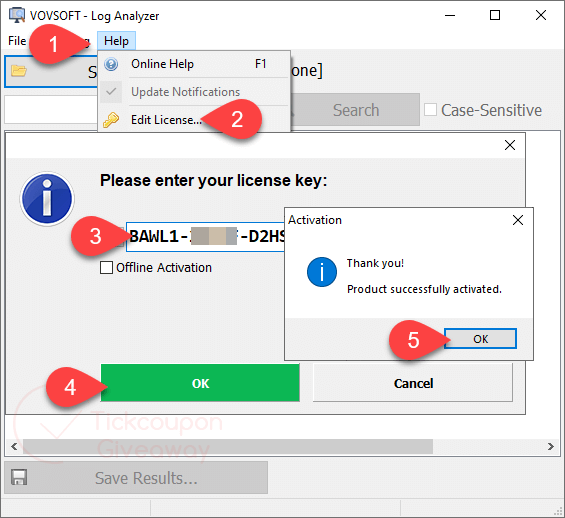
Step 2. When the installation is done, launch it and then register with the Vovsoft Log Analyzer license code below:
Step 3. Enjoy it for a lifetime free with full functions!





displayed lines are oddly truncated with no observable fixed line length limit as they are using variable width font to display the lines, it just lets you to search for a word or string within a text file and displays a truncated output of each line matching that string. It does not support right to left language display it does not support opening files which are open for active writing and deny read access to other processes, it does not let users define display font type or size or ink colour or background. It does not perform any analysis in itself. It just lets you see the lines matching a simple string match like a GUI for a cut down GREP program that only supports the most basic string matching and no support for GREP search term syntax. The UI also does not handle lines longer than the windows display area as there is no facility for a horizontal scroll bar and control buttons. Needs considerably more work. Should also support windows Event log “analysis” too as every windows user that admins their system might need that. Not every system admin has a third party program that creates simple text logs but every windows user has event logs that may need to be viewed and searched for specific strings.