Vovsoft Image to PDF Converter Key Free – Converts Photos to PDF

 Leona
Leona Table of Contents
What is Vovsoft Image to PDF Converter?
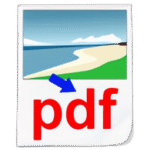
Stop wasting time with complicated tools to convert images into PDF. With Vovsoft Image to PDF Converter, you can turn your photos into PDF documents instantly – fast, simple, and hassle-free. You can add multiple images at once by using the built-in file browser or just dragging and dropping them straight from Windows Explorer. The software supports popular formats like JPG, TIF, PNG, GIF, and BMP. Then, with a single click on the “Create PDF” button, your files are converted – no fuss, no extra steps. Best of all, Vovsoft Image to PDF Converter is completely standalone: it doesn’t require Adobe Acrobat and won’t clutter your system with unnecessary printer drivers.
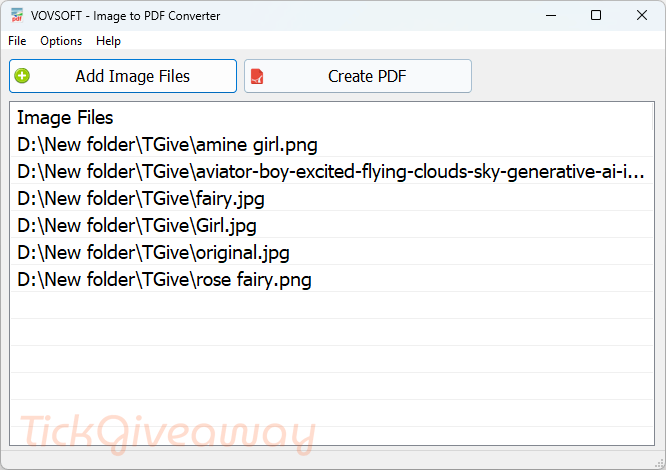
Key Features
- No more bloated apps or confusing menus; just drag, drop, and click the “Create PDF” button.
- Supports all major formats: JPG, PNG, TIFF, GIF, and BMP.
- Merge multiple images into one PDF or create separate files.
- Resize by percentage, scale, and set orientation (auto, portrait, or landscape).
- Add watermarks and page margins for a professional touch.
- Unicode filename support for international users.
- Auto-open PDF after creation for instant review.
Supported OS: Windows 11, Windows 10, Windows 8/8.1, Windows 7, Windows Vista, Windows XP (32-bit & 64-bit)
Price: $19/lifetime
How to get the Vovsoft Image to PDF Converter license key for free?
Step 1. Download the installer for Vovsoft Image to PDF Converter version 3.2 –>image-to-pdf-converter.exe image-to-pdf-converter-portable.zip
Install the software on your computer

Step 2. Activate with the Vovsoft Image to PDF Converter license code. Use the code below:
30% Off Vovsoft Image to PDF Converter
98% Off Vovsoft Universal License lifetime coupon
Giveaway License

Step 3. Enjoy it for a lifetime free.

Terms & Conditions
- This is a lifetime license for version 3.2
- Non-commercial usage
- No free updates and tech support
- Campaign End: September 28, 2025