

 jasmine
 USB Safely Remove is a must-have software that allows users to connect and disconnect connections between computers and external devices such as phones, memory cards, USBs, hard drives, monitors, etc. It saves you from problems relating to data loss after insecurely removing an external drive, or being unable to disconnect the USB drive. With an original and multifunctional stopping menu, which displays actual device names with icons, you can find and stop a device in a snap by using this menu!
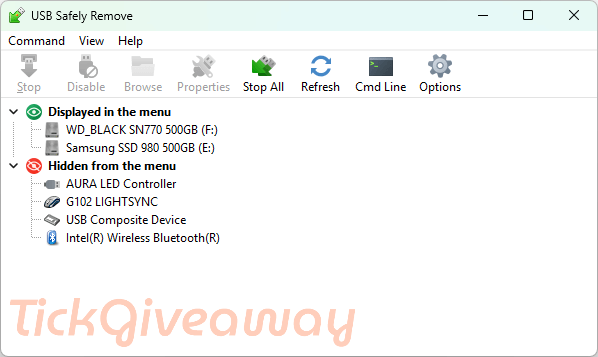
Key features
- Disconnect the connection between external devices and the computer
- Rename and assign thumbnails to externally connected devices
- Process a variety of information from multiple connected devices at the same time
- Set up shortcuts for tasks
- Warn in case the external device is suddenly disconnected
System Requirements: Windows 11/10/8/7 / Vista / 2003 / XP
Price: $19.90/ year
How to get a USB Safely Remove License Giveaway?
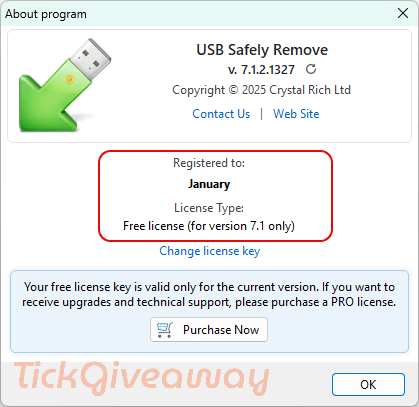
Only for a limited time, you can get USB Safely Remove absolutely for free. The giveaway is valid for 1 day. Hurry up to grab your license!
Step 1. Go to this GIVEAWAY PAGE
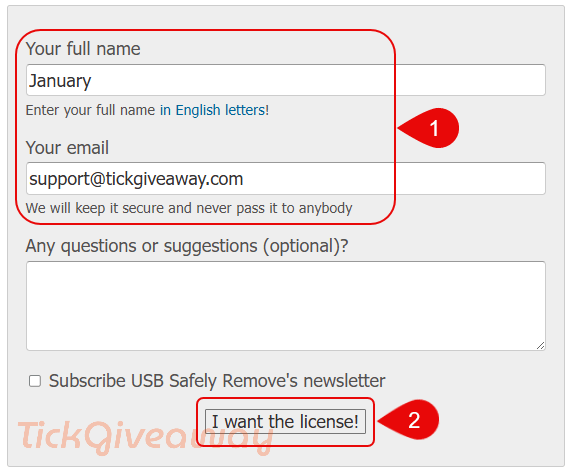
Fill in your name and email, click “I want the license!”, and you will get the license
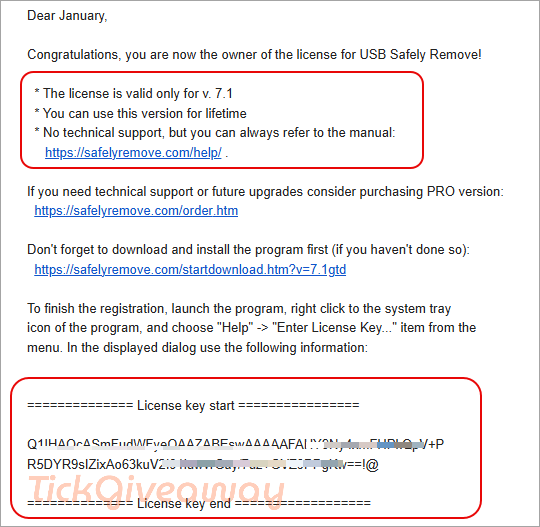
Step 2. Check your mailbox to get your free license key
Step 3. Download and install USB Safely Remove on your computer: https://safelyremove.com/assets/exe/usbsafelyremovesetup_7-1-2.exe
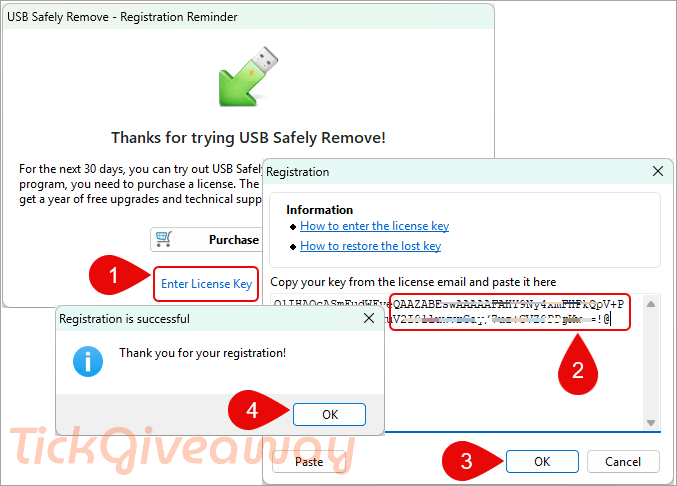
Step 4. Register it by the above USB Safely Remove license code
Enjoy!
Terms of use:
- You can use this version for an unlimited amount of time
- This license allows you to use only version 7.1.2 without technical support
- You must activate your license before August 25, 2025


system requirements here do not align with the information on the vendors site.
They state: “Windows 11/10/8.1/7” no mention of Vista, 2003 or XP.
about 10 seconds
I have still not received it!! 🙁
possibilities include you mistyped your email address and the webpage always claims it has sent the email even when an invalid email address is entered or your email provider my silently drop certain script generated emails as script generated emails are usually all spam/scams… try a different email address or try contacting the vendor at support@crystalrich.com and asking them to send you the license key manually and include the email address and name you used in case they are sending out unique keys for each applicant.
finally received the key yesterday at 5:11 AM IST
How long does it take to get the key… i have been waiting for over 10 minutes now