TuneBer Audio Converter Key Free – Convert, Trim, Merge Any Audio

 Leona
Leona Table of Contents
What is TuneBer Audio Converter?
TuneBer is an all-in-one audio converter designed to help you quickly convert, trim, merge, compress, and edit all major audio formats with ease. It supports over 50 formats, including MP3, WAV, M4A, WMA, AAC, FLAC, AC3, M4R (iPhone ringtones), OGG, and more, allowing you to convert audio or video files to your preferred format in seconds. Batch conversion enables you to process multiple tracks simultaneously, saving you valuable time.
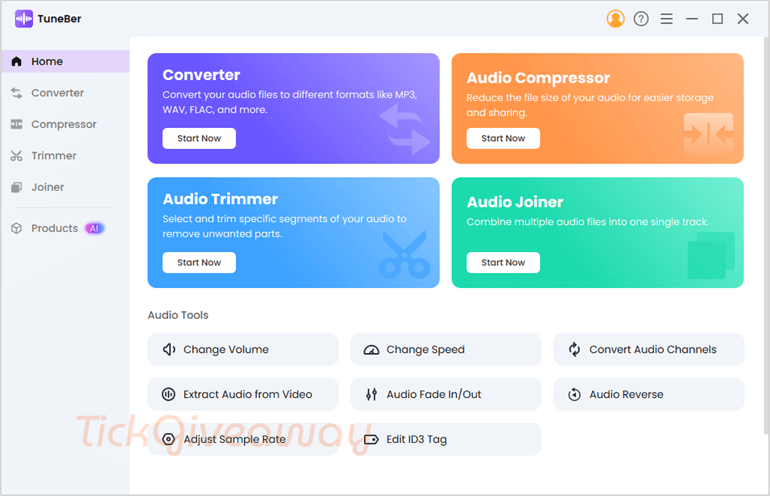
In addition to converting, TuneBer enables you to trim, merge, or compress audio and video files with ease. You can also fine-tune output settings, such as codec, bitrate, sample rate, and channels, to enjoy better sound quality, smoother playback, and full compatibility across devices. The fade-in and fade-out effects help you create seamless intros, outros, and transitions for podcasts or video projects.
Key Features
- Convert Audio Formats: TuneBer allows you to convert audio files into over 50 formats, including MP3, WAV, FLAC, AAC, and M4R for iPhone ringtones.
- Adjust Audio Settings: Fine-tune codec, bitrate, sample rate, and channels to match your desired output quality.
- Trim Audio: Easily cut audio clips to remove unwanted sections or extract specific parts.
- Merge Audio Files: Combine multiple audio tracks into a single seamless file with customizable order.
- Compress Audio: Reduce file size without compromising quality, making it easier to store and share.
- Batch Conversion: Convert multiple audio files simultaneously at 60x the speed, saving time and effort.
- Extract Audio from Video: Pull audio tracks from video files for use in music, podcasts, or editing projects.
- Apply Audio Effects: Add fade-in/fade-out, reverse audio, and normalize volume for professional sound editing.
- Change Volume and Speed: Adjust the audio’s volume and playback speed to suit your needs.
- Channel & Quality Control: Adjust bitrates or sample rates and switch channels to ensure music or podcasts play flawlessly on all devices.
Supported OS: Windows 11/10/8
Price: $35.99/ year
How to get the TuneBer Audio Converter license key for free?
Step 1. Visit the TuneBer Audio Converter giveaway page below:
EaseUS MakeMyAudio - Lifetime Coupon Code
73% off coupon code
50% Off Tipard All Music Converter (Lifetime) coupon code
50% OFF Aiseesoft Audio Converter - Lifetime Coupon Code
AnyMP4 Audio Converter
50% Off AnyMP4 Audio Converter for Windows coupon code
Please enter your first name, last name, and email address, then click on the “Get it for free” button .

Please click on the confirm link that you get in your mailbox to activate your complimentary access.

Step 2. Download the installer for TuneBer Audio Converter on your computer: tuneber-win.exe
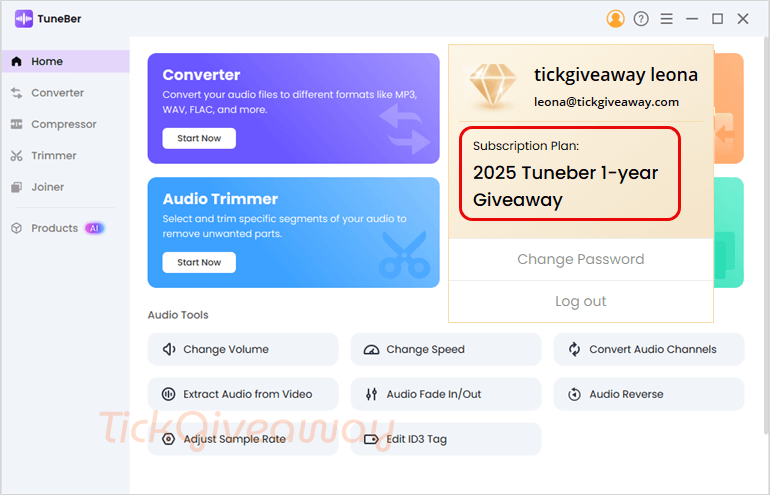
After installation is finished, launch the program. To get started, please enter your email address and password.
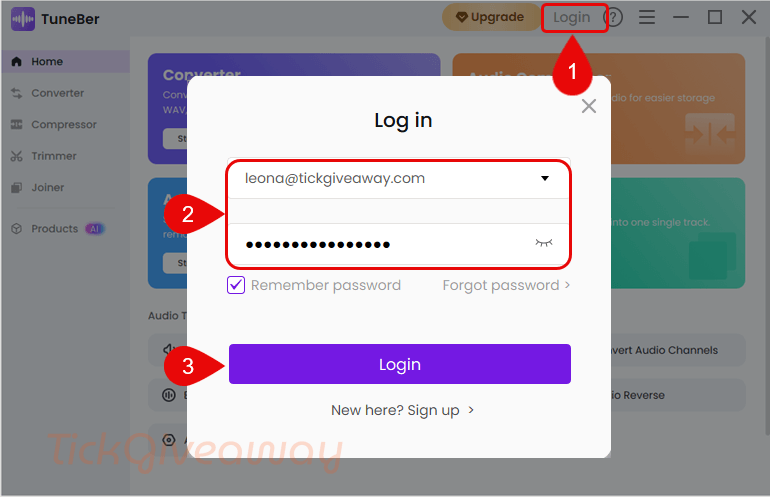
Step 3. Enjoy it for 1-year free when you log in successfully!
Terms & Conditions
- This is a 1-year license
- Non-commercial usage
- No free update
- You will get free tech support
- Register before Apr 18, 2026, GMT+0 08:00