
 Leona
Leona What is Toolstone Photo Finder?
Toolstone Photo Finder helps you find and remove duplicate and similar photos from your computer to free up storage space. It compares image content rather than filenames to identify identical pictures, burst shots, and nearly identical images. The software groups matching photos and lets you preview each image before deciding which copies to delete. You can easily review large photo collections, clean up old backups, and remove unwanted duplicates while keeping your important photos.
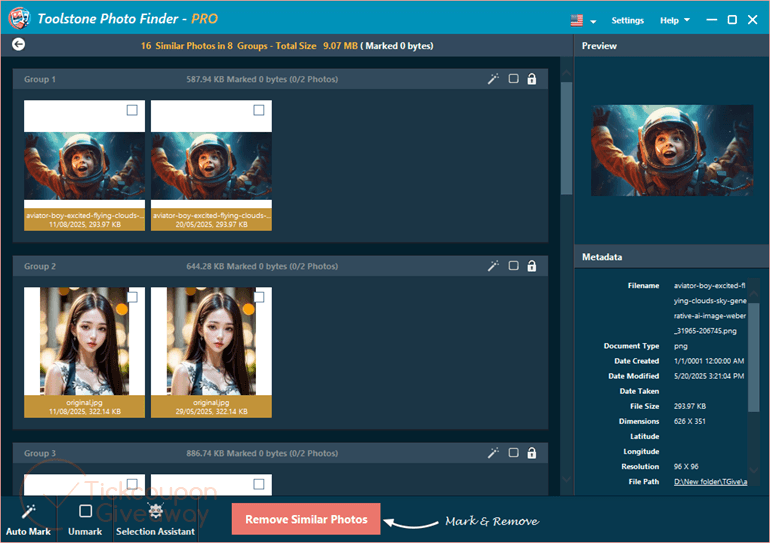
Table of Contents
Key Features
- Compare image content rather than relying on filenames to identify matching photos.
- Detect nearly identical pictures, including burst shots.
- Group matching images for easier review and selection.
- Preview individual photos before deciding which copies to remove.
- Keep control over which files are selected for deletion.
- Identify unnecessary copies that occupy storage space.
- Review large photo collections and backups for repeated images.
| Version | 1.0.0.0 (giveaway build) |
| Supported OS | Windows 11/10 |
| File size | 6.23 MB |
| License type | 1-year, personal home use |
| Publisher | Toolstone |
| Category | Duplicate Finder |
Our Quick Test
Based on the activation process, you obtain a license code by submitting your email address through the giveaway page. Install the software, then paste the code into its activation field to register your copy.
The license includes updates during its validity period, but you cannot rely on technical assistance from the developer. Commercial use is excluded, so this offer is intended for personal photo collections rather than business archives.
No hands-on installation or duplicate-detection test was supplied. For home users with repeated photos scattered across folders, the included features make this giveaway worth considering.
How to Get the Free License Key
Instructions
Step 1. Open the giveaway page and enter your email address to request your free license code.
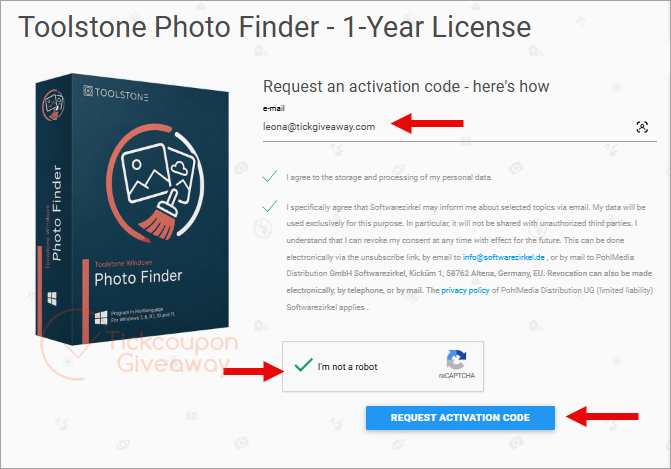
Retrieve the code provided through the giveaway process and keep it for activation.
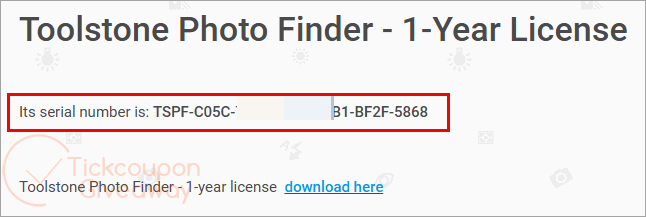
Step 2. Download the software using the installer from the home page, then complete the installation. Open the installed application and paste your license code into the activation field.
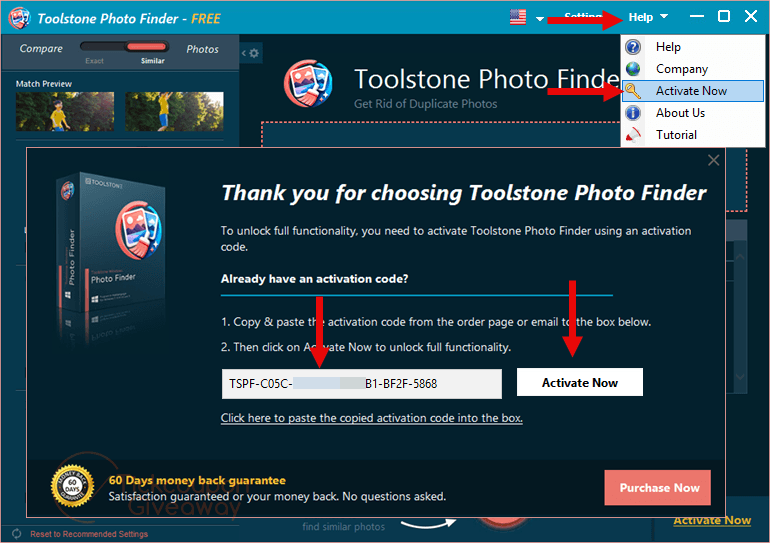
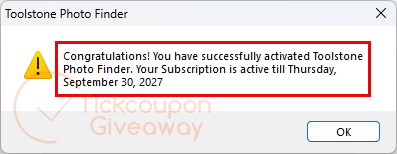
Step 3. Got it for 1 year free!
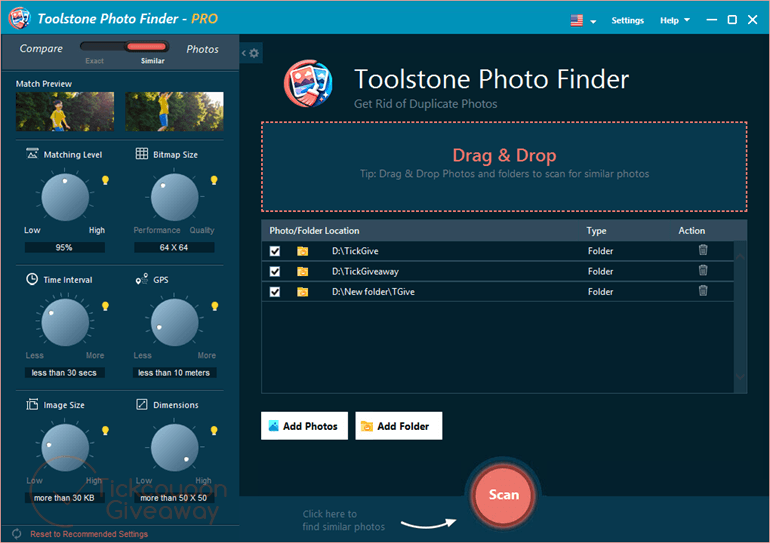
Toolstone Photo Finder Main Screenshot
Troubleshooting
Your license code is rejected? Check for extra spaces when pasting the code. Make sure you installed the giveaway build rather than a different release.
The giveaway page has stopped issuing codes? The promotion may have ended or reached its distribution limit. Leave a comment on the giveaway page to ask whether more licenses are available.