

Tipard Total Media Converter Key Free – Convert DVDs and videos to other formats

 jasmine
 Table of Contents
What is Tipard Total Media Converter?
Tipard Total Media Converter is simple yet powerful video converter software designed to rip DVDs to digital videos, like MP4, MKV, MPG, AVI, etc.; convert any video and audio to MP4, MOV, AVI, WMV, MP3, etc.; or extract high-quality audio tracks from DVDs and video files. You can also use it to edit DVDs or digital videos with strong features. With the help of Tipard Total Media Converter, you can crop, trim video, rotate & mirror, convert 2D to 3D, add effects, or add a watermark to your videos.
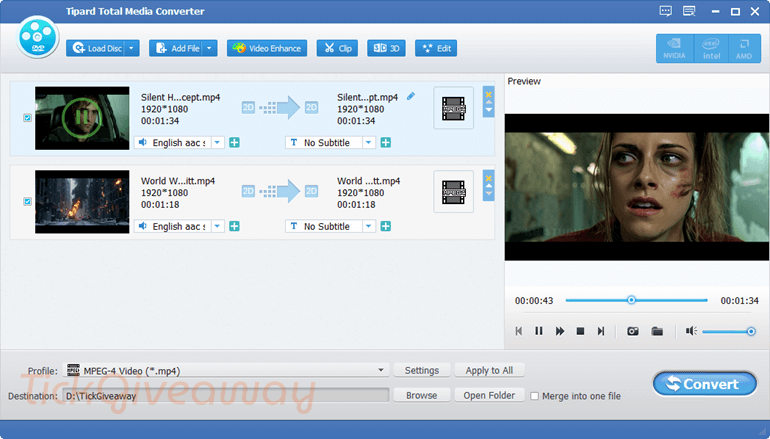
Key features
- Wide Format Conversion: supports converting video and audio between a large number of formats, including MP4, AVI, MKV, MOV, MP3, and more.
- DVD & Video Conversion: converts DVDs and common video files into digital formats for playback on various devices.
- 4K & HD Support: handles high-resolution videos, including HD and 4K content, with good output quality.
- Fast Conversion Speed: uses advanced acceleration technology to speed up the conversion process.
- Basic Video Editing Tools: allows trimming, cropping, merging, adding watermarks, and adjusting video effects.
- Audio Track & Subtitle Management: lets you select or add audio tracks and subtitles during conversion.
- Batch Conversion: processes multiple files at once to save time.
- Device Presets: includes optimized output profiles for smartphones, tablets, and other devices.
- Snapshot Feature: captures images from video frames easily.
- User-Friendly Interface: simple layout that makes conversion and editing easy for beginners.
Support OS: Mac OS and Windows OS
Price: $56.25/lifetime
How to get the Tipard Total Media Converter giveaway?
Step 1. Go to the Tipard Total Media Converter giveaway page
50% Off Tipard Total Media Converter coupon code (Windows version)
50% Off Tipard Total Media Converter for Mac coupon code
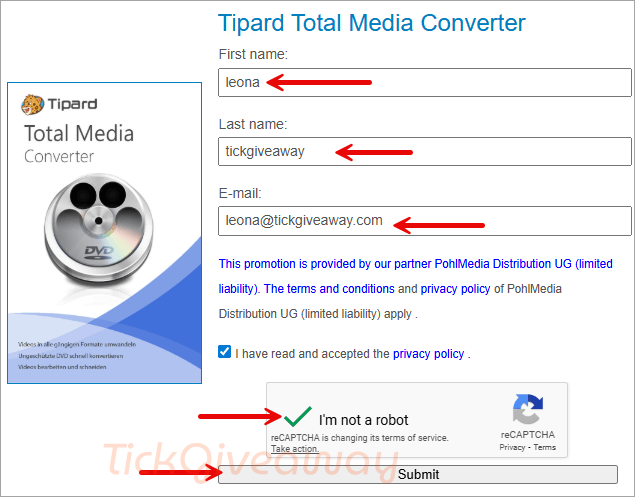
Enter your name and email address, and click to register
Step 2. Check your email to receive the license key
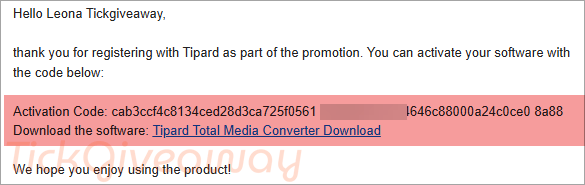
Step 3. Click on the download link to download the software on your computer —> total-media-converter.exe
Install the software on your computer, then fill in the clipboard with your email address and the activation code to activate the software
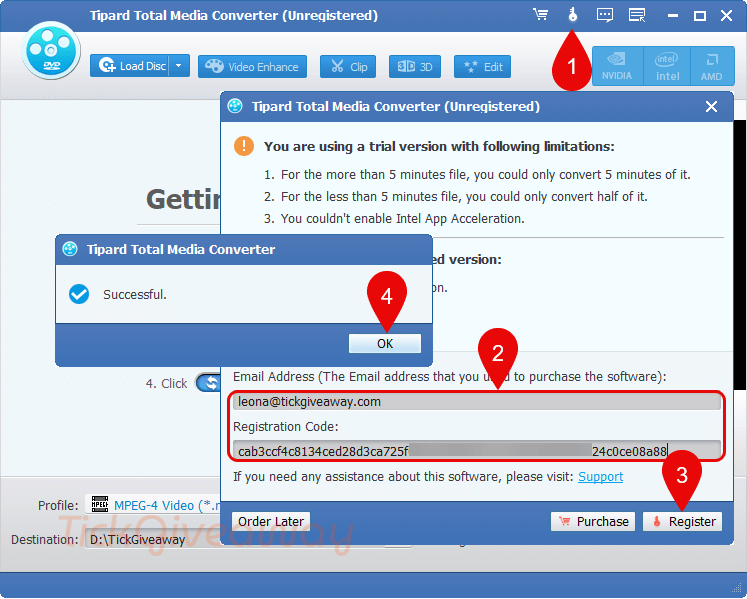
Step 4. Now you can use the software with the full features for 1 year free!
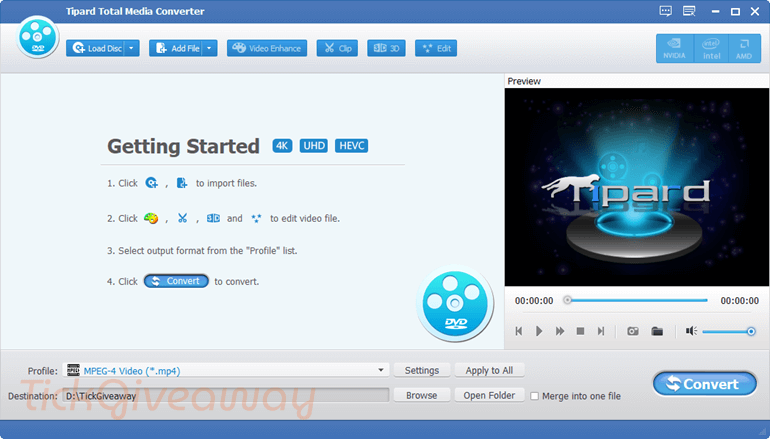
How to change the language?
German is the default language; you should change the language to English to use it. Just come to the Language folder in the software installation location, then delete the “de.rcc” file or rename the “de.rcc” file to the “en.rcc” file. Open the software and use it in English.
– Windows x32: C:\Program Files\Tipard Studio\Tipard Total Media Converter\language
– Windows x64: C:\Program Files (x86)\Tipard Studio\Tipard Total Media Converter\language
Terms & Conditions
- This is a 1-year license for version 9.2.36
- No free update
- No free tech support





Just another Chinese illegal closed source user interface pirating a GPLv3 or undistributeable build of FFMPEG to do the actual conversion. I prefer to give my patronage to LEGAL user interfaces that correctly attribute the FFMPEG project and abide by their license terms like xmedia recode or handbrake. I certainly would NEVER PAY Chinese software pirates for their illegal GUIs.
do you have an English version?
Hi Jackie,
When you get free license key, you can translate giveaway page to English (use Google translate). After having license, you can download English version of Tipard total media converter from this link: https://www.tipard.com/total-media-converter.html
Hayır. Bu linkten download edince çalışmıyor. Serial ve email kabul etmiyor.
thanks so much,