

Giveaway: SoftOrbits TranscribeIt (Lifetime) – Transcribe Media Offline

 Leona
Leona What is SoftOrbits TranscribeIt?
SoftOrbits TranscribeIt converts audio and video files into text directly on a Windows PC. It can process multiple files, add timestamps, and export transcripts as TXT or SRT files. The software includes a built-in media player and text editor for reviewing and correcting results. SoftOrbits TranscribeIt works locally, so recordings do not need to be uploaded to external servers. CPU processing is supported, while GPU acceleration is optional.
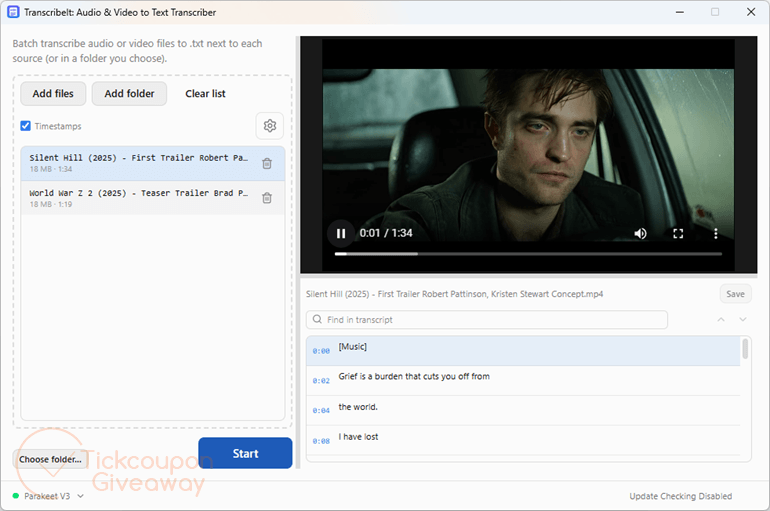
Table of Contents
Key Features
- Transcribe recordings locally without sending media files to external servers.
- Process multiple audio or video files through a batch queue.
- Click transcript timestamps to jump to matching points in the recording.
- Review and correct generated text with the built-in player and editor.
- Export transcripts as TXT files or timed SRT subtitle files.
- Use CPU processing with optional GPU acceleration.
- Recognize speech in 25 built-in languages.
| Version | 1.0.0 (giveaway build) |
| Supported OS | Windows 7, 8/8.1, 10, and 11 (32-bit and 64-bit) |
| File size | 1.70 MB |
| License type | Lifetime, noncommercial use |
| Publisher | SoftOrbits |
| Category | Audio Converter, Video Converter |
Our Quick Test
Based on the activation process, registration requires two actions after downloading: install the program, then enter the supplied license key. The giveaway is tied to one computer. Updating this build can remove its registered status, so keep the giveaway installation unchanged. Technical support is also excluded, meaning activation or usage problems are not covered by the free license. This deal makes most sense for users who need local transcription and can stay with the giveaway build.
How to Get the Free License Key
- License
- Lifetime
- Version
- 1.5
- Availability
- Available
Instructions
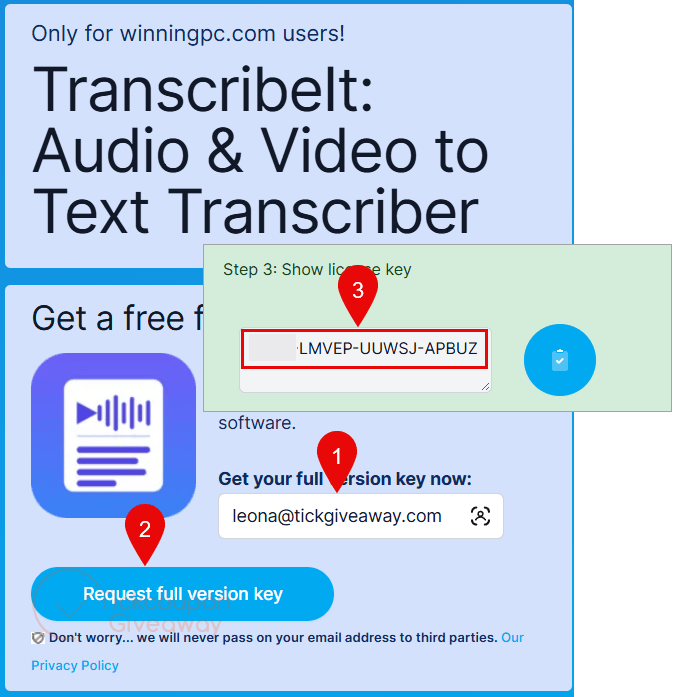
Step 1. Visit the SoftOrbits TranscribeIt giveaway page and complete the basic profile to get your free license code.
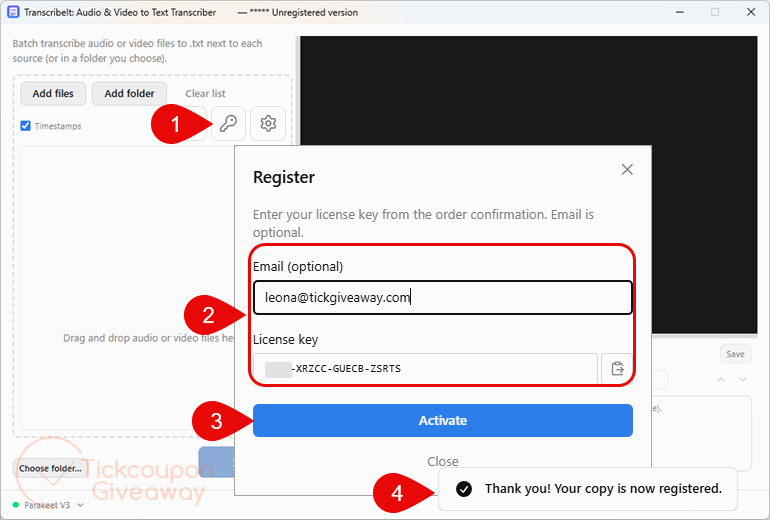
Step 2. Download, run the installer, and complete the installation. Open the registration screen and enter your giveaway license key.
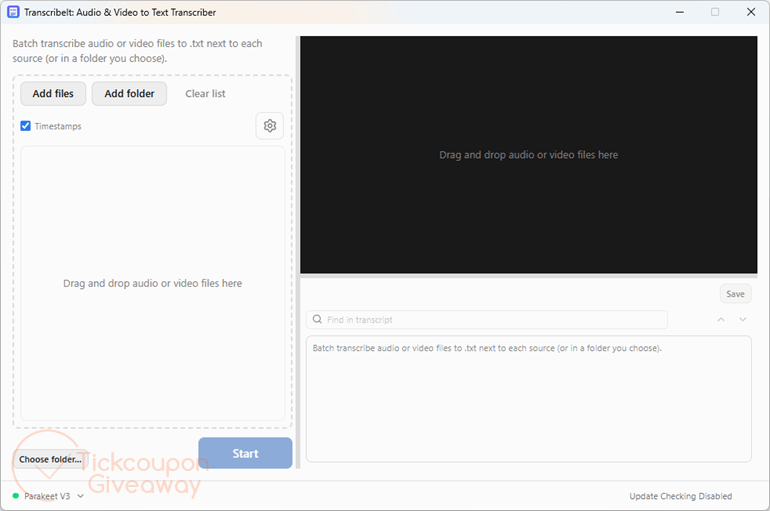
Step 3. Get the software for free for life!



This is also an illegal distribution of GPLv3 licensed FFMPEG.EXE in a closed source combined works, they should have used the LGPLv3 build and given prominent attribution to the FFMPEG.ORG project and included a copy of the GPL and LGPLv3 licenses to be a legal closed source combined works.
It also has a bug on trying to add an audio file it defaults to opening just supported videos not ALL supported formats which is the OBVIOUS default filtering requirement not just videos or just audio files… the option is THERE but it is just not set by default! Also puts the AI inferences in the wrong location, instead of a subfolder of the installation it puts it in C:\Users\WINDOWSLOGIN\AppData\Roaming\com.softorbits.audiovideototext
And dumps EBWEBView in C:\Users\WINDOWSLOGIN\AppData\Local\com.softorbits.audiovideototext\EBWebView
poluting more locations on the system drive where they are NOT supposed to be!
The transcription is a CPU only process with no support for GPU acceleration and the recognition rate is a atrocious on the audio files I’ve tried. There is NO choice of training data and no facility to train the AI inference for yours or any specific voice. Later windows speech recognition which includes the facility to train it for specific voices is much better and lets you punctuate the text and does not have the risk of it swearing at you if it’s unsure what’s being said like these fixed non-learning AI inferences can as we have no control over the statistical frequency of the trainer using profanities when there is no reason for it in the generic training data.
don’t forget softorbits force installation into an unprotected folder on the system drive reducing your systems security defences… it’s just using open source AI inferences developed by someone else who’s not given attribution pretending they did the work, which of course they are not capable of.
For the second time in less than a month, the same promo, but there is no place to add the license.
Installed and then uninstalled.