
Giveaway: SoftOrbits Duplicate Photo Finder (Lifetime) – Remove Duplicate Photos

 Leona
Leona What is SoftOrbits Duplicate Photo Finder?
SoftOrbits Duplicate Photo Finder scans folders, drives, or your entire PC for duplicate and similar photos. It detects exact copies as well as resized, rotated, re-saved, blurred, and burst photos, then groups matches and identifies the best version to keep. It supports JPG, PNG, BMP, GIF, TIFF, WebP, HEIC, and 30+ RAW formats. You can adjust matching levels or keep files based on age, size, resolution, or sharpness. Selected files are moved to the Windows Recycle Bin, while system folders and at least one photo from each group are protected.
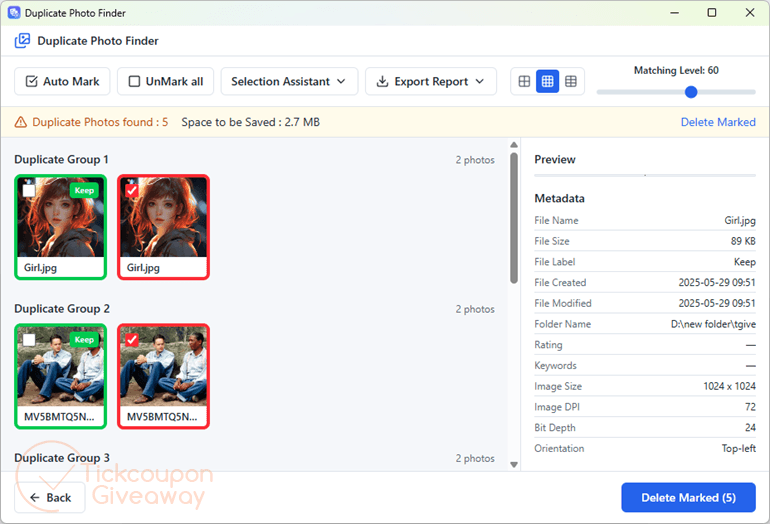
Table of Contents
Key Features
- One-pass scan of folders, whole drives, or the entire PC – finds exact copies and look-alike shots in a single run.
- Perceptual matching catches resized, rotated, and re-saved versions, not just byte-identical files.
- Automatic “best shot” pick by resolution, sharpness (blur score), and file size – the keeper is marked for you.
- Wide format support: JPG, PNG, BMP, GIF, TIFF, WebP, iPhone HEIC and 30+ camera RAW types; videos, documents and installers matched as exact duplicates.
- Live “space to be saved” estimate before you delete, so there are no surprises.
- Safe by design: deletions go to the Recycle Bin, system paths are skipped, and one photo per group is always kept.
- Selection Assistant with your own keep rules – newest, oldest, largest, or highest resolution.
- Fully offline: runs on CPU, no GPU, nothing uploaded.
| Version | 1.1 (giveaway build) |
| Supported OS | Windows 11/10/8.1/8/7 (32/64 bit) |
| File size | 1,747 KB |
| License type | Lifetime, non-commercial use |
| Publisher | SoftOrbits |
| Category | Duplicate Photo Finder |
Our Quick Test
Based on the activation process, setup needs an email, a completed giveaway profile, and the supplied license code. Registration happens inside the app’s Register window. The process has four steps, so activation is more involved than a direct key paste. Since updates are excluded, keep the giveaway build installed and avoid replacing it with a newer release. Support is excluded, so handle activation problems with the troubleshooting notes or a fresh giveaway installer. That extra form work is the main activation inconvenience here. This deal fits personal photo libraries where duplicate cleanup matters more than future upgrades or direct vendor help.
How to Get the Free License Key
Instructions
Step 1. Download the giveaway installer software from the giveaway download link above. Run the installer, supplying your email when setup requests it.
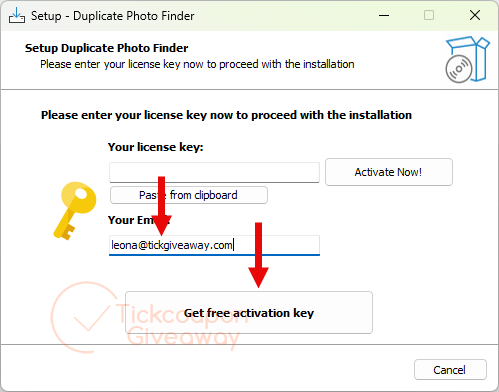
Step 2. You will be taken directly to the giveaway page. Complete the basic profile on the giveaway page to receive your license key.
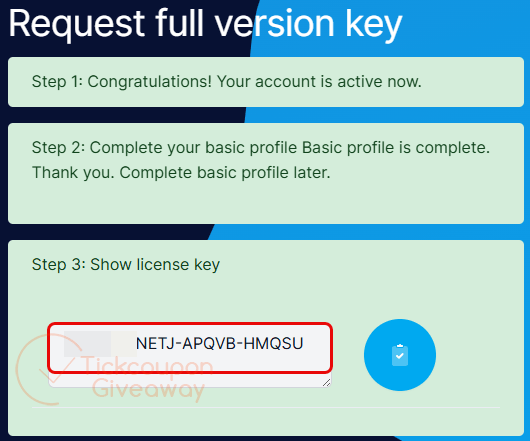
Step 3. Paste the license code into the app’s Register window.
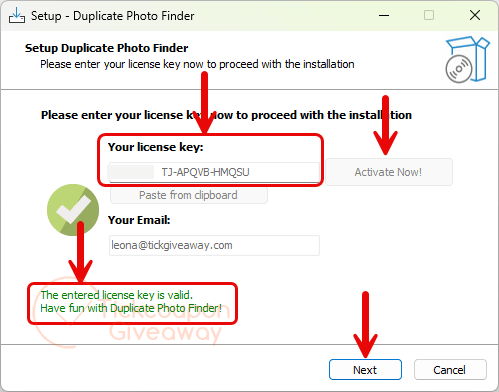
Step 4. Got it for a lifetime, free!
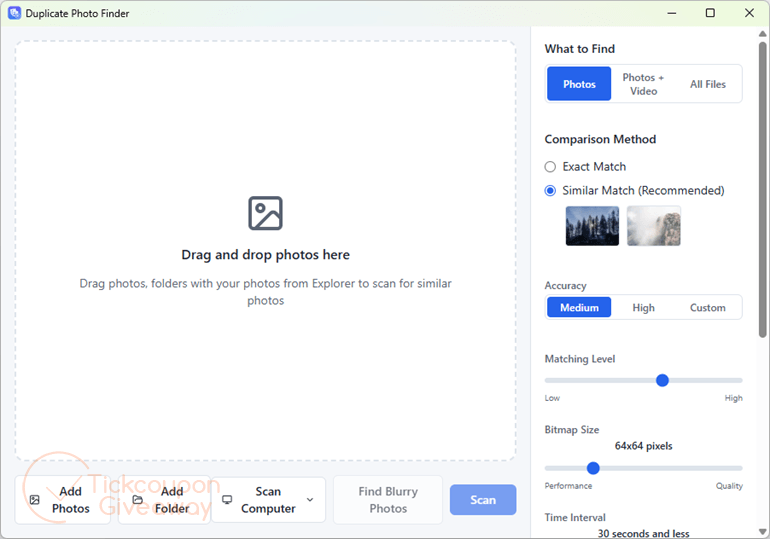
Troubleshooting
- Invalid key: Reinstall with the giveaway installer listed above, then paste the code again. Do not use a public trial installer for this activation.
- No keys available: Leave a comment so the giveaway team can check availability.




WARNING Softorbits DO NOT RESPECT THE INTEGRITY OF YOUR SYSTEMS. They build their programs and installers to bypass admin protections on program installation to allow non-admins like children and employees to install programs when they are not authorised or allowed to install unauthorised programs. They FORCE installation to the system drive, and force installation into an insecure folder hierarchy in the user AppData folders subfolder which is not write protected against non-elevated malware. I do not recommend the installation of products by such a self-serving malicious developer on your machines.