

 Leona
Leona What is Recastia Pro?
Recastia Pro turns PDF files into videos, flipbooks, presentations, web pages, chatbots, editable documents, and 3D exhibitions. It can create video scripts, voiceovers, captions, background music, and optional avatar presenters from uploaded content. The web app also lets you publish converted material online and share it through links or QR codes. Since it runs in a browser, there is no desktop installer to download.
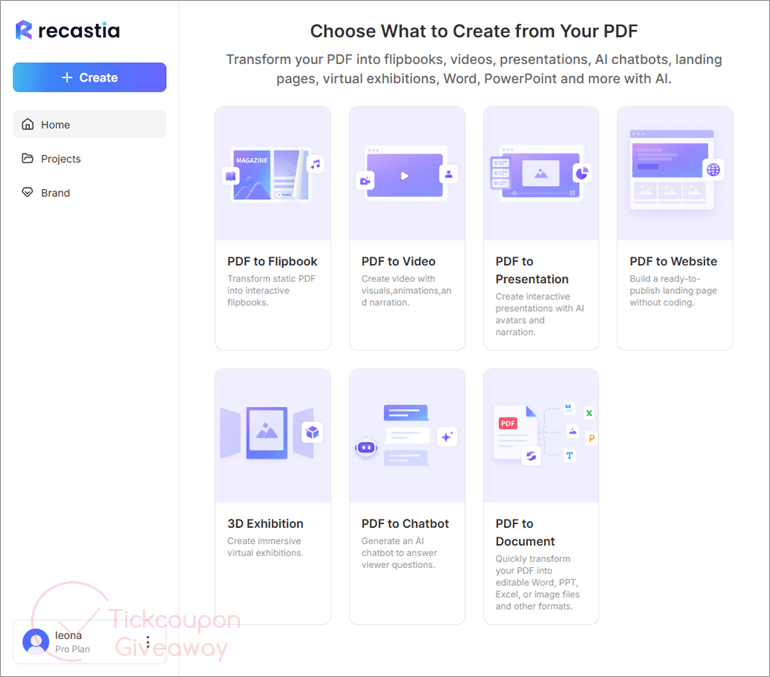
Table of Contents
Key Features
- Turn PDFs into page-flipping online publications.
- Build videos with scripts, voiceovers, captions, music, and optional avatar presenters.
- Create browser presentations with narration, captions, and QR-code sharing.
- Generate responsive web pages from uploaded content without coding.
- Build chatbots that answer questions from uploaded document content.
- Convert PDFs into Word, PowerPoint, Excel, images, and other editable outputs.
- Create browser-based 3D exhibition spaces from templates.
| Giveaway offer | Recastia Pro for 6 months |
| Regular value | $60 |
| License type | One unique, single-use redemption code for one eligible Recastia account |
| Account requirement | Users must register or log in before claiming and redeeming |
| Publisher | Recastia |
| Category | AI Tools, Video Generator, & PDF Utilities. |
| Campaign period | September 22, 2026, at 00:00 through September 24, 2026, at 23:59 UTC |
Our Quick Test
Based on the activation process, no installer is involved because the service runs on the web. Activation uses account registration, gift-card retrieval, and code redemption in the browser. Keep the license on the computer you plan to use, since moving between machines may conflict with the giveaway restriction. Paid work is outside the allowed usage scope. There is no local setup package to keep for later. Access depends on the registered account and gift-card redemption flow. The machine restriction also makes this a poor fit for people who regularly switch computers. This deal makes the most sense for personal PDF republishing projects that need several output types.
How to Get the Free License Key

Recastia Pro
Transform your PDF into flipbooks, videos, presentations, AI chatbots, landing pages, virtual exhibitions, Word, PowerPoint and more with AI.
Still want this product?
Grab it at a special discounted price.
Need help with an existing license? Contact support
Instructions
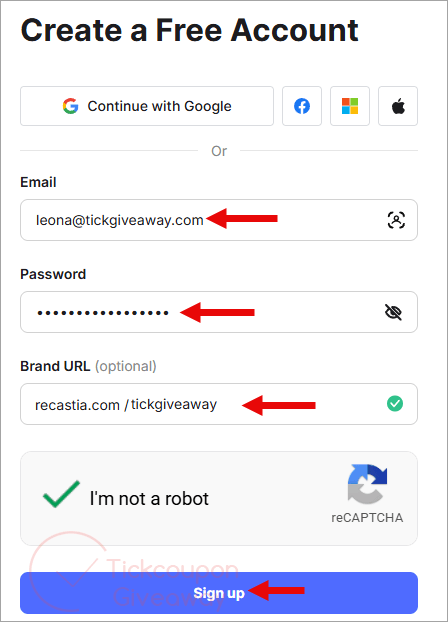
Step 1. Register for a free Recastia account at https://recastia.com/.
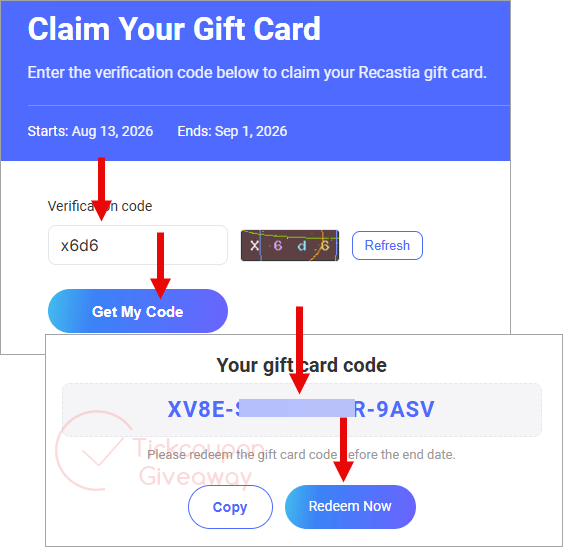
Step 2. Open the dedicated TickCoupon claim link published on the giveaway page that you get in your mailbox. Complete the verification step and request one unique giveaway code. Click “Redeem Now” button on the claim page to apply the code directly.
Step 3. Or, alternatively, copy the code and redeem it at https://recastia.com/gift-card-exchange/.
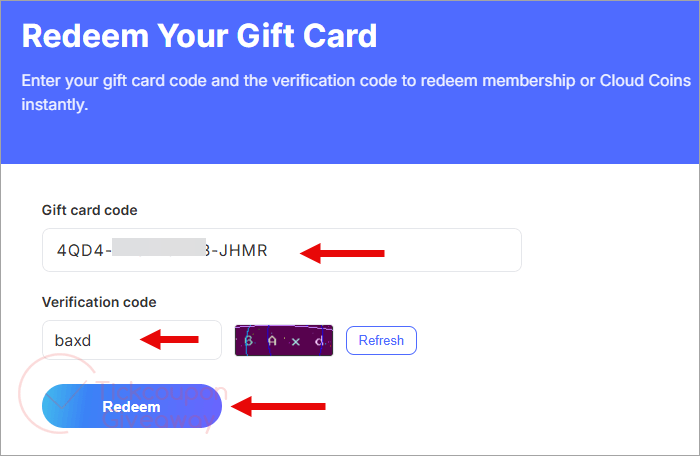
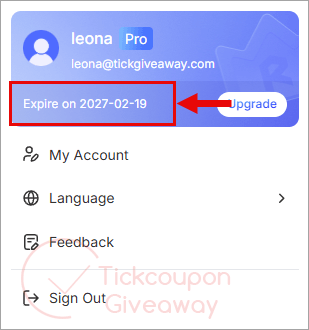
After redemption, confirm that the account shows Recastia Pro and the membership expiration date.
Troubleshooting
- Code rejected? Confirm you copied the giveaway gift card code correctly and used the gift card redemption page.
- No code available? The giveaway allocation may be exhausted. Leave a comment so the TickGiveaway team can check availability.
- Looking for a download? There is no installer. Use the Recastia website, then complete activation through the giveaway and gift-card pages.

With modern web browsers PDF files are viewable IN browser window… they are shareable as is!
Does not work as pictured above, no pop up to enter giveaway code
First, share the giveaway to unlock it. The giveaway and redemption links will appear afterward. Then, follow the instructions to get Recastia Pro free for 6 months.