

 Leona
Leona Table of Contents
What is OneConv Video Converter?
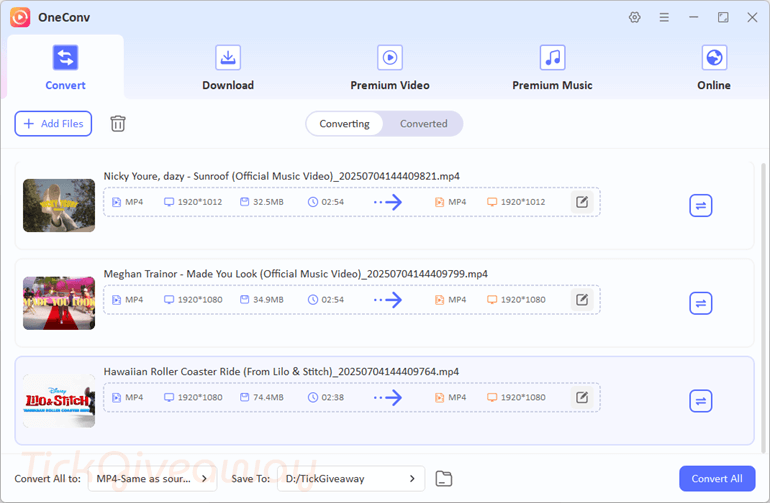
Let’s OneConv Video Converter help you a hand when you need a powerful conversion tool to effortlessly convert video and audio files to a wide range of formats. With its help, you can convert video or audio files to MP4, MKV, MOV, MP3, AAC, WAV, FLAC, OGG, or other formats. This converter tool ensures a fast and high-quality conversion experience, whether you’re looking to convert videos for playback on various devices or adjust audio for specific needs.
OneConv offers impressive features, including 10X faster conversion speeds, support for 8K and 4K video conversions, and batch processing capabilities, to help you convert large amounts of media quickly. Additionally, OneConv functions as a professional video downloader, saving 1080P, 4K, and 8K videos from various video-hosting platforms, including YouTube, Vimeo, Facebook, Instagram, TikTok, Udemy, Thinkific, and more. Even OneConv can help you download a song or podcast with ease.
Key Features
- OneConv supports a vast array of video and audio formats, including MP4, MOV, MKV, M2TS, AVC, ASF, MPEG, WMV, and many more.
- This tool helps you convert 8K videos to 1080P, 720P, and other resolutions for a variety of applications.
- It uses sophisticated algorithms to guarantee quick conversion rates without sacrificing quality.
- You can use it to convert multiple files simultaneously, saving you time and effort when dealing with large collections of media files.
- This software guarantees high-quality output, preserving the original quality of your videos and audio files during the conversion process.
- It also includes a built-in video downloader, allowing you to download videos from various online platforms directly into your preferred format.
Supported OS: Win 10 (64 bit)/Win 11 and MacOS 10.10 or later
Price: $24.95/ month
How to get the OneConv Video Converter license key for free?
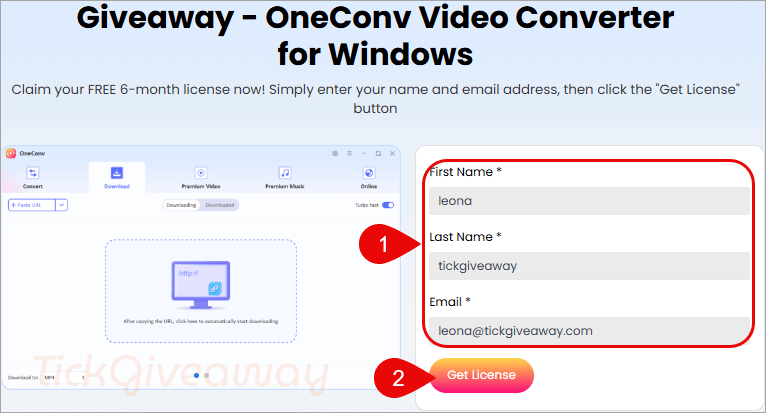
Step 1. Visit the OneConv Video Converter giveaway page
Please type your name and email address into the bank’s form, then click the “Get License” button to receive the free 6-month license.
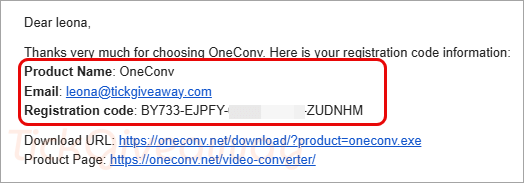
Step 2. OneConv will send your registration code and download link via the email address that you provided. Check and get them.
Step 3. Download and install the software on your computer —> product=oneconv.exe
When the installation is finished, open it. Please copy and paste your name and license code to activate the software with full functions.
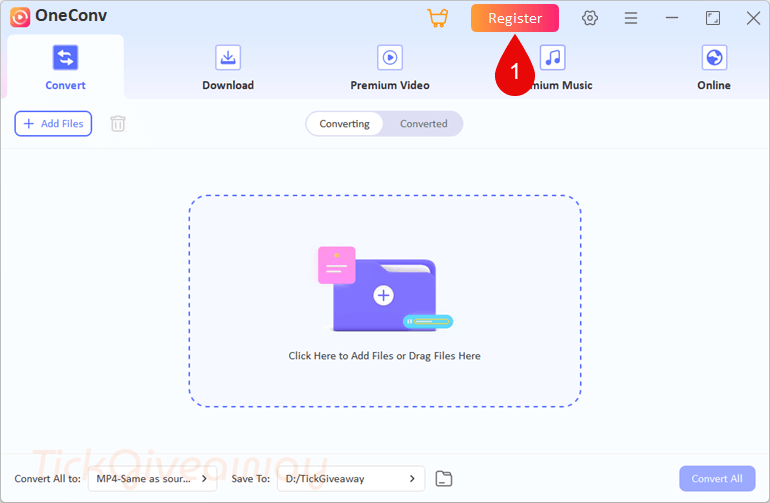
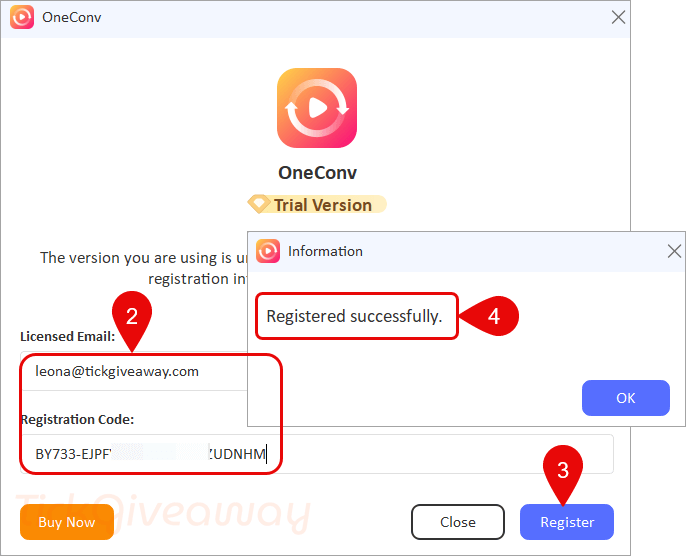
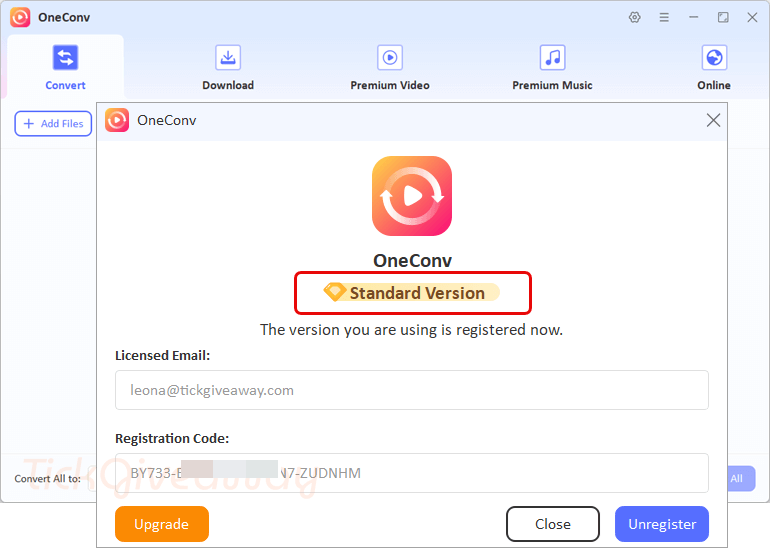
Step 4. Got it for 6 months free!
Terms & Conditions
- This is a 1-computer 6-month license, for noncommercial use
- You get free updates for six months
- No free tech support
- You must download, install, and activate the giveaway before Oct 02, 2025, 08:00 GMT+0.
- May not be resold



Warning true install size of this is 1.15GBytes and the installer that is downloaded by the downloader and left in a subfolder of the users TEMP folder is 384MBytes!
Real installer is downloadable at:
download.oneconv.net/win/oneconv_v6.6.0_x64.exe
You can control where it’s downloaded to and if it’s deleted when no longer needed instead of using their dumb downloader. Some features do still work when not registered so should still work after 6 month trial license expires. I had problems with youtube it not downloading the audio file and merging it with the video file to make a complete video… and found youtube detects it’s an automated downloader if trying to bulk download a playlist in entirety… the site requests the user/you to login to prove you’re not a bot… I would advise against signing in as you’ll likely lose the account.
what after 6 month? do they charge automaicaly or other surprises?