

Giveaway: Leawo Photo Enlarger (1-Year) – AI Image Upscaler – Upscale Image Resolution.

 Leona
Leona Table of Contents
About Leawo Photo Enlarger
Have you ever taken a favorite photo but realized it was too blurry and couldn’t be posted online? Or you have an old camera that can no longer take a good picture. Stop worrying about image resolution – enhance images and upgrade your low-resolution snaps with the help of Leawo Photo Enlarger. As the name suggests, this tool is a photo editing application designed to help you upscale image resolution and enlarge and enhance images to higher quality at 5X higher speed.
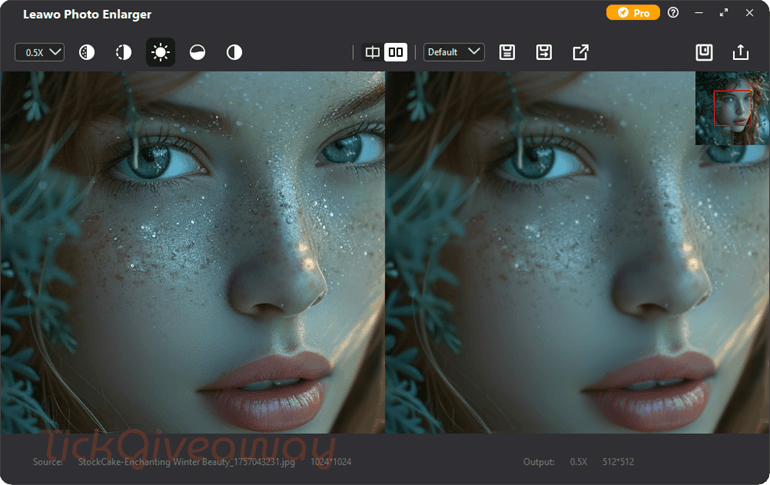
Besides, Leawo Photo Enlarger allows you to remove noise and mist to improve pixelated, grainy, and blurry images. You can automatically or manually remove noise and mist from photos and increase their resolution, making upsized images look clearer and more natural, free of blur, pixelation, and graininess.
Key Features:
- Leawo Photo Enlarger utilizes deep-learning AI technology to improve color rendering, minimize artifacts, and refine detailed texture.
- All images that are upscaled by 2x, 4x, 6x, or even 40x will maintain clarity and sharpness, or even improve upon it.
- It can automatically remove noise and mist from photos while increasing image resolution, making upsized images appear more transparent and natural, free from blur, pixelation, and graininess.
- This tool provides access to faster speeds by efficiently processing a single photo or batch of photos at 5 times the speed.
- Along with image upscaling, Leawo Photo Enlarger can also shrink images to 0.5x.
Supported OS: Windows 10/11 (64-bit)
Price: $39.95/year
How to get the Leawo Photo Enlarger license key for free?
Special Offer
2026 September Sales: Save up to 70% from the September Sales
Photoins Photo Enlarger
Photoins Photo Enlarger for Mac
Instruction
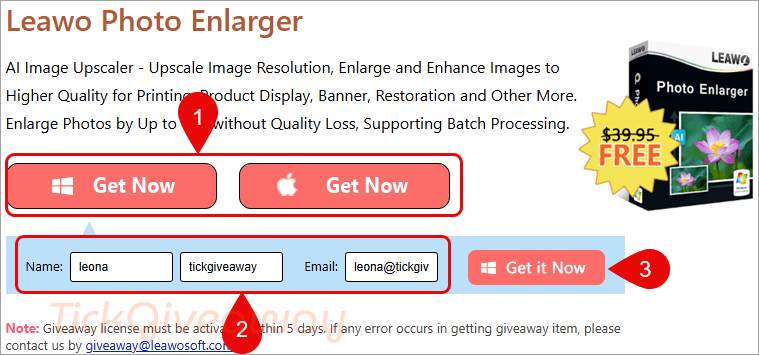
Step 1. Visit the Leawo Photo Enlarger giveaway page. Click on the “Like Us on Facebook” button, choose either Windows or Mac, and then enter your name and email address to get the Leawo Photo Enlarger license code.
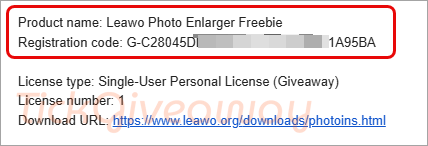
Step 2. Download the installer. Install the software on your computer. Please copy and paste your license key to activate the software.
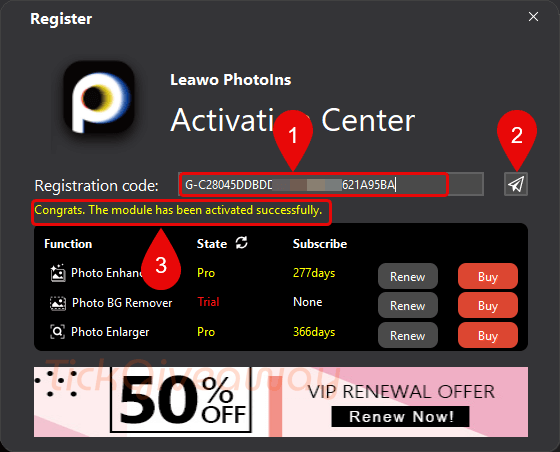
Enjoy it for 1 year free with full functions!
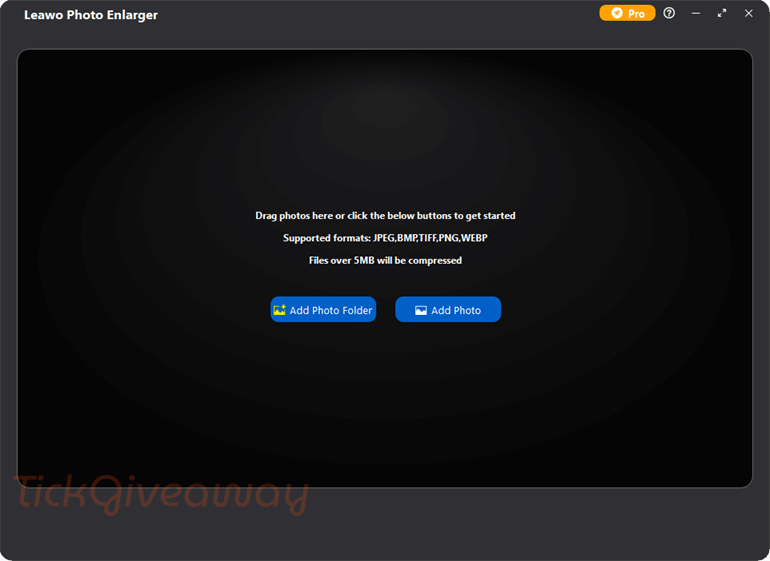




This giveaway is for Leawo photoins not photo enlarger and the installer is 999MB in size… installed it’s going to be around 2.35GBytes of storage! And the giveaway page says “It’s Almost Done – Retrieve Your Register Code and Activate Your Subscription!” implying this is NOT a non-expiring license but probably a 1 year trial license. It is also quite possible this giveaway is only for the photo-enlarger module of photoins product so one wastes probably a gigabytes of storage on unlicensed, unusable modules to just get the AI photo enlarger module… that’s what I call a scam! This is the very definition of bloatware giving you one tiny module of a massive suite of modules each licensed separately in the hopes of continuously up-selling those wasteful modules you cannot use without paying… better off just getting a stand alone AI photo-enlarger and not waste the excessive writes of your precious SSD storage device. Extremely slow at analysing largish images, uses about 30% Intel GPU during analysis phase… nothing of Nvidia GPU which is more powerful and24 to 34% 8 logical CPU cores 98% RAM used with 16G installed and cooking my C: drive SSD at 50degrees C! Ah it is entirely RAM bound, does NOT even make use of virtual memory let alone disc space to handle larger than physical RAM images. Cannot even upscale beyond 32Kx32K which to me is an absolute FAIL! The user interface is very unintuitive as it is not windows standard GUI and has no tooltips on icon “buttons”. Talk about a waste of space…. I found a 3GB+ folder of images that had been processed by the image browser and decompressed to zero compression level even leaving a 16Kx16K file taking up 1GBytes of the cache space and saved to the enlarger subfolder of folder hierarchy C:\Users\{WINDOWSLOGINNAME]\AppData\Roaming\Leawo\PhotoIns so don’t forget to delete this repository of redundant files when you delete the main bloatware! The creation of an decompressed cache of ALL the files on the folder one chose to browse is incredibly harmful to the system SSD making gigabytes of redundant writes for files one are probably not even going to process! Note that cache folder with all the decompressed images copied into is deleted when you close the program so BE CAREFUL there WILL BE LARGE AMOUNTS OF WRITES IF YOU BROWSE A FOLDER OF IMAGES IN THIS MODULE. I note that photo enhancer module had around 288 days of license remaining on its 1 year trial license so I have been caught out by this bloatware scam before… only one more module left BG remover… I do hope I remember how dire this bloatware is and how wearing it is on the system through absolutely IGNORANT design choices and give it a miss next time.
Žiadny sociálny účet? Odomkni sa radšej e-mailom…to neviete dat priamy odkaz ale musite tu otravovat mailom a registraciami???Strcte si to analu.
Very good gift and Team