


 Leona
Leona Table of Contents
iTop Voicy Pro is a fun and practical voice changer for Windows users who want to sound different online. It lets you change your voice in real time while gaming, streaming, or chatting with friends. You can sound like a man, woman, child, robot, or even a cartoon character with just a few clicks.
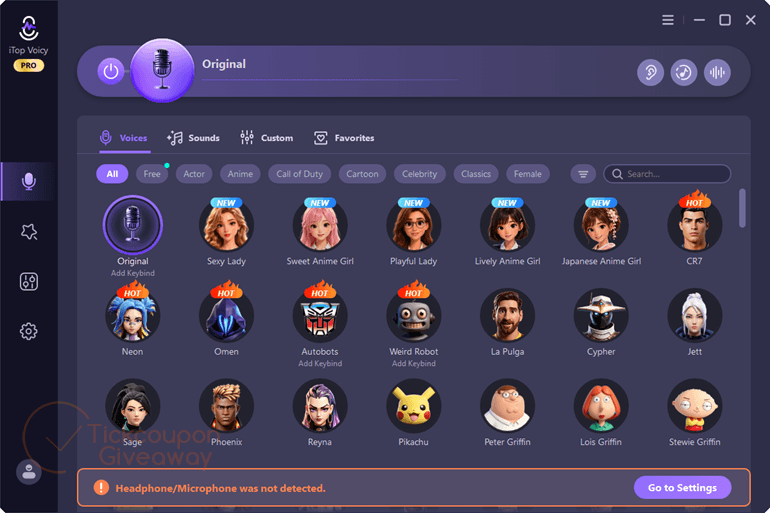
iTop Voicy Pro also comes with a large soundboard library, so you can play funny or popular sound effects during live conversations. It works well with many popular apps and games like Discord, Zoom, Twitch, and Steam. With simple controls and stable performance, iTop Voicy Pro is a good choice for anyone who wants to make online talks more interesting and lively.
What Does iTop Voicy Pro Help You Do?
- Change your voice in real time during games, live streams, or online meetings.
- Modify recorded audio or video files with different voice styles.
- Create custom voice profiles by adjusting pitch, tone, and emotion.
- Add sound effects such as applause, laughter, or ambient sounds.
- Improve recording clarity by reducing background noise.
| Version included | 1.3.0 |
| License type | Pro license |
| License duration | 3 months |
| Publisher | iTop VPN |
| Supported platform | Windows 11/10 |
| Original price | $89.99 per year |
How to Get the iTop Voicy Pro Free License Key
Special Offer
iTopVPN Summer Sale: Up to 93% Off
iTop Voicy PRO - 1 Month/ 1 PC
iTop Voicy PRO - 1 Year/ 1 PC
15% Off iTop Software Sitewide
How to Join
Step 1. Visit the giveaway page above, then enter your email address in the giveaway form to get a 3-month Pro subscription.
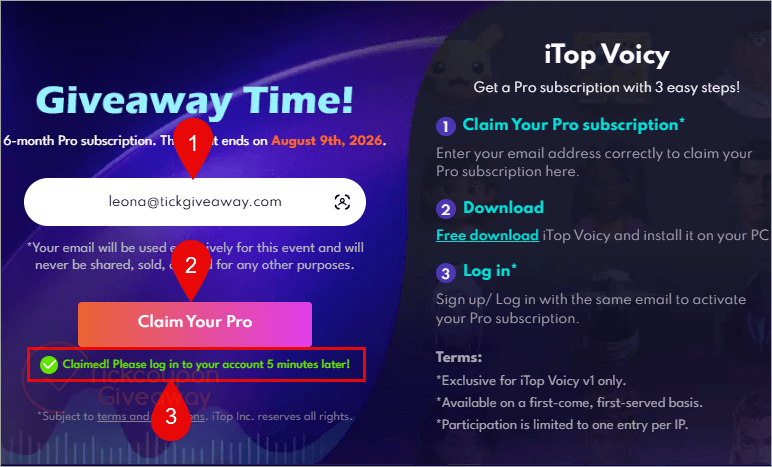
Step 2. Click on the download link above to get the iTop Voicy Pro setup file. After downloading, run the installer to set up iTop Voicy Pro on your PC.
Step 3. Open the software. Log in or sign up to activate your free 3-month subscription.
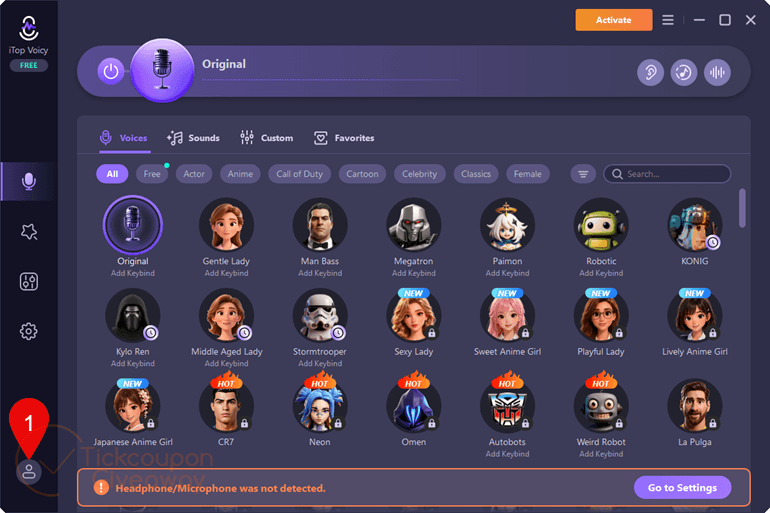
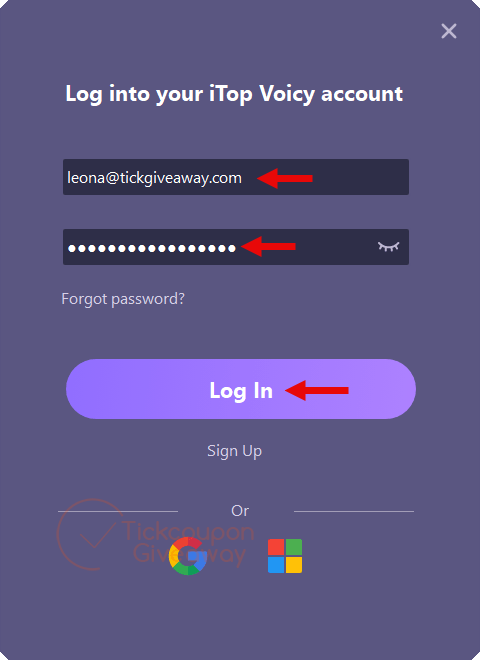
Step 4. Got it for 3 months free! (Check your subscription; click on the User Profile/Manager Devices).

Who Is This Giveaway Most Useful For?
- Gamers who want to role-play different characters or maintain privacy in voice chats.
- Streamers are looking to add variety and entertainment value to live broadcasts.
- Content creators producing podcasts, audiobooks, or voice-over projects.
- Remote workers or educators who want to experiment with different voice styles in online sessions.
If you regularly use voice communication tools on Windows and are curious about real-time voice transformation, this promotion may be worth exploring.




pass invalid
License key doesn’t work
NOTE you cannot disable automatic update checks and being offered updates even if your giveaway license never supported updates from within the programs user interface! You need to go into scheduled task manger and disable the task called “iTop Voicy Update” by right clicking on its entry in “Task Scheduler Library” and selecting “Disable”… correction that does NOT work as next time you execute iTop Voicy it re-enables the tasks state… One has to get a little heavy handed you cannot just rename the autoupdate.exe or create a folder called autoupdate.exe after renaming the original file as the program when next run will detect the file does not exist and demand you re-download and re-install… VERY AGGRESSIVE BEHAVIOR BY THE DEVELOPERS! But you can create a 0 byte length file and rename it to AutoUpdate.exe and copy it over the real exe and the program does NOT detect this so you can use it normally without the fear of it auto updating and losing the short 3 month giveaway license
Another way to make the autoupdate task fail is to double click on the “iTop Voicy Update” task and untick “run with highest privileges” and that will cause the execution to fail as autoupdate.exe requires elevated rights just in case the update is accepted as it will need elevated rights to launch the new installer… and I’ve checked that running the main program does not recreate the scheduled task completely, thankfully.