

 Leona
Leona Table of Contents
Hasleo Backup Suite Coupon Codes
🏆🏆🏆
Hasleo Backup Suite Home V5
40% off coupon code
Hasleo Backup Suite Home + Lifetime Free Upgrades
36% off coupon code
Hasleo Backup Suite Professional V5
33% off coupon code
Hasleo Backup Suite Professional + Lifetime Free Upgrades
31% off coupon code
What is Hasleo Backup Suite?
Hasleo Backup Suite is professional Windows backup software for Windows 11, 10, 8, 7, Vista, and Windows Server. It can back up and restore Windows OSs, disks, partitions, and file folders to protect your Windows and personal data and prevent data loss in many cases, such as hardware failures, malware attacks, accidental deletions, or system crashes.
Hasleo Backup Suite provides three backup modes: Full, Incremental, and Differential, offering flexible backup options. Furthermore, Delta Clone/Restore technology is provided to speed up operations by copying only changed data blocks. To optimize storage and enhance security, you can use encryption, compression, and deduplication functions.

Key Features
- Create a complete image of your Windows operating system, including system files, installed applications, and settings.
- Instead of just the OS, you can back up entire disks or specific partitions.
- Select specific files or folders without needing a full system backup.
- Migrate your Windows OS to a new disk seamlessly.
- Creates an exact copy of a disk, useful when replacing old drives or moving to larger-capacity storage.
- Clone specific partitions quickly without duplicating the entire disk.
- Saves only the changes made since the last backup, reducing storage usage and speeding up the process.
- Automates backups at chosen intervals (daily, weekly, or monthly).
- Automatically deletes older backups based on rules you set.
- Clone/restore only changed blocks for faster speed.
- Lets you exclude unnecessary files (like temporary files or caches) from backups.
- Identifies and removes duplicate data across backups.
- Breaks large backup files into smaller segments.
- Combines multiple backups into one or removes outdated ones.
- Mount/Unmount Backup Image: Access backup contents like a virtual drive.
- Verifies the integrity of backup files to ensure they are not corrupted and can be restored successfully.
- Converts between partition styles: MBR to GPT and GPT to MBR.
- Sends alerts about backup completion, errors, or warnings.
- Lets you transfer backup task configurations between systems.
- Provides a centralized interface to monitor, edit, and organize all backup jobs.
- Creates a bootable recovery disk that can be used to restore your system even if Windows fails to start.
- Enables network-based booting, allowing multiple machines to be restored or deployed simultaneously.
- Permanently erases all data from a drive, ensuring it cannot be recovered.
Supported OS: Windows Vista/Server 2008 or later (32/64-bit)
Price: $49.95/lifetime
How to get the Hasleo Backup Suite license key for free?
Step 1. Download installer v5.5.2.1 —> Hasleo_Backup_Suite_Free.exe
Install the software on your computer.
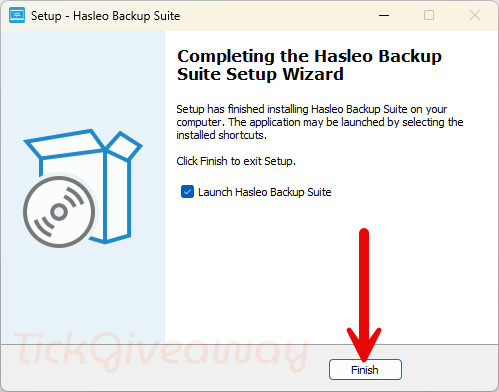
Step 2. Go to the Hasleo Backup Suite giveaway page to get your free license code. Register it with the license key.
Giveaway License
Or use the license code below:
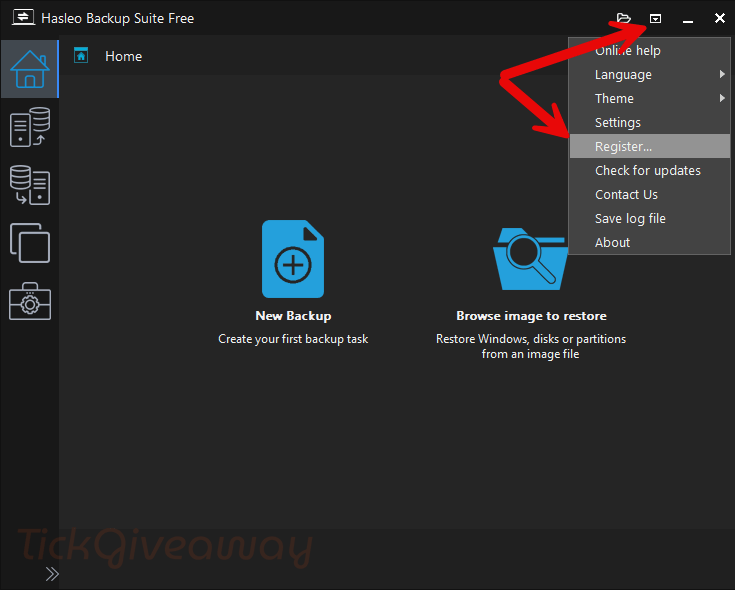
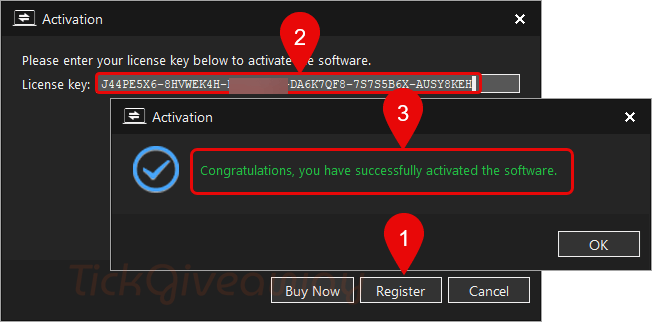
Step 3. Enjoy the full features for 1-year!
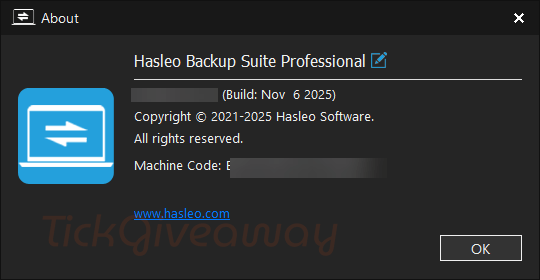
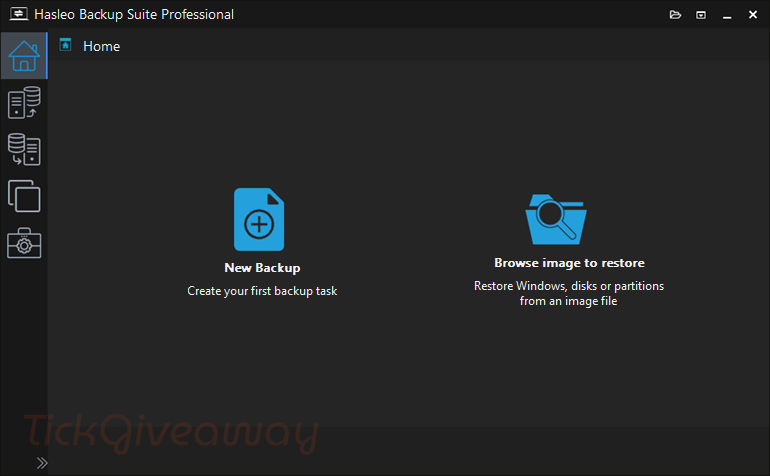
Hasleo Backup Suite main screenshot
Terms & Conditions
- This is the 1-year license for Hasleo Backup Suite v5.5.2.1
- Non-commercial use only
- No free upgrade
- No free tech support and
- Activate the license before Nov 24, 2025, GMT+0 08:00



Backup software is not to protect your data from people viewing your data as if they have access to your live system they HAVE your data if it’s backed up or not… Ransomware attacks ENCRYPT your data in all enumerable locations all you local folders which include your cloud folders IF you have official cloud clients on your machines. Ransomware holds your own data to ransom the public exposure is proof of life that they also have a copy of the data which can be embarrassing but that in itself does not stop you from continuing to use your system and data and backups but the fact they are still holding your data and backups to ransom so your backups with hasleo backup suite are useless to you in the even of a ransomware attack whether you encrypt the backup files or not! Which is my point, this product is out of date in the modern attack environment and NEEDS to be updated to include cloud clients with no local enumerable file system so backups can be protected against being encrypted and held for ransom by any malicious actor.
This is unable to backup files directly to cloud providers without a local cloud client providing a synced folder so it is useless for protecting against ransomware or producing immediately offsite backups.
You’re right, this software doesn’t support direct backup to cloud providers unless you use a synced local folder from services like OneDrive, Google Drive, or Dropbox.
However, you can still enhance your protection by setting a password/encryption for your backup files. This helps keep your data secure even without built-in cloud backup.