
Giveaway: DualSafe Password Manager Premium (6-month) – Manage Passwords Safely

 Leona
Leona Table of Contents
What is the DualSafe Password Manager Premium?
Have you ever been worried about managing too many passwords? DualSafe Password Manager Premium‘s password management feature securely stores unlimited passwords; you will never have to worry about forgetting your numerous passwords again. With its help, you can keep your passwords on hand when needed without worrying about someone gaining access to them and auto-fill unlimited passwords with one click. Another essential feature of this software is the ability to generate strong passwords with military-grade security. It can help you create unique, random, and complex passwords. Your private information is always safe on the Internet.
Key Features
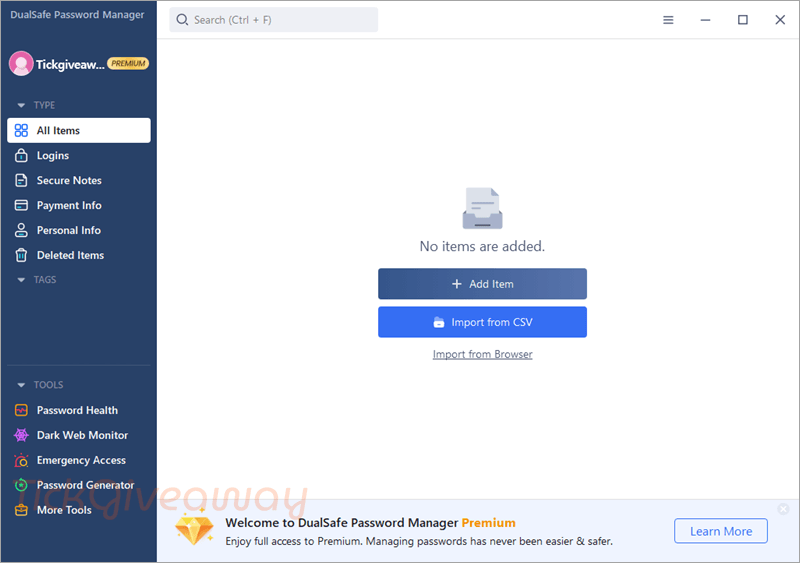
- When you save account logins and passwords in DualSafe Password Manager Premium, you’ll always have them when you need them; logging in is fast and easy.
- If you must have your fully automated form-filling, this password manager also supports that.
- With the built-in password generator, you can create long, complex, randomized passwords that protect against hacking.
- This tool monitors the darker corners of the web. You will get alerts if your personal information is at risk.
- DualSafe also comes with a feature that checks password strength or reused passwords.
- In addition to managing your password, you can save your secure notes, payment info, and personal info.
- It automatically syncs your passwords across Chrome, Edge, Opera, and Brave.
Supported OS: Win11/Win10/Win8/Win7
Price: $24.99/ year
How to get the DualSafe Password Manager Premium license key for free?
Special Offer
iTopVPN Summer Sale: Up to 93% Off
DualSafe Password Manager - Month
DualSafe Password Manager - 1 Year
15% Off iTop Software Sitewide
Instruction
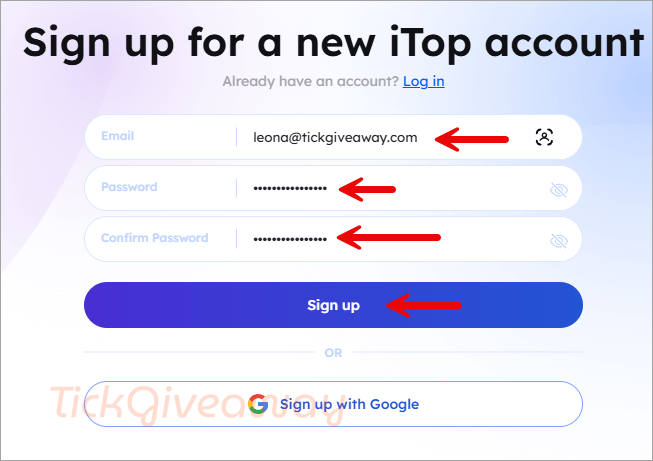
Step 1. Visit the DualSafe Password Manager Premium giveaway page. Please create a new iTop account by inserting your email and password in the blanks, then click the “Sign up” button.
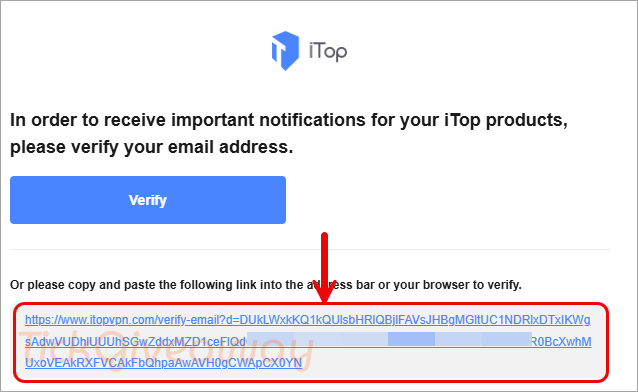
Step 2. Go to your email address and click on the link that you received in your mailbox to verify your email address.
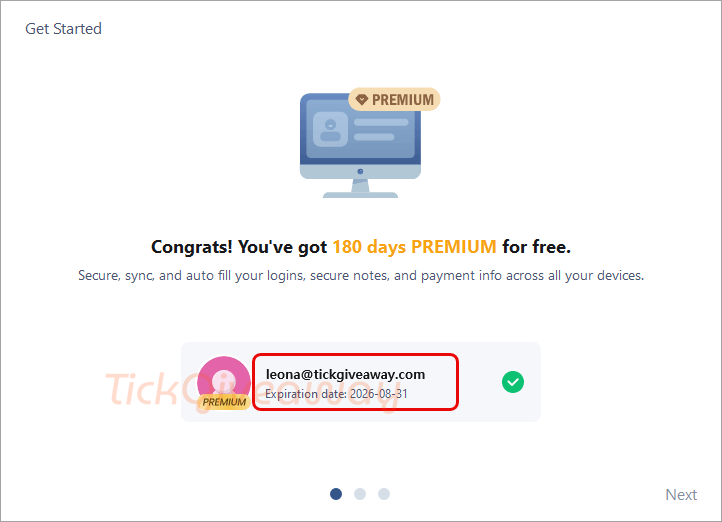
Step 3. Download and install DualSafe Password Manager Premium on your computer and log in with your account.
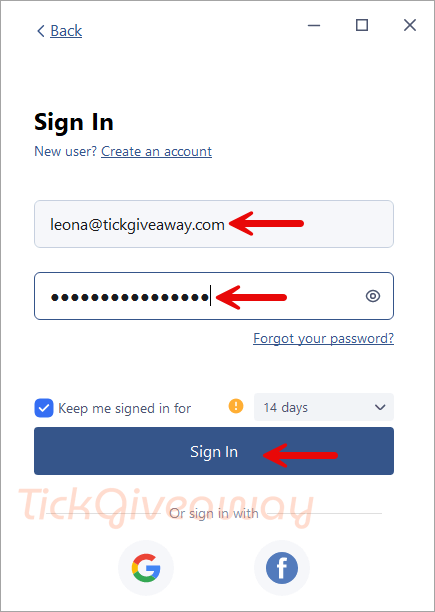
Step 4. Enjoy it for 3 months/6 months!



Sticky Password Premium – 1-Year Activation code
Tested on 2 accounts, i.e. with your affiliate link when registering your account and downloading the program. Result – free standard version and pay for premium version. Not working or fraudulent?
Using Paypal to renew my DuakSafe subscription was difficult. When I emailed their customer service, a representative helped me in paying for my renewal. I’m grateful.