
 Leona
Leona Table of Contents
What is BulkFolderLocker?
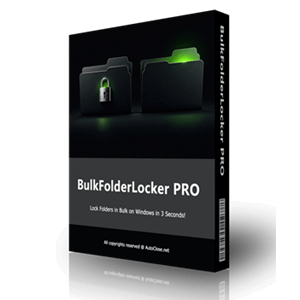
Your computer contains multiple pieces of private data that must be safeguarded from the prying eyes of others. BulkFolderLocker from AutoClose can help you lock folders to ensure they are safe. Designed with a simple and easy-to-use interface, this folder locker application allows you to lock any sensitive folders to ensure no one can access them if they do not have permission.
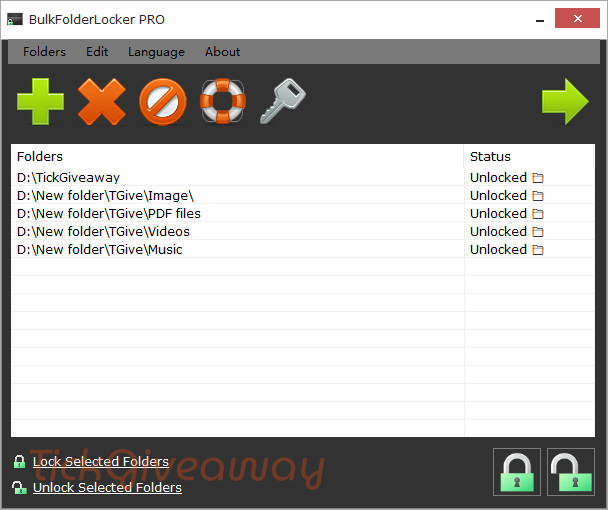
With BulkFolderLocker, you also can unlock folders in seconds, making your work more efficient. The batch function is provided to help you lock and unlock multiple folders at once, boosting your privacy and control over sensitive data. Now, you can be sure that your folders are protected from unauthorized access unless the correct password is entered.
Key Features
- Lock or unlock multiple folders simultaneously with a single click.
- Folders are locked or unlocked within 3 seconds.
- Prevents access via File Explorer, command line, shared networks, and other programs.
- Locked folders cannot be deleted, adding an extra layer of security.
- Requires a login password to access the app, with a hint option for recovery.
- No internet connection required; all data stays on your device.
- Drag-and-drop folders or use the Add button to manage your folder list.
- Easily reset your login password if needed.
- Portable version is available and runs directly without installing.
Supported OS: Windows 7/8/10/11 or later & Server (64/32 bit)
Price: $29.95/lifetime
How to get the BulkFolderLocker license key for free?
This giveaway ended on .
The terms and product details above stay on record. Stay tuned - we publish new giveaways every day.
Special Offer
BulkFolderLocker PRO - Single License
BulkFolderLocker PRO - 10 Licenses
Instruction
Step 1. Download the zip file.This includes the giveaway installer and license key for BulkFolderLocker PRO.
Install the software on your computer. The first time you use the software, you should set the login password and hint text.
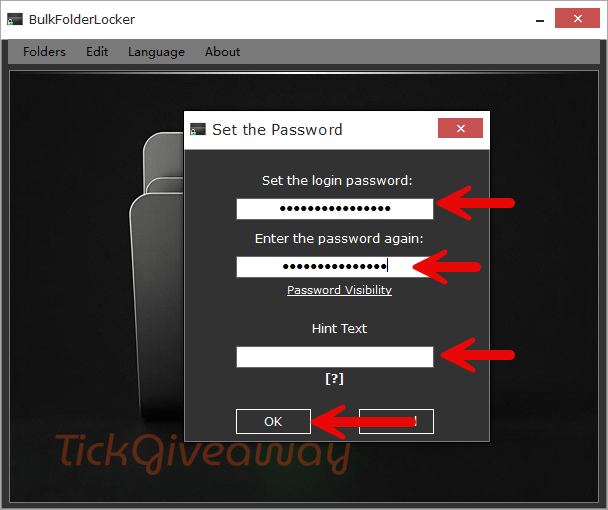
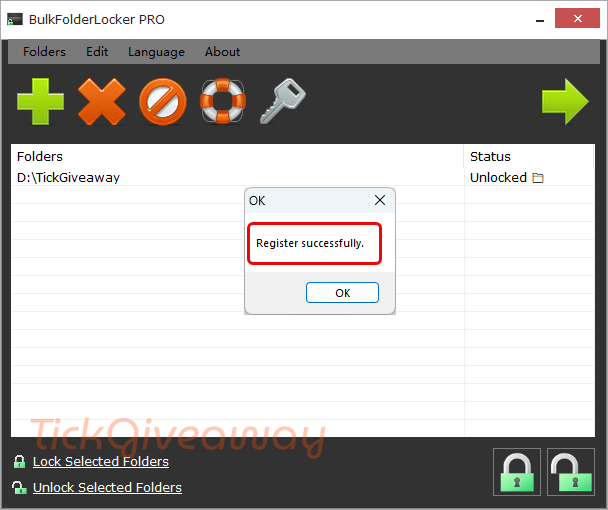
Step 2. To upgrade the software to the Pro version, you must drag and drop or add folders to the software and then copy and paste the license code from the text file into the registration code field.
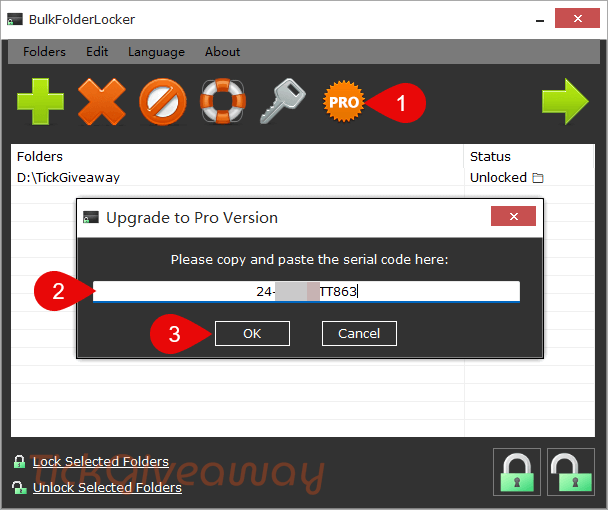
Step 3. Enjoy it for a lifetime for free.




This is NOT a good and efficient program, pass it up.
It can ONLY lock files/folders on a local drive.
It fails, it CANNOT, lock any files/folders on a network or portable drive which is very much needed and very important.
There are much better programs than than this weak and useless program.
From the description of the way this works it does NOT encrypt the contents of the folder. Therefore using a deep scan of a file recovery program will reveal the files that are supposed to be locked away… just tested this it “works” by editing the ACL of the folder and adding a Deny Special Permissions to the Everyone Group. It is trivial to remove this “protection” by simply right clicking on the folder selecting Security tab and selecting Everyone entry and hit Edit button and press remove button and the protection IS REMOVED with no password, another “feature” of this protection is if the folder is open in another explorer window or program it remains accessible whether you lock it or unlock it with this toy… open the drive in linux and even with the deny special permissions enabled you will still be able to access it freely as linux ntfs driver does not have the ability to honour ACLs… this is just a toy if there is something you need to keep secret from prying eyes DON’T PUT IT ON A COMPUTER OF ANY KIND! Don’t expect it to function on a file system such as FAT32 or exFAT. I can’t see the benefit of registering this… could not find a reason to go PRO on their website either!
Oh giveaway license does not activate PRO in the portable edition… which is not truly portable as the password and other settings are stored on the host PC not in the portable programs location. It is in fact stored in the users AppData folder as the file infobflp.ini with the password stored in PLAIN TEXT!!!!!
I meant users AppData\Roaming\ folder.