

Giveaway: Apeaksoft iPhone Transfer – Sync, Backup and Manage Your iOS Data

 january
 Table of Contents
What is the Apeaksoft iPhone Transfer?
Apeaksoft iPhone Transfer allows you to transfer iOS data between PC and iDevices without any data loss (you can transfer from iPhone to iPhone, PC/Mac to iPhone, from iPhone to PC/Mac, or between PC/iOS devices and iTunes). It can transfer photos, music, videos, contacts, messages, and other file types. Apeaksoft iPhone Transfer also helps you convert HEIC images to JPEG or PNG as well as make ringtones with your favourite music or transfer ringtones from iPhone to iPhone with ease.

Main Features
- Transfer photos, videos, music, contacts, messages, and more between iPhone, iPad, iPod, computer, and iTunes without data loss.
- Move files from iOS devices to PC/Mac and vice versa, or between two iOS devices directly.
- Manage and transfer iOS data without relying on iTunes, avoiding sync restrictions and data overwriting.
- Export contacts to a computer for backup or import them to a new device with one click, supporting contact management and duplicate removal.
- Preview, add, delete, or create new photo albums and export images in original quality.
- Copy songs, playlists, ringtones, and voice memos between devices without erasing existing data.
- Save text messages, iMessages, and app data (such as WhatsApp chats) to your computer for archiving.
- Automatically convert HEIC photos to widely supported formats during transfer.
- Fully compatible with the latest iOS/iPadOS versions and models, including iPhone 15 series.
Supported OS: Windows 11, 10, 8, 7, Vista/XP
Price: $31.20/month
How to get the Apeaksoft iPhone Transfer registration code for Free?
This giveaway ended on .
The terms and product details above stay on record. Stay tuned - we publish new giveaways every day.
Special offers
Apeaksoft iPhone Transfer - Monthly
Apeaksoft iPhone Transfer - Lifetime
Apeaksoft iPhone Transfer for Mac - Monthly
Apeaksoft iPhone Transfer for Mac - Lifetime
Instructions
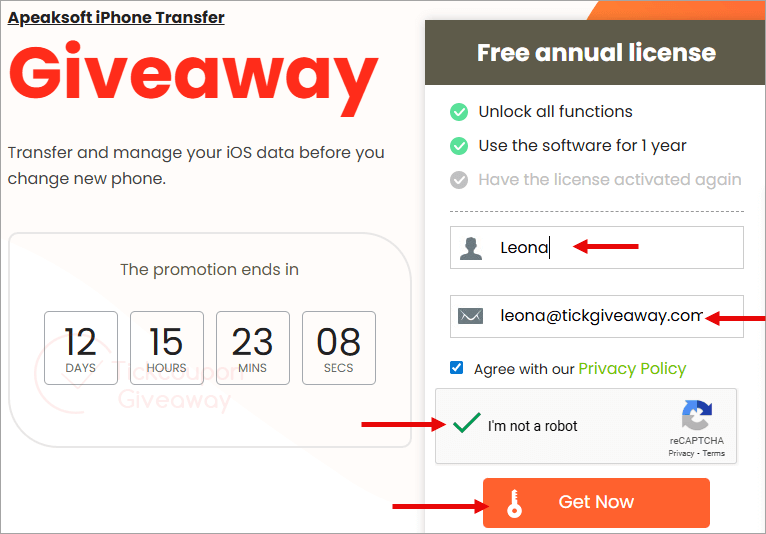
Step 1. Access the Apeaksoft iPhone Transfer giveaway page. Enter your name/email address, agree to the privacy policy, and click the “Get now” button
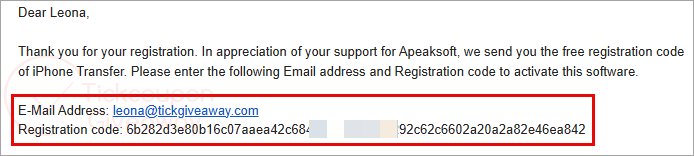
Step 2. Check your mailbox for the registration information
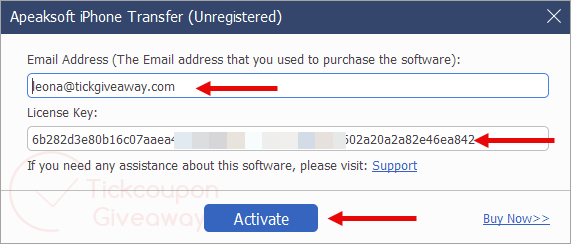
Step 3. Download the installer. Open the program on your computer and register it.
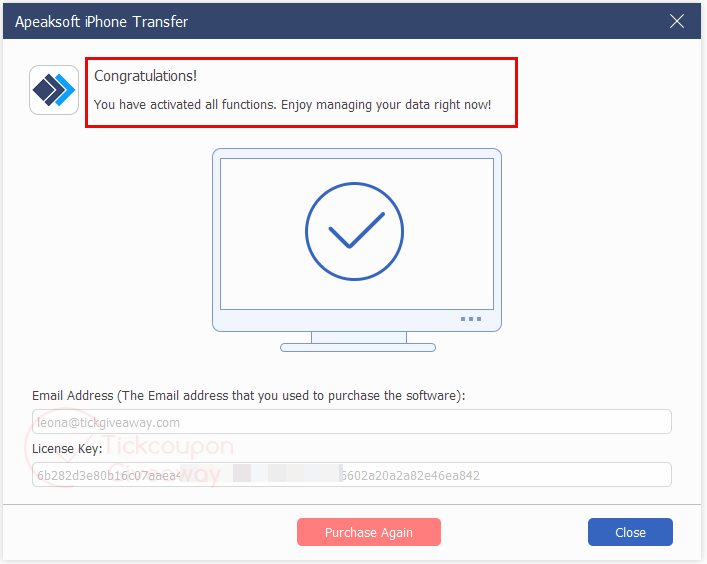
Enjoy this software free for 1 year.



Hi,
The giveaway page does not exists.
Cheers
Sorry for this inconvenience, the giveaway is over.