

 Leona
Leona AmoyShare ID3Genius is an advanced ID3 tag editor that helps you organize and correct music metadata in bulk, saving time and reducing manual effort. It allows you to automatically match and fix music metadata in batches with a single click, as well as customize album art, genre, BPM, key, and more. In addition, you can easily search for, edit, copy, and download song lyrics. AmoyShare ID3Genius supports MP3, FLAC, M4A, WAV, and many other audio formats.
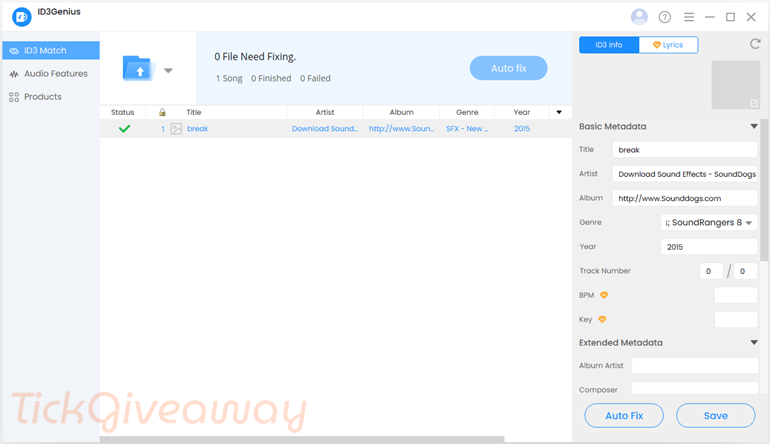
Table of Contents
What Does AmoyShare ID3Genius Help You Do?
- Fix missing or incorrect song titles, artists, and album names across multiple files.
- Add or update album artwork for supported audio formats.
- Edit music metadata in bulk instead of handling files one by one.
- Search for and attach song lyrics directly to audio files.
- Organize and sort music files using consistent metadata fields.
| Version included | Full version, as provided by the organizer |
| License type | Personal use license |
| Validity period | As specified by the organizer |
| Supported platform | Windows 11/10/8 |
| Original price | $29.99/year |
AmoyShare ID3Genius Giveaway Details & How to Join
Special Offer
Zortam Mp3 Media Studio Pro Lifetime
Soundop - Lifetime Plan
Instruction
Step 1. Visit the AmoyShare ID3Genius giveaway page. Fill out the form to set up your personal AnyMusic user account. Write down your password. You need the password and your email repeatedly to log in. If you have registered for AnyMusic or were already registered for another AmoyShare product (AnyVid, AnyUTube), all you have to do is enter your email address and click “Save version for free.”
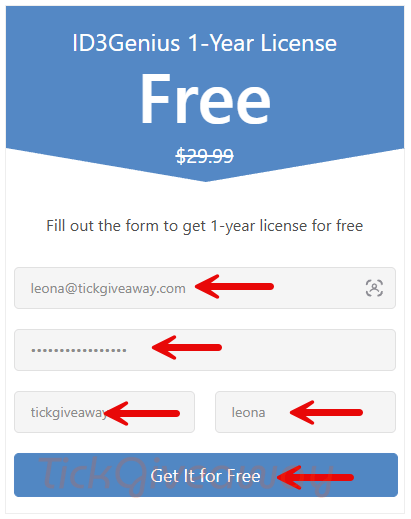
If you are a new user, check your inbox for a confirmation email, then click the link in it to activate your license.
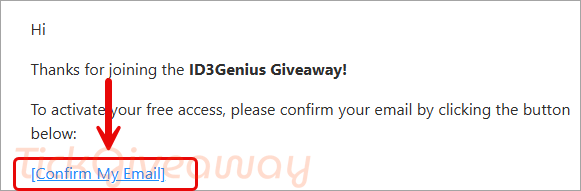
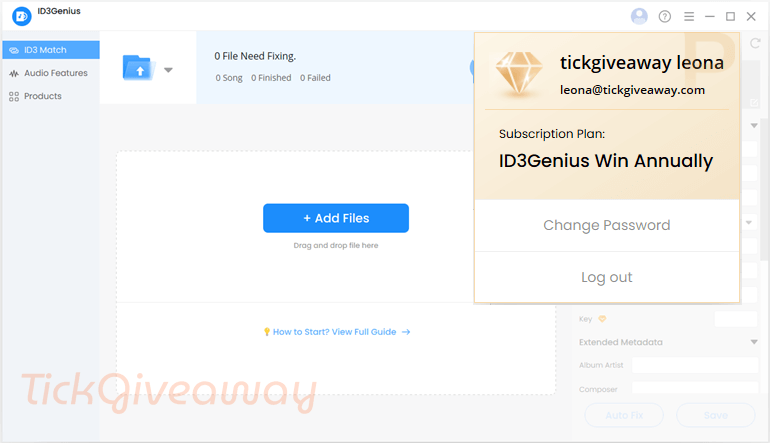
Step 2. Download the installer. After installation, please start the software and log in with the user data you used to set up your account. If the software still shows “trial version”, please restart it.
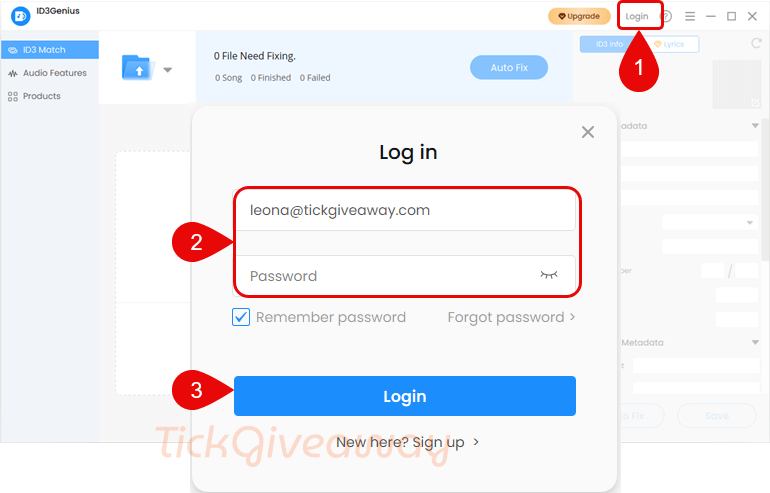
Step 3. Got it for 1 year free!
Who Is This Giveaway Most Useful For?
- Music collectors with large libraries that need consistent metadata
- DJs or hobbyists who rely on BPM, key, and accurate tagging for playlists
- Users transferring music between devices who want clean file information
- Anyone who prefers automatic tools instead of manual metadata editing
Common Questions About This Giveaway
Is this a lifetime license?
License duration is determined by the organizer and will be stated during participation.
Can I use the giveaway license on multiple devices?
Activation limits depend on the license terms provided with the giveaway.
Does the giveaway include future updates?
Update eligibility is included only if mentioned by the organizer.
Is payment information required to join?
No payment is required to participate in a free license giveaway.
Where do I download the software?
Download instructions are provided after successfully joining the giveaway.

Can’t you edit media tags in windows explorer already, without any additional software? Of course there is also the real probability that utilities that get cloud sourced opinions from cloud databases can get WRONG tag data for media that can overwrite your original correct tags!
just use tagscanner its free and way more feature rich
taggscanner is from Russia which is a minor concern… but is available as portable and in x86 and 64bit editions and tested under Vista and it works. Discogs database access requires an account and authentication via a modern browser that is not available under Vista so the oauth URL will have to be performed under a different more modern version of windows and the oauth code taken back to the Vista machine… the freeDB is very inaccurate with incomplete data on many songs and many songs not even included. MusicBrainz is unreliable often returning a 503 temporarily unavailable error. But it’s free and unlimited usage. unlike this giveaway.