
Giveaway: ACDSee Ultimate Pack 2026 (6-Month) – Edit Photos and Videos

 Leona
Leona Table of Contents
What is ACDSee Ultimate Pack 2026?
ACDSee Ultimate Pack 2026 is a five-program bundle for photo organization, image editing, video production, screen recording, and media conversion. It includes ACDSee Photo Studio Ultimate 2026, Gemstone Photo Editor 16, LUXEA Pro Video Editor 8, Video Converter Pro 5, and Photo Studio for Mac 26. The pack covers RAW editing, layered compositions, AI-assisted photo tools, timeline-based video editing, and batch conversion. It suits photographers and video creators who want several media tools under one account.
Key Features
- Organize photo libraries with ratings, tags, categories, and AI-assisted search.
- Edit RAW images without changing the original files.
- Build layered photo compositions with masks, text, shapes, and blend modes.
- Record your screen, webcam, microphone, and system audio.
- Edit videos with motion tracking, nested sequences, filters, and transitions.
- Convert several video files with separate output settings.
- Process AI features locally on supported photo applications.
| Version | 2026 (giveaway build) |
| Supported OS | Windows 10/11 for Ultimate, Gemstone, and LUXEA; Windows 7 SP1/8/8.1/10 for Video Converter Pro; macOS Sonoma 14, Sequoia 15, or Tahoe 26 for Photo Studio for Mac |
| License type | 6-Month, personal non-commercial use |
| Publisher | ACDSee |
| Category | Video Editor, Photo Editor, Photo Management, Video Converter |
Our Quick Test
Based on the activation process, registration requires an email, an ACDSee account, online key activation, installation, and account sign-in. The license ends after six months, so this is temporary access rather than a permanent copy. You also cannot rely on vendor support if activation or installation fails. The key is limited to one non-commercial computer and cannot be transferred or sold. It is worth claiming for users who need the included photo and video apps for a defined project period.
How to Get the Free License Key
This giveaway ended on .
The terms and product details above stay on record. Stay tuned - we publish new giveaways every day.
Instructions
Step 1. Enter your email on the registration page and submit the form.
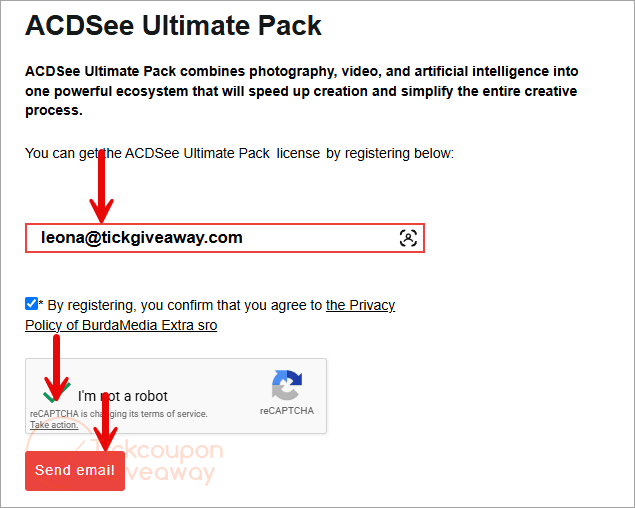
Get your free license code via email.
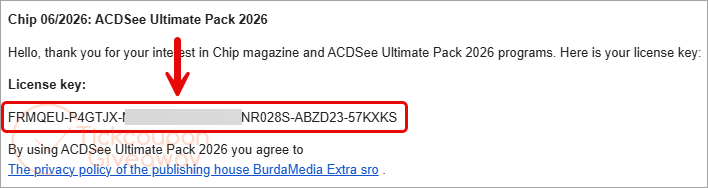
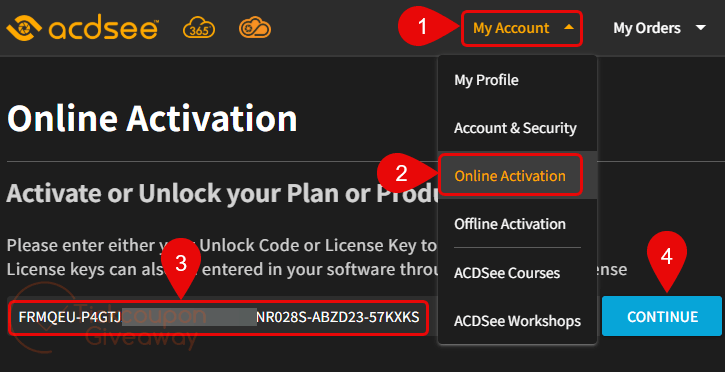
Step 2. Click on this online activation page to activate or unlock your product. When login is successful, click on “My Account/Online Activation,” then paste the license key you received to activate the license.
Step 3. Once activated, the download link will appear for you to download and install the program.
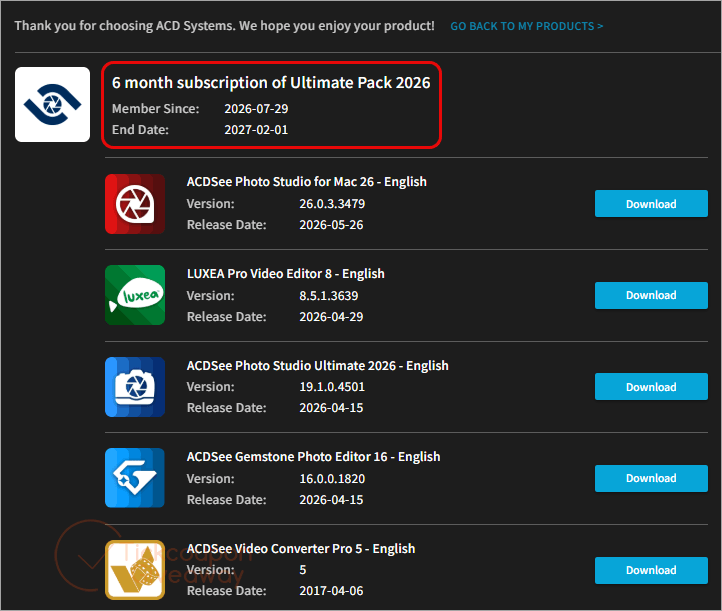
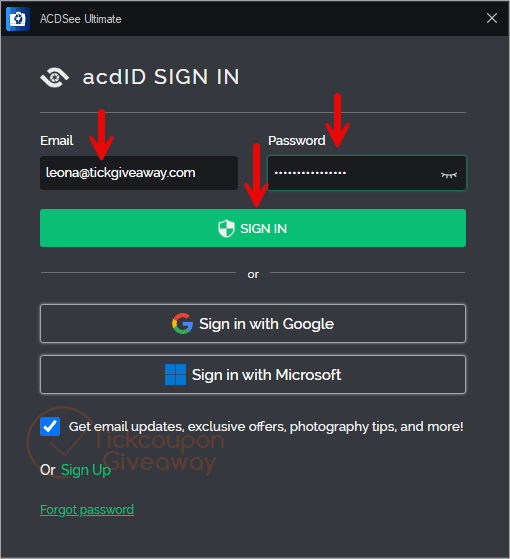
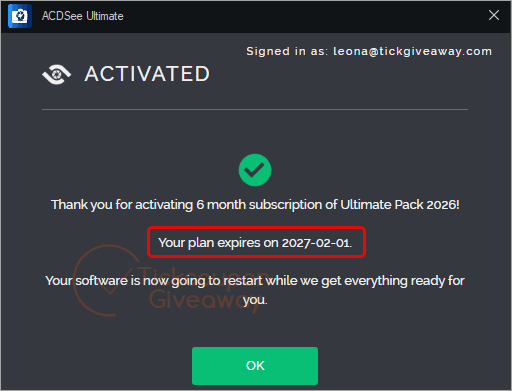
Step 4. Run the installer, sign in, and select the available Ultimate Pack license.
Troubleshooting
- The key shows as invalid. Use the giveaway installer listed above and confirm that the key was activated online first.
- No license appears after sign-in. Check that you used the same ACDSee account for key activation and app sign-in.
- The giveaway has stopped issuing keys. Leave a comment so the site team can check whether more keys are available.





Es realmente “INSÓLITO” que un programa tan bueno, con semejantes caracterísiticas no tenga el segundo idioma más hablado del planeta (Castellano) ni menos, soporte en éste. No es posible que el dueño de una empresa deba estar traducciendo o pagando por traducir a sus trabajadores. Excelente programa, pésimo soporte. Saludos.
It is really “UNBELIEVABLE” that such a good program, with such features, doesn’t have the second most spoken language on the planet (Spanish) or at least support in it. It’s not possible that the owner of a company has to be translating or paying for translations for their workers. Great program, terrible support. Regards.