
 Leona
Leona What is Auto Video Redaction Software?
Auto Video Redaction Software uses AI to detect and blur faces, heads, license plates, and selected areas in video footage. It can process body-cam, dashcam, CCTV, interview, and other recorded video without uploading files to external servers. The program supports Gaussian blur, pixelation, solid black masks, custom redaction boxes, object tracking, and audio muting or beeping for sensitive spoken information.
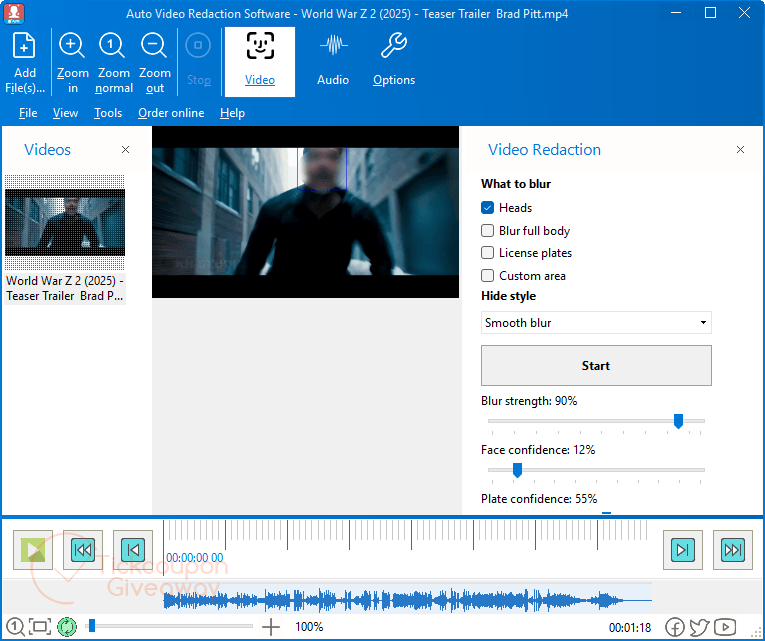
Table of Contents
Key Features
- Detect faces from frontal, profile, tilted, and partly covered views.
- Track heads even when helmets, hoods, or rear views hide facial details.
- Find license plates in dashcam, CCTV, and street-camera footage.
- Draw fixed redaction boxes over screens, badges, documents, or other regions.
- Apply Gaussian blur, pixelation, or a solid black mask.
- Redact selected audio intervals with beeps or silence.
- Process footage locally without uploading video to external servers.
| Version | v1.11 (giveaway build) |
| Supported OS | Windows 11/10/8.1/8/7 (32/64 bit) |
| File size | 6.1 MB |
| License type | Lifetime, noncommercial use |
| Publisher | SoftOrbits |
| Category | AI Detectors & Humanizers, Video Editor |
Our Quick Test
Based on the activation process, installation uses the supplied executable, followed by license entry in the registration window. The main catch is build retention. Updating can make the registration stop working, so keep the giveaway build after activation. Support is also excluded, which means activation or usage problems may require self-troubleshooting. It best fits users who need local redaction and can stay on the supplied build.
How to Get the Free License Key
Instructions
Step 1. Visit the Auto Video Redaction Software giveaway page, complete the basic profile, and get your free code.
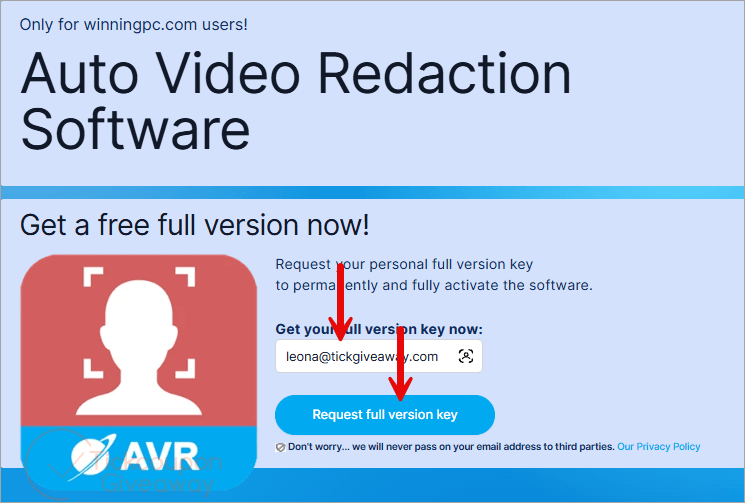
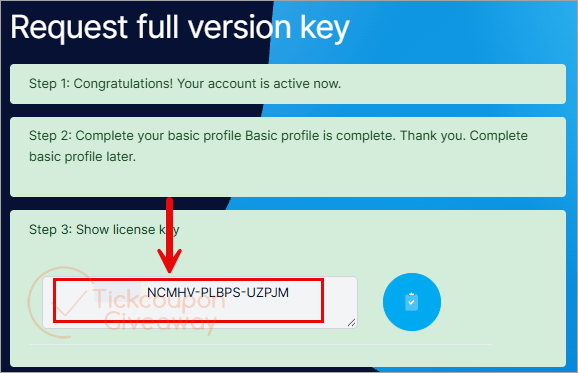
Step 2. Download AutoVideoRedaction.exe for v1.1 and finish the installation. Open the registration window and enter the giveaway license key.
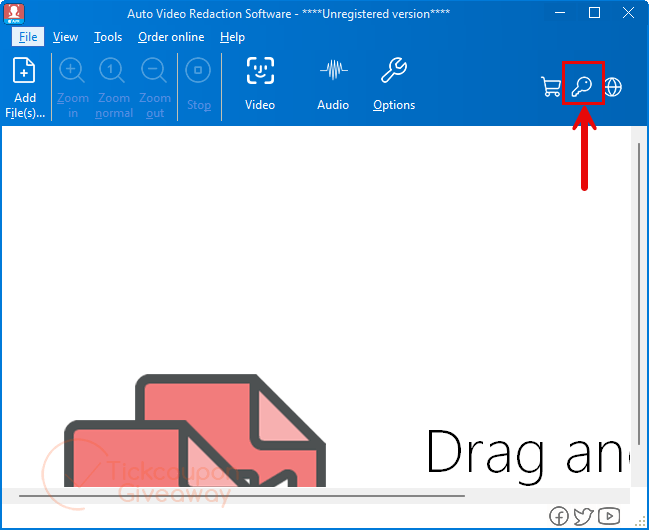
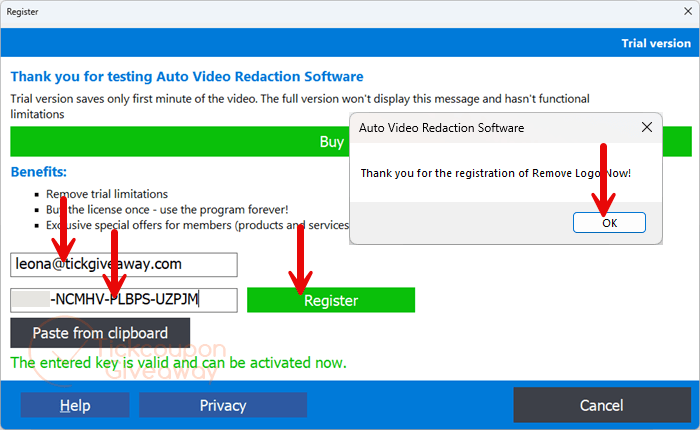
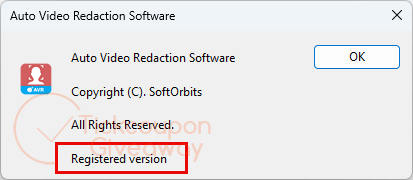
Step 3. Got it for a lifetime free!
Troubleshooting
- The key shows as invalid. Reinstall with the exact giveaway installer and avoid replacing it with another build.
- The giveaway has stopped issuing keys. Leave a comment so the giveaway team can check whether more keys are available.