Leona
Leona What is USB Warden?
USB Warden is a Windows program that encrypts and password-protects USB flash drives to prevent unauthorized access to personal files. It uses AES-256-GCM encryption to keep your data secure without formatting the drive or deleting existing files. Once protected, the USB drive can be opened on another Windows computer using a portable unlocker, with no software installation or administrator rights required. The program also creates a recovery key to help you regain access if you forget your password.
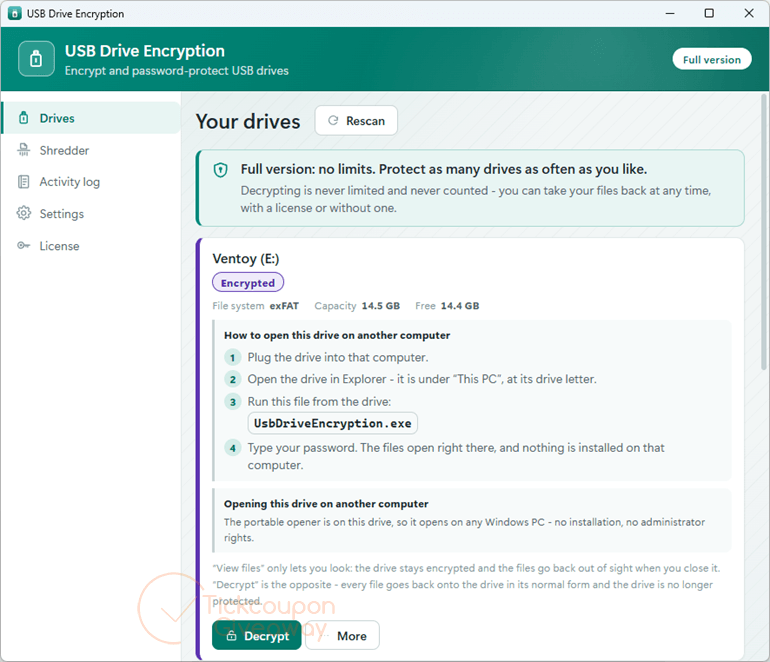
Table of Contents
Key Features
- Encrypt USB contents with AES-256-GCM and Argon2id password-based key derivation.
- Open protected drives using a portable unlocker without installing additional software.
- Access encrypted files without administrator privileges or kernel drivers.
- Preserve existing USB files without formatting or repartitioning the drive.
- Generate an offline recovery key when setting up drive protection.
- Keep protected content hidden from casual browsing.
- Restore a deleted unlocker while keeping encrypted data intact.
| Version | v3.3 (giveaway build) |
| Supported OS | Windows 11/10/8.1/8/7 (32/64-bit) |
| File size | 69.4 MB |
| License type | Lifetime, noncommercial use |
| Publisher | GRTSoft |
| Category | USB Drive Encryption |
Our Quick Test
To activate USB Warden, enter your email in the giveaway form to receive a license code. Install the software and use the code to register it. Keep the original installer, as updating to a newer version may invalidate your license. Free technical support is not included. This giveaway is suitable for personal use.
How to Get the Free License Key

USB Warden
Encrypt and password-protect a USB flash drive with real AES-256.
- License
- Lifetime
- Version
- 3.3
- Availability
- Available
Instructions
Step 1. Enter your email address into the giveaway form above to request a license code.
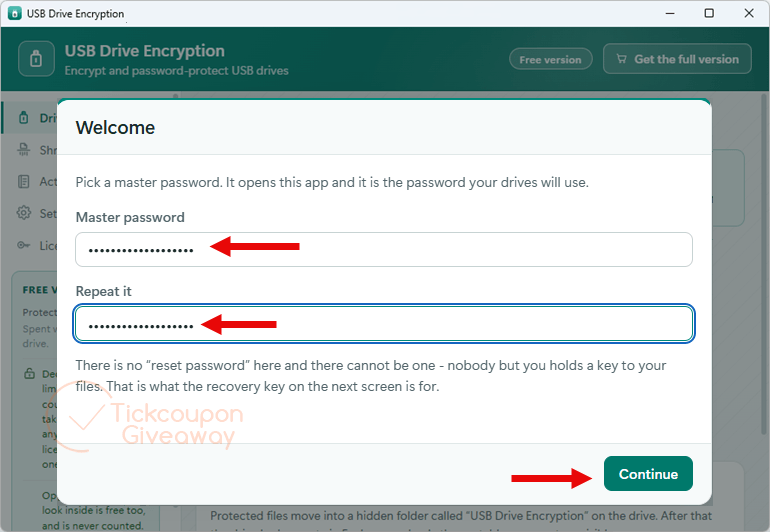
Step 2. Download & install USB Warden v3.3 using the giveaway download link above. Launch the application. The first time you use the software, you are asked to type the master password.
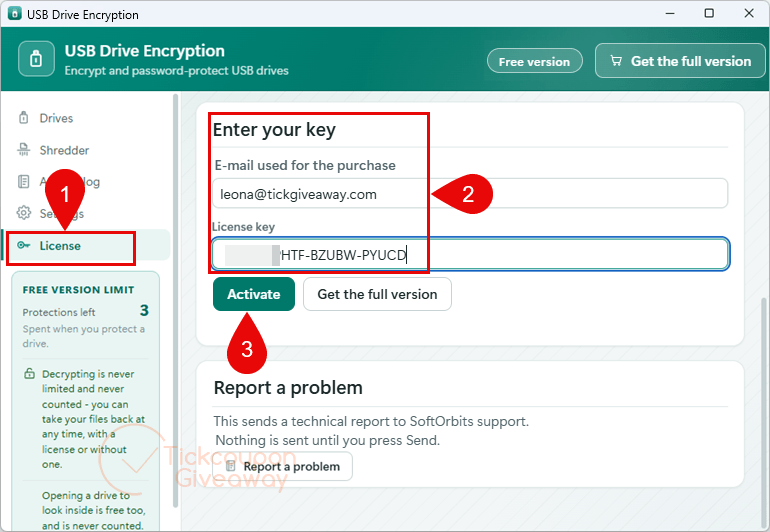
and enter the license code received through the giveaway form. Complete the registration process.
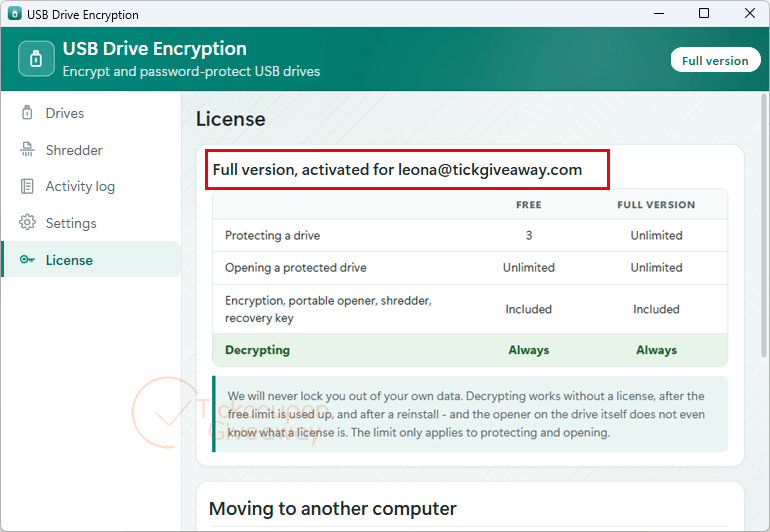
Step 3. Get it for free for life!
Troubleshooting
Q: The license code is invalid. What should I do?
Check that you installed the supplied giveaway build and entered the code correctly. Avoid downloading a newer installer before activation. If registration still fails, request another code through the giveaway form.
Q: I haven’t received my license code.
Check your inbox and spam folder. Confirm that you submitted the correct email address, then try the giveaway form again.
Q: Can I update the software after activation?
The giveaway does not include free updates. Installing a newer build may cause the registered license to stop working. Keep the original installer.
Q: The giveaway form no longer provides codes.
The promotion may have ended or stopped accepting requests. Leave a comment on the giveaway page to ask whether additional codes are available.