january
 What is Hunter Disk Cleaner PRO?
Hunter Disk Cleaner PRO scans Windows temporary storage and removes browser cache, system logs, and software leftovers. It suits users who want to reclaim disk space without manually searching common cache and residue folders. The listed $12 annual plan covers up to five devices; this giveaway gives one device free.
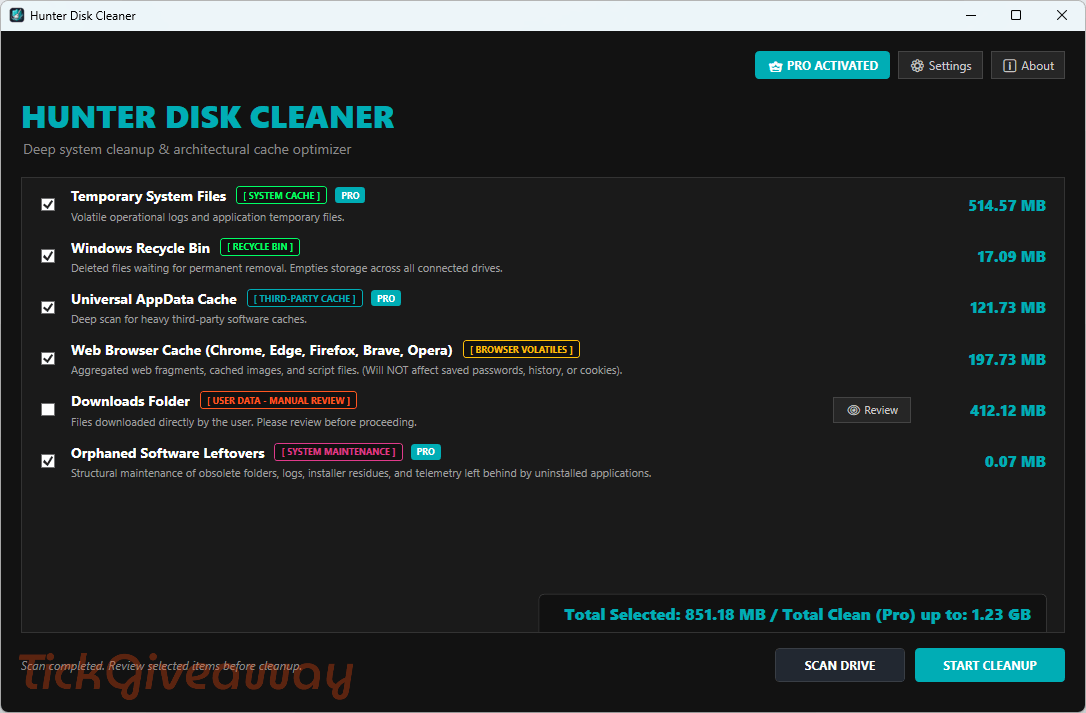
Table of Contents
Key Features
- Scan common Windows temporary locations with a multithreaded engine.
- Clean web browser cache files.
- Remove temporary files and system logs with PRO access.
- Clear third-party AppData software caches.
- Delete uninstalled software leftovers and telemetry data.
- Run unrestricted one-click deep cleanup.
- Switch interface languages without reinstalling the app.
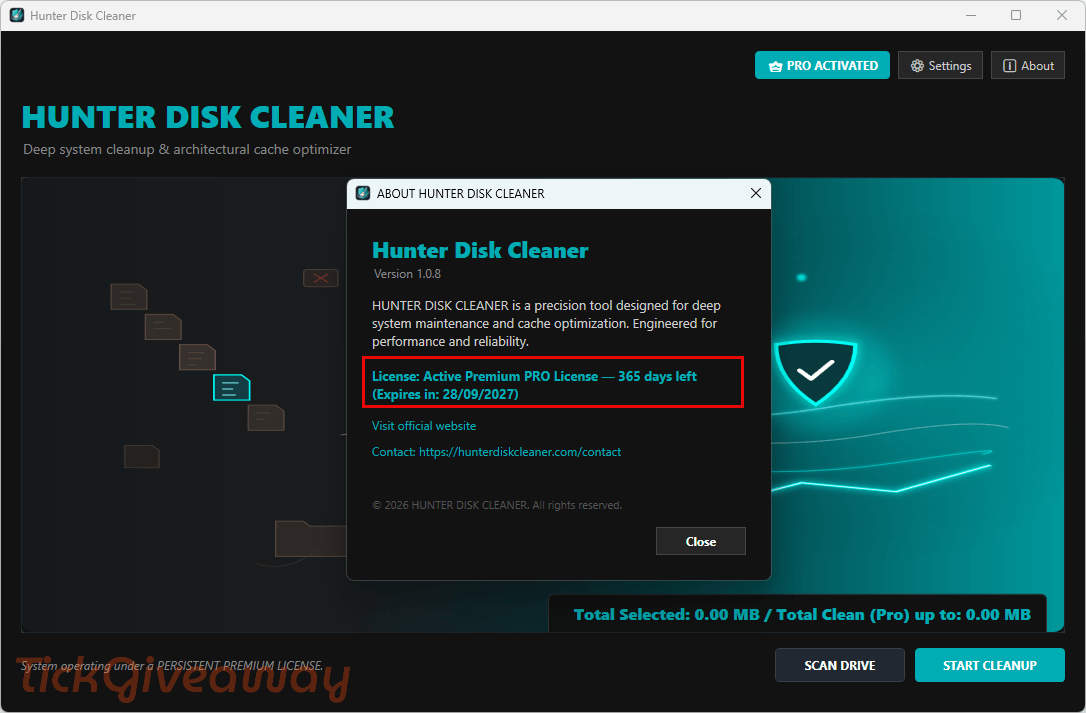
| Version | 1.0.8 |
| Supported OS | Windows 11 or Windows 10 (Build 19041 or higher), 64-bit (x64) optimized deployment |
| File size | 149.0 MB |
| License type | 1-year (1 device) license, personal use |
| Publisher | WorkFlowTech |
| Category | PC Optimization |
Our Quick Test
Based on the activation process, getting the license takes four actions. You submit your email, copy the code, install the app, then activate PRO. Keep the license email until activation is complete, since the code arrives there. Updates are covered during the active license period. Vendor support is excluded, so use TickGiveaway help or the steps below if activation fails. The key covers one device, making this giveaway most useful for one primary computer.
How to Get the Free License Key
Hunter Disk Cleaner PRO
Unlock full one-click optimizations and deep target cleaning.
- License
- 1 Year · 1 PC
- Version
- 1.0.8
- Availability
- Available
Want the Lifetime/upgraded version?
Hunter Disk Cleaner Pro - One-Time Purchase/01 PC License
Hunter Disk Cleaner Pro - 02 Years/06 PCs License
Hunter Disk Cleaner Pro - 01 Year/05 PCs License
Instructions
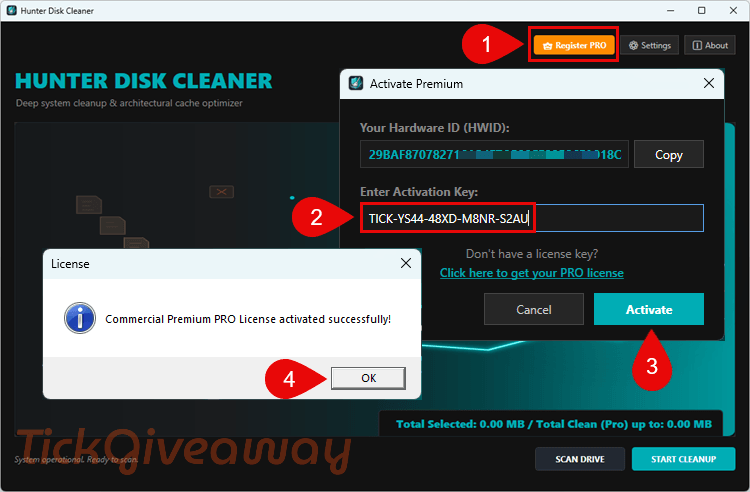
Step 1. Enter your email in the TickGiveaway giveaway form and submit it.
Step 2. Open the giveaway email and copy the license code.
Step 3. Install the Hunter Disk Cleaner PRO 2026 giveaway build from the Microsoft Store.
Step 4. Open the PRO activation screen and enter the received license code.
Enjoy!
Troubleshooting
- Invalid key: Use the exact installer linked in the download step, then copy the code again.
- No keys left: Leave a comment on TickGiveaway. Paid alternatives use the discounts below.