

Giveaway: SoftOrbits Outlook Duplicate Remover (Lifetime) – Remove Duplicate Outlook Emails

 Leona
Leona What is SoftOrbits Outlook Duplicate Remover?
SoftOrbits Outlook Duplicate Remover finds duplicate emails in PST and OST files without requiring Outlook or a server connection. It scans selected folders, compares messages by subject, sender, body, recipients, date, or attachment names, and lets you keep the first, oldest, or newest copy. The program leaves the original file unchanged and saves cleaned messages to a new PST. SoftOrbits Outlook Duplicate Remover can also create a CSV report showing which messages were kept or removed.
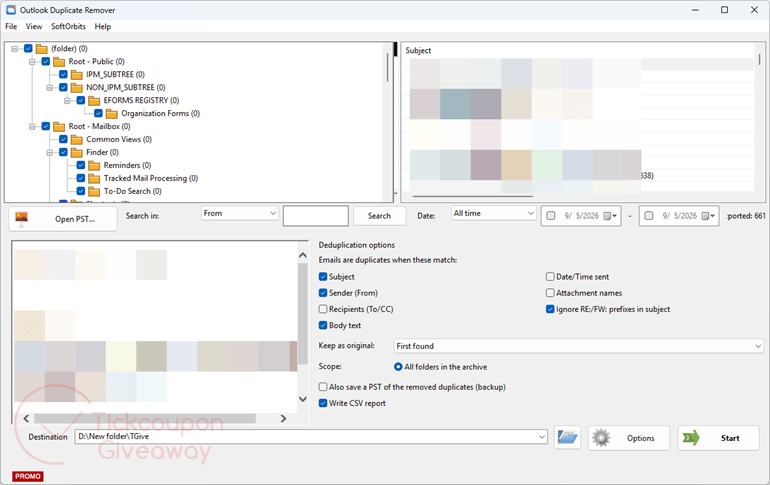
Table of Contents
Key Features
- Deduplicates PST and OST files offline – Outlook not required; original file never modified.
- Catches cross-folder duplicates that Outlook’s own cleanup cannot detect.
- Six match criteria: Subject, Sender, Body, Recipients, Date, and Attachment names – combine freely.
- RE:/FW: prefix filter stops threaded replies from being flagged as duplicates.
- “Keep” rule: first found, oldest or newest copy per group – set once, applied to every match.
- CSV audit report: folder, subject, sender, date, group key, and kept/removed status for every message.
| Version | 1.4 (giveaway build) |
| Supported OS | Windows 11/10/8.1/8/7 (32/64 bit) |
| File size | 1.70 MB |
| License type | Lifetime license, non-commercial use |
| Publisher | SoftOrbits |
| Category | Email Tools, Duplicate Finder |
Our Quick Test
Based on the activation process, setup needs an email entry, a short profile, and a pasted license code. The license stays tied to this giveaway build, so later releases are outside the deal. Vendor assistance is also excluded, so keep the installer and license code stored safely. The activation flow depends on the giveaway page returning a code after your profile is submitted. No Outlook login or server step appears in the supplied process. The giveaway form is part of activation, not just a download gate. This giveaway suits archive cleanup when you want offline duplicate checking without editing the source mailbox.
How to Get the Free License Key
Instructions
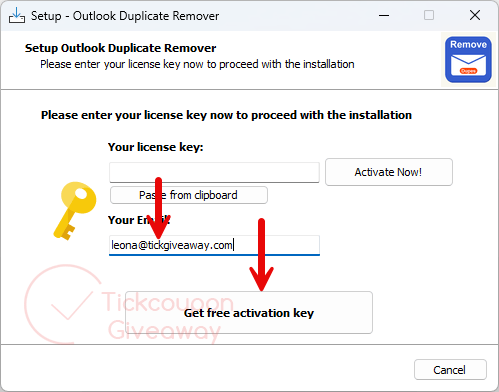
Step 1. Download the giveaway installer for version 1.4 from the giveaway form above. Run it and enter your email when setup asks for it.
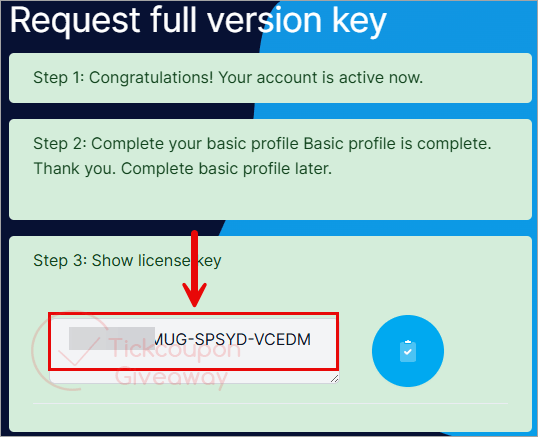
Step 2. Complete the basic profile on the giveaway page to receive your license key.
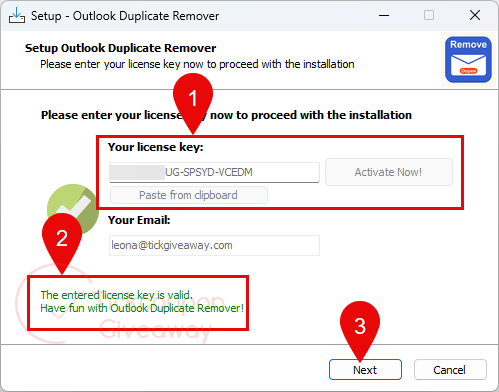
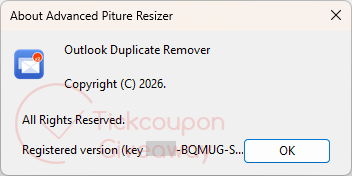
Step 3. Paste the license code into the app’s Register window.
Step 4. Get it for free for life!


no use with new outlook desktop app and like all softorbits software they do not respect your systems integrity and security or your right to choose where YOU install software by forcing their badware to be installed into the folder hierarchy designed solely for data in a subfolder of the users appdata folder which is not write protected leaving executables vulnerable to the most trivial non-elevated malware because they want people without the rights to install software to bypass the rules of the systems owners and still install unauthorised and badly written software produced by softorbits.