

Giveaway: SoftOrbits Voice Silence Remover (Lifetime) – Trim Silence from Audio and Video

 Leona
Leona What is Voice Silence Remover?
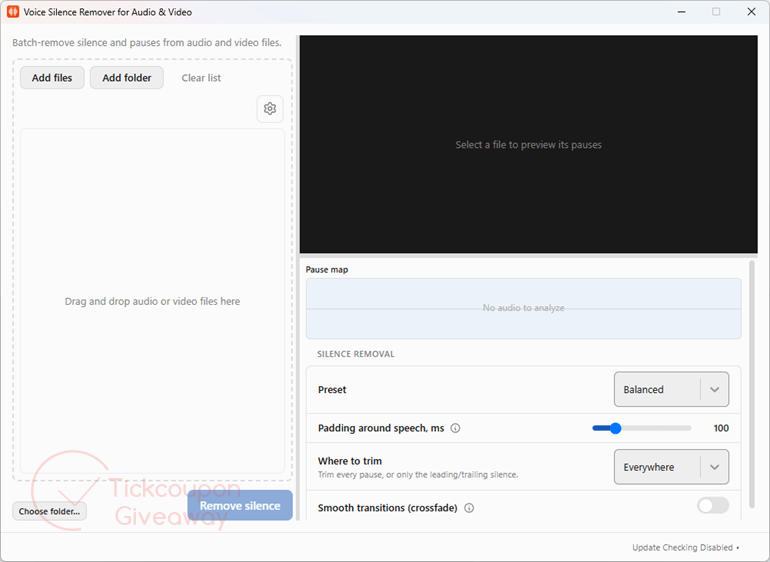
SoftOrbits Voice Silence Remover helps remove silent pauses from audio and video recordings on Windows. It can scan single files or entire folders, detect gaps in speech, and automatically trim unwanted dead air. You can preview detected pauses, choose preset trimming modes, or manually adjust sensitivity and pause length. It is a practical choice for podcasts, interviews, lectures, and talking-head videos that need cleaner pacing before further editing.
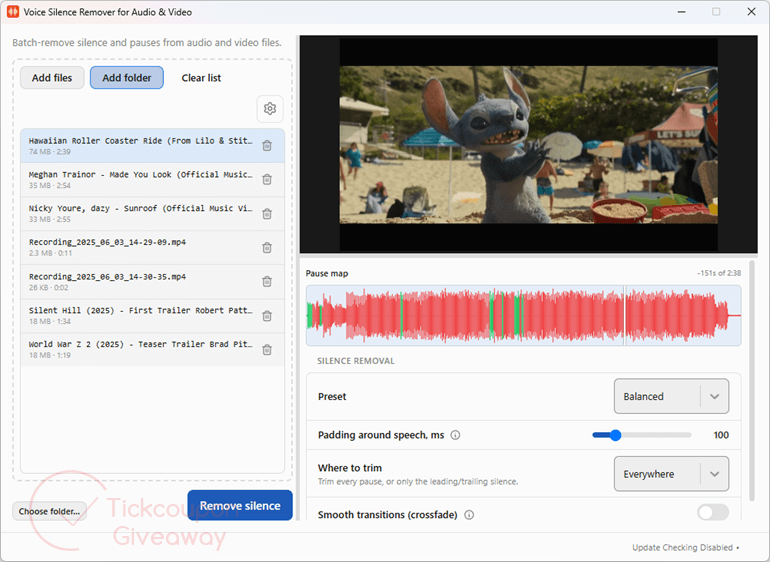
Table of Contents
Key Features
- Detect speech instead of relying only on volume thresholds.
- Preview marked pauses before trimming.
- Process audio and video files in batches.
- Scan folders and included subfolders for supported media.
- Choose Gentle, Balanced, Aggressive, or Custom trimming behavior.
- Keep video and audio aligned after cuts.
- Save trimmed copies without overwriting source files.
| Version | 1.5 (giveaway build) |
| Supported OS | Windows 11/10/8.1/8/7 (32/64 bit) |
| File size | 1,478 KB |
| License type | Lifetime, non-commercial use |
| Publisher | SoftOrbits |
| Category | Video editor, audio editor |
Our Quick Test
Based on the activation process, registration requires an email request, profile completion, installation, and key entry in the Register window. Future builds are outside this license, so keeping the giveaway build avoids update-related license problems. Vendor help is not included, so activation troubleshooting is self-service. Paid client work is outside the permitted use. This giveaway is worth claiming for personal podcasts, lectures, interviews, or video projects.
How to Get the Free License Key
Instructions
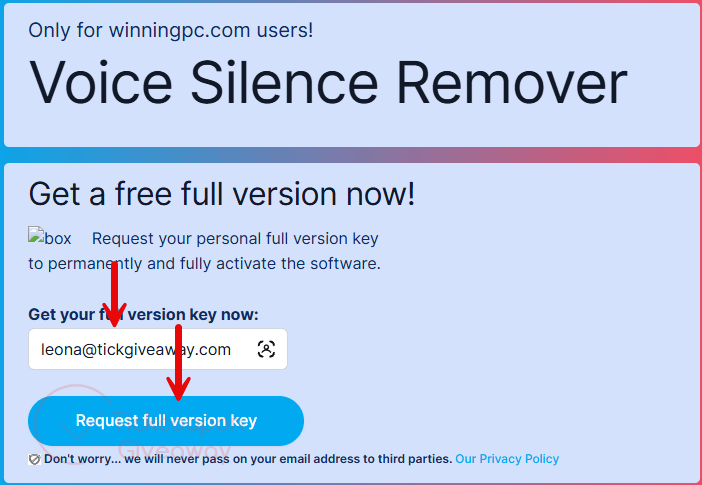
Step 1. Request a key from the SoftOrbits giveaway form using your email address.
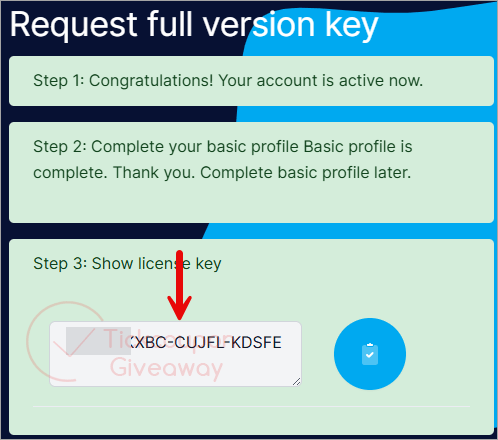
Step 2. Complete the basic profile requested by SoftOrbits to receive your license code.
Step 3. Download and install the software on your computer. Open Register, then enter your email address and license key.
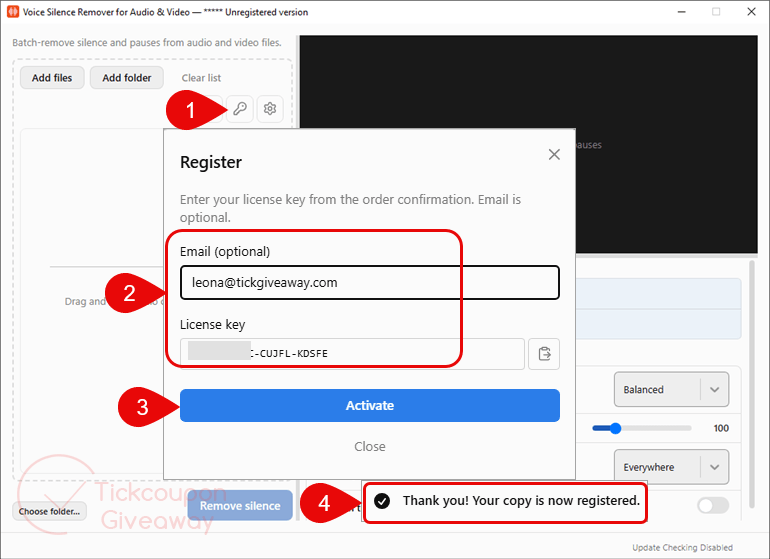
Step 4. Got it for a lifetime free!


Oh a quick aside the system requirements are WRONG this is a 64bit application and is incompatible with 32bit windows 7 to 10.
oh and giveaway build was 1.0 NOT 1.5 I found.
As usual for softorbits closed source proprietary licensed programs where they abuse FFMPEG.EXE they steal and illegally distribute GPLv3 code making their entire product illegal warez