

 Leona
Leona Table of Contents
What is Photopus Pro?
Photopus Pro is a photo editing software that allows you to convert, add watermarks, text, and images, resize, transform, touch up, rename, and apply effects to hundreds of photos in just one go. With it, you can add watermark text to hundreds of your photos to protect them from illegal copying. Besides, you can convert images into other formats, such as BMP, JPEG, PNG, PDF, TIFF, RAW camera formats, PSD, TGA, GIF, etc., in just one go.

Key Features
- Photopus Pro allows you to add watermark text/image/date and time or comments to images/photos.
- You can use it to resize images/photos automatically
- You are allowed to rotate images/photos to portrait or landscape orientation, flip images/photos vertically or horizontally, and crop images/photos.
- It can adjust Brightness, Contrast, sharpness, smoothness, colour balance, Gamma Correction, hue/saturation, and DPI to thousands of images/photos at once
- It helps you convert images/photos from one format to another in batch mode
- This tool can convert images/photos from one format to another in batch mode with 90+ image formats supported, including RAW digital cameras like Kodak, Nikon, Sony, Olympus, Canon, Pentax, and more. Create a multi-page PDF or TIFF from multi-page images.
- You can add effects like Aqua, Black and White, Blur, Sepia, Grayscale, Sharpen, Smooth, Emboss, Twirl, and more to your digital images.
- It also helps you rename your images/photos’ filenames automatically in batch mode
- It lets you reduce the size of photos.
Supported OS: Windows 7, 8, 10, 11 ( 32 / 64-bit)
Price: $19.95/lifetime
How to get the Photopus Pro license key for free?
Special offers
Photoins Photo Enhancer - 1 Year
HitPaw FotorPea - Perpetual License
DVDFab Photo Enhancer AI - Lifetime
Aiarty Image Enhancer + 2 Bonus Gifts (Lifetime/3PCs)
Photoins Photo Enhancer - 1 Year
FliFlik KlearMax for Photo - Lifetime
Instructions
Step 1. Download the giveaway installer for Photopus Pro version 1.6. Install the software on your computer
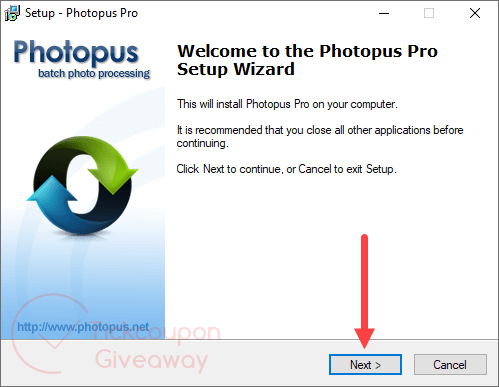
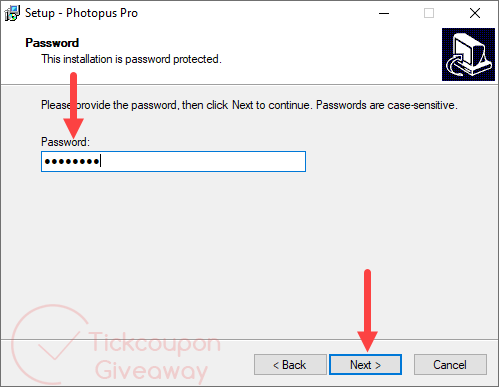
Step 2. During the installation, you will be asked for a password. Please use the password above to continue the installation.
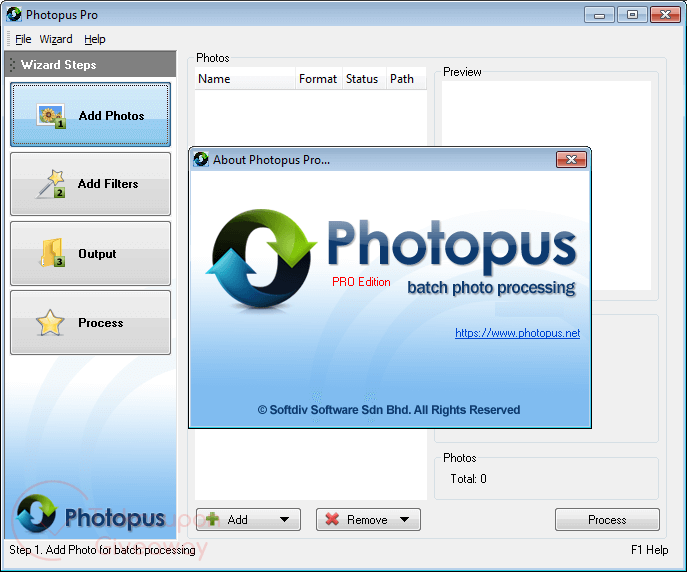
Step 3. Now you can enjoy Photopus Pro for free with full functions!


No social account? Unlock with email instead
Not working…
Please share the giveaway on any social network or use a valid real email address to unlock the content. After unlocking successfully, you will receive the password and download link.
What a system! I did place a share-link on my Linked-In account! The only social account I have got with my 73 jears, though I am not working anylonger, but retired!
The sytems shows me a download button, but when I press the button nothing happens!
Normally evering works when I log in to TickCoupon! Never seen this hit!
Thanks for this photo editor. Love it.