

Giveaway: Tipard Screen Capture (1-Year) – Record Video and Capture Screen

 Leona
Leona Table of Contents
What is the Tipard Screen Capture?
Tipard Screen Capture is one of the best screen recording software that helps you record screens, videos, games, online chats, audio, and more on a super high-quality PC. Besides, it also supports you in setting the cursor’s effects to make your operation clearer and easier to track. This tool helps you record audio files easily, and the recorded file will be saved as MP3, AAC, M4A, or WMA, as you wish.
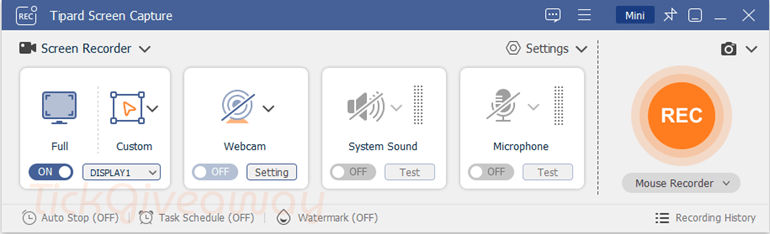
The next advantage of Tipard Screen Capture software is the ability to record your iPhone & Android phone screens with a larger monitor. That means you can record anything on your iPhone or Android phone in the best quality and save the videos as MP4 or WMV. You can also use the editing function to trim, compress, combine, and convert the video after recording the video and audio.
Key Features
- Tipard Screen Capture is designed to help you record online videos and screen windows in the highest quality.
- It can simply adjust the screen size.
- You can use it to record audio files and save them in 100% original quality.
- This tool allows you to preview the captured images and videos.
- Output the recorded video/audio and save it to your PC/Mac.
Supported OS: Windows 11/10/8/8.1/7
Price: $61.25/lifetime
How to get the Tipard Screen Capture license key for free?
Special Offer
Tipard Screen Capture - Lifetime
Tipard Screen Capture for Mac - Lifetime
Instruction
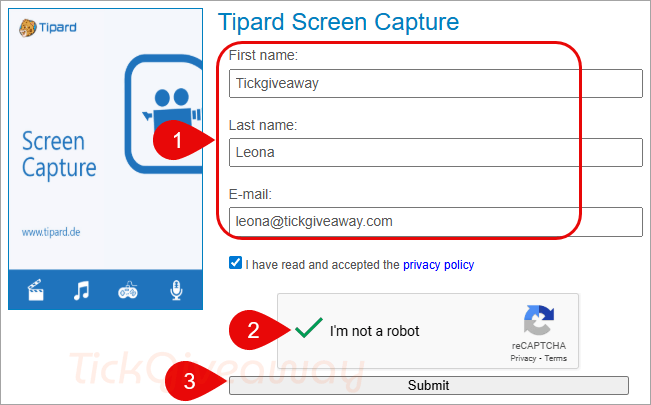
Step 1. Visit the Tipard Screen Capture giveaway page. Enter your name and your Email address => Click the “Get Now” button to get the registration code,
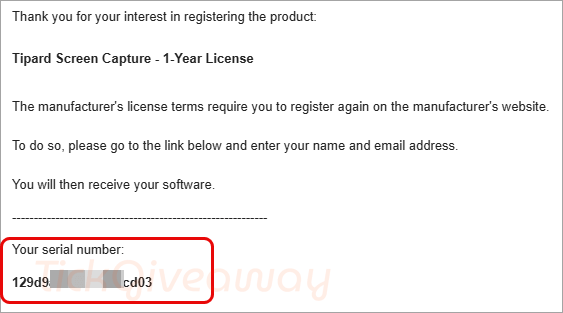
Step 2. Check your mailbox for the Tipard Screen Capture registration code
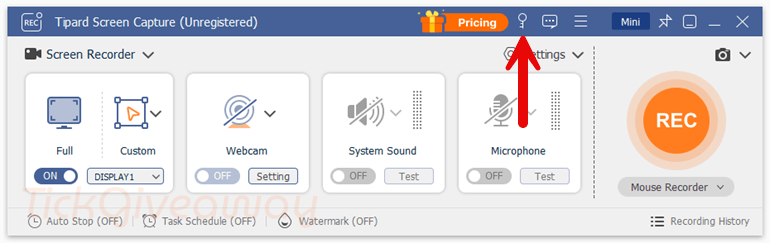
Step 3. Click here to download the installer and install it on your computer. When the installation is done, launch it. In the software’s main window, click the key icon, then enter your email and registration code to activate the software.
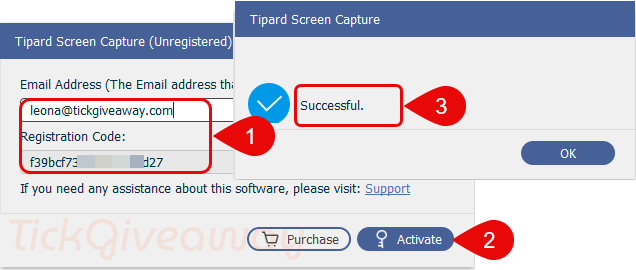
Step 4. Enjoy it for 1 year free!!!
Note – Apply to cases where the interface is not English
Change the software interfaces to English.
- Download the language pack here –> Tipard Screen Capture Language Pack.
- Extract the downloaded zip file and copy all .rcc files to the location as in the image below:
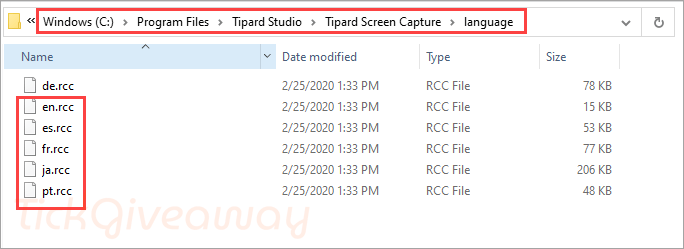
- Restart the program and change to your preferred language




Sanki devlet dairesinde resmi bir işlem yapar gibi kırk tane işlem yaptırıyor. Captcha geçene kadar, deveye hendek atlatmak daha iyi. Hem kayıt oluyor hem mail göndermiyor. Altı üstü sürümü düşük bir program vereceksin. Tipard artık benim için kara listedir.
The program cannot be activated and if you succeed, it still wants to pay, otherwise the video cannot be displayed. I have never seen such a complicated registration.
The registration code I received yesterday is doomed incorrect. So stuff it.
yup I tried running the real installer without giving it permission to access the internet and declined to option to run AFTER installation and it ignored by denial of permission and launched the main program which tried to make a secret UN-announced, unauthorised internet connection before shutting down, pretending it never ran. Tis is spyware activity and on uninstallation the unisaller executable spawns the main program before deletion which then makes yet another secret unannounced, unauthorised internet connection before shutting down and finally being deleted. These are spyware like activities and proves the IP thieving developer has no morals and cannot be trusted not to harm you or your system.
lifetime OR 1 year license?
Thanks!
Expired.