

 january
 Table of Contents
What is the Webroot SecureAnywhere AntiVirus?
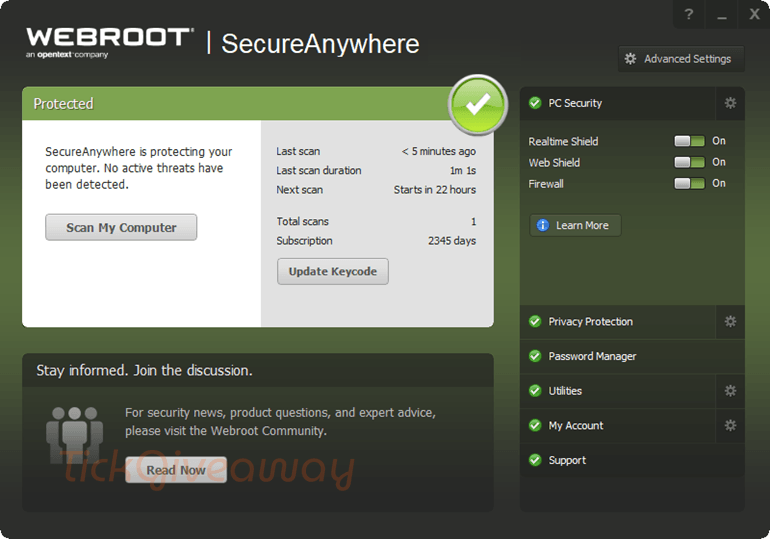
Webroot SecureAnywhere is the best choice for the fastest virus protection for both PCs and Macs. The software is highly trusted by customers around the world and received the Find the Best – Smart Choice Award 2014 and AV-TEST Certified. Let’s start using Root SecureAnywhere by following the free Webroot SecureAnywhere AntiVirus for 6-year here.
Features
- Webroot protects you from viruses and identity theft for all your devices
- It also helps protect your identity and privacy online
- Advanced web filtering to protect you from malicious or risky websites
- Webroot scans 60x faster than competing products and still offers superior protection.
Supported OS:
- Microsoft Windows XP 32- and 64-bit SP2, SP3
- Windows Vista 32-bit (all Editions), Windows Vista SP1, SP2 32- and 64-bit (all Editions)
- Windows 7 32- and 64-bit (all Editions), Windows 7 SP1 32- and 64-bit (all Editions)
- Windows 11, 10, 8, Windows 8.1 32- and 64-bit, Windows 10 32- and 64-bit
Price: $109.98/year/PC
How to get the Webroot SecureAnywhere AntiVirus license key for free?
Step 1. Download the giveaway installer for Webroot SecureAnywhere AntiVirus: wsanabtrav.exe
Install the software on your computer,
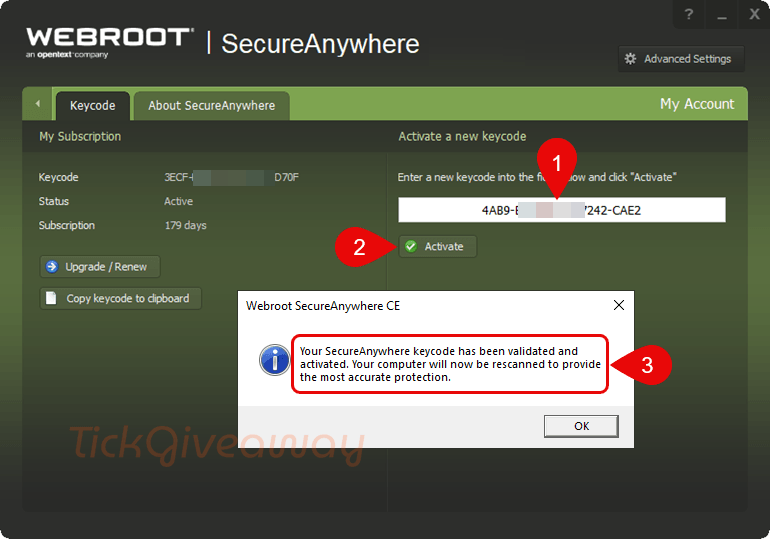
Step 2. Use the license code below to activate the software:
Members only Please log in or sign up for a free account to receive your license code.
🏆🏆🏆Special Offer for You: Get up to 60% Off Webroot Coupon Codes. Click in to find MORE!
50%Off
50% Off Webroot Total Protection - 5 Devices 1ID 1 Year Coupon
•••dedShow Code
25%Off
25% Off Webroot Total Protection - 5 Devices 1ID 2 Years Coupon
•••redShow Code
17%Off
17% Off Webroot Total Protection - 5 Devices 1ID 3 Years Coupon
•••dedShow Code
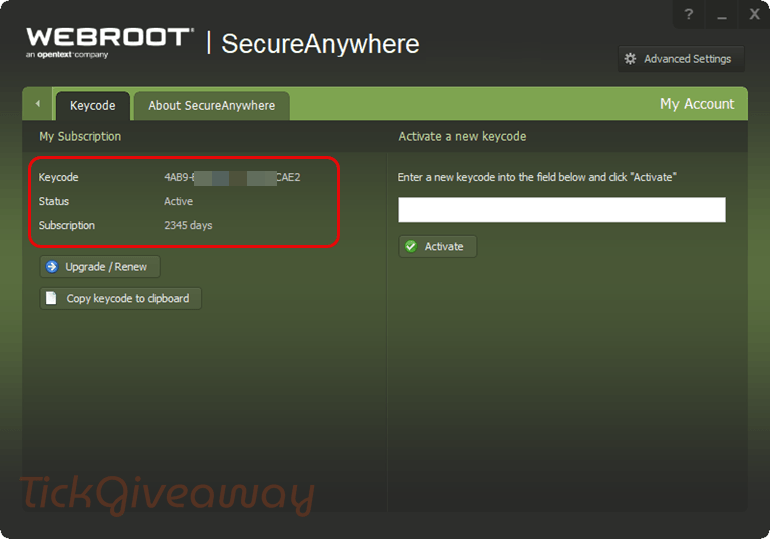
Step 3. Now you can get the software for 6 years free!
Terms & Conditions
- The license is provided to new users for 6 years and several months.
- The license starts from the moment this article is published.
- Updates to new versions during the entire period.
- For use on a home computer only.
- There is no free technical support.




Мусор, а не информация.
Un grand merci, les offres pour les antivirus sont rares, alors celle-ci est bienvenue.
Is this site moving to members only giveaways now?
You can get the license softwaregiveaway.co.uk/product/webroot-secureanywhere-antivirus/
Just installed, it is very light, I thought I had read wrong because I usually find 6 month giveaways but this one is for 6 years… Well what else to say, thanks so much for this!
I used this AV for years before I changed to Kaspersky.
But never had any problem with it, didn’t have any infection (as I did when Emsi was installed on my laptop). So, I recommend this antivirus because is light and works pretty well.
I have had this antivirus in the past. I don’t recommend it and I don’t trust it. The problems start when you want to uninstall this “something”, because even in safe mode it cannot be completely removed and leaves many suspicious remnants. I don’t trust programs that leave behind difficult-to-remove garbage in the system.
I was amazed that it is LITE even when scanned files! (In standby it is not even known that you have an antivirus that consumes resources).We have been looking for something like this for a long time! As for the results of my own tests, I think it’s good, I put the infected files in the PC and the antivirus found them!It deserves a try! I gave up the old Antivirus for it!
For me
Subscription:Expired Error!
Fix:
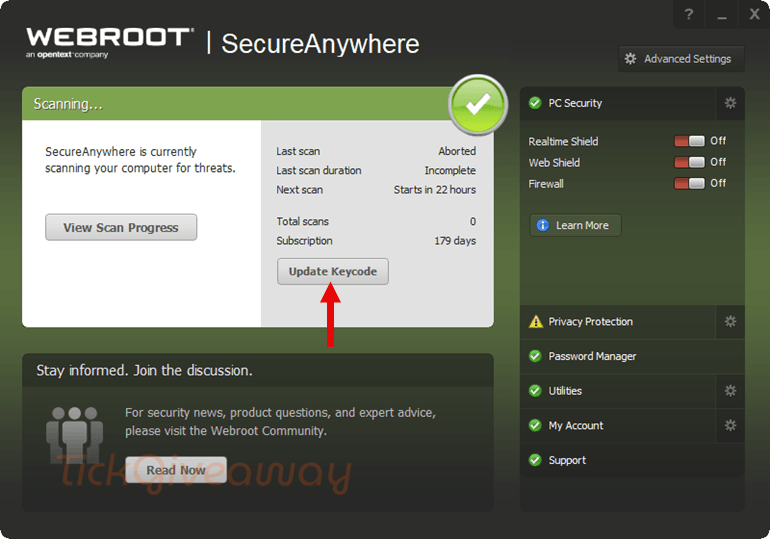
Step 2. Install on your computer and Antivirus say: “Subscription:Expired”
Step 3. Shutdown Protection and restart Antivirus to get protection for 180 days
Work now! Thanks!
@SOUMYADEEP980 PC MAG say: 4.5
Outstanding “Webroot SecureAnywhere AntiVirus scans at high speed and uses just a trickle of your system’s resources. It earned excellent scores in our hands-on tests and can even roll back some ransomware activity.” https://www.pcmag.com/reviews/webroot-secureanywhere-antivirus
Thanks for sharing.
I don’t recommend this AV software, not trustworthy!
many thanks 🙂