Giveaway: Windows Speed Tuner (Lifetime) – Tune Startup, Services, and RAM

 Leona
What is Windows Speed Tuner?
Windows Speed Tuner helps improve PC responsiveness by managing startup items, background apps, Windows services, memory use, and selected system tweaks. It lets you review suggested changes before applying them, pause idle processes with Turbo mode, and free RAM for demanding tasks. The program also creates snapshots and restore points before batch changes, so you can reverse adjustments if needed. It is designed for users who want more control over Windows performance without reinstalling the system.
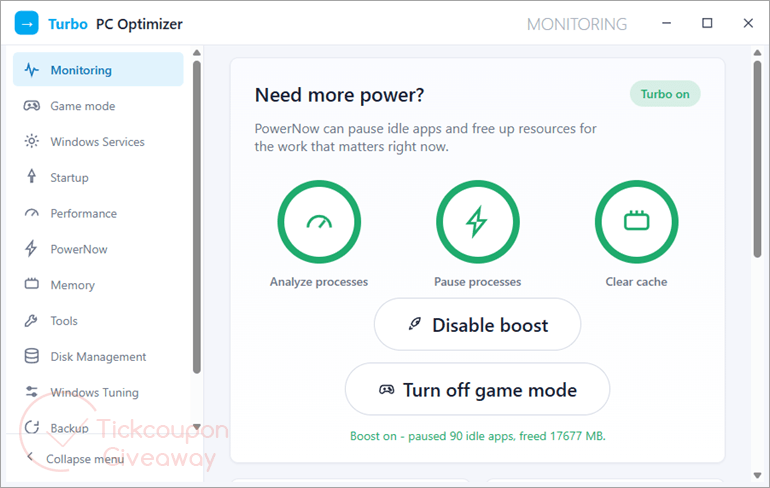
Table of Contents
Key Features
- One-click turbo: suspend idle background processes, drop them out of memory and free RAM for a game or a render, then restore everything with one click.
- Trim startup entries and idle services to cut boot time.
- A short, plain-English note on every item so you know what is safe to disable.
- Explorer and interface tweaks that reduce everyday lag.
- A safe automatic “speed up” preset that skips drivers and anything flagged risky.
- A snapshot and a restore point saved before each batch, with a full rollback of services, startup and tweaks together.
| Version | 1.2 (giveaway build) |
| Supported OS | Windows 11/10/8.1/8/7 (32/64 bit) |
| File size | 30 MB |
| License type | Lifetime, non-commercial use |
| Publisher | GRTSoft |
| Category | PC Optimization |
Our Quick Test
Based on the activation process, getting registered should take four actions from requesting the code to entering it. The campaign does not include technical support, so setup issues must be handled without free vendor help. Future releases are outside this license, which means upgrading later would require separate eligibility or payment. This giveaway is most useful for non-commercial users who want the listed tuning controls and can stay with the giveaway build.
How to Get the Free License Key
Windows Speed Tuner
Suspend background apps, free RAM, trim startup and Windows services in one click.
- License
- Lifetime
- Version
- 1.x
- Availability
- Available
Instructions
Step 1. Enter your email address in the giveaway form and request a license code.
Step 2. Download PCOptimizerSetup.exe (version 1.2) and run the installer. Enter the license code you received and complete registration.
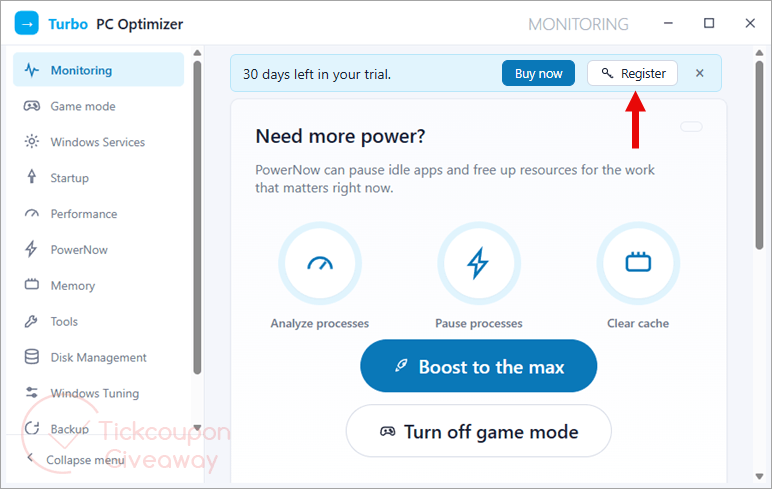
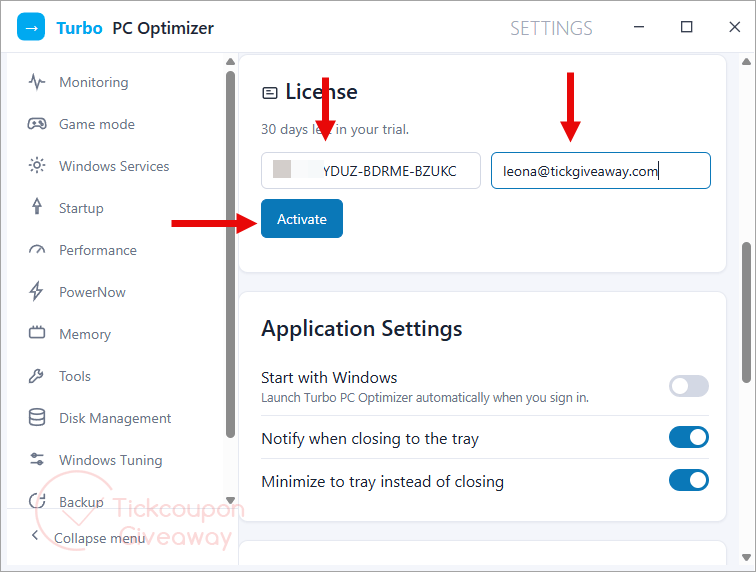
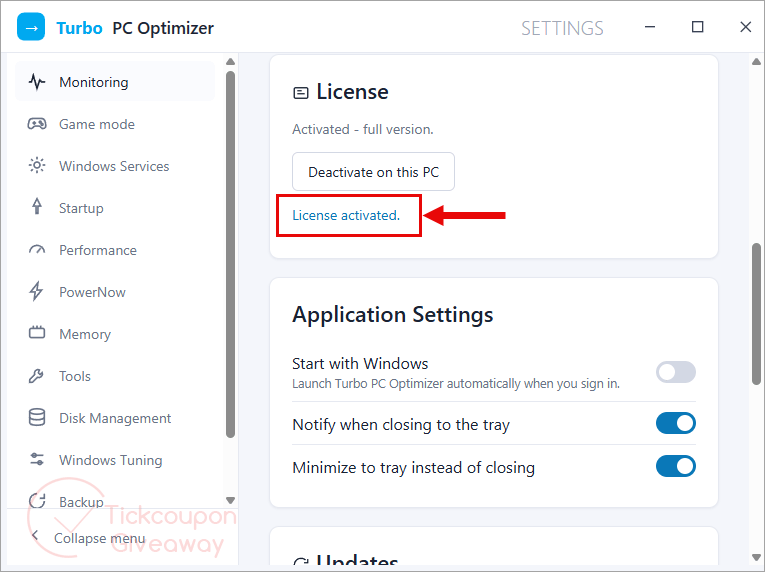
Step 3. Confirm the registered status inside the app.
Troubleshooting
The key shows as invalid. Make sure you installed the exact giveaway installer linked in this article, then enter the code again.
The giveaway form stops issuing codes. The campaign may have exhausted its available licenses. Leave a comment so the giveaway team can check availability.