

Giveaway: Permanent Data Eraser for Windows (Lifetime) – Erase Deleted Data Beyond Recovery

 Leona
Leona What is Permanent Data Eraser for Windows?
Permanent Data Eraser for Windows permanently removes files by overwriting their contents before deletion. It can shred selected files and folders, wipe unused drive space without touching existing files, or erase an entire non-system drive. The program includes several overwrite methods, checks the drive type before erasing, and can verify written data after a shred job. It can also save a PDF certificate showing the details of a completed erasure.
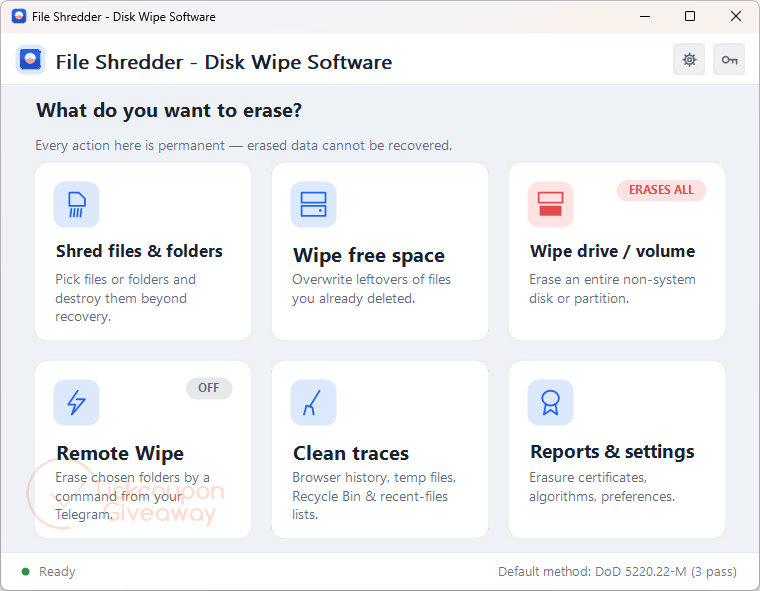
Table of Contents
Key Features
- Erase files, folders, the free space of a drive, or a whole non-system drive.
- Overwrite methods from one pass to Gutmann (DoD, VSITR, HMG IS5, Schneier, NIST 800-88 or a custom pattern).
- Verify option reads every byte back afterwards to confirm the new pattern is really there.
- Save a PDF Certificate of Data Erasure for an audit, a client or the next owner of the hardware.
- Detects SSDs and flash drives and tells you plainly where overwriting is not reliable, pointing you to the drive’s own Secure Erase or NVMe Sanitize.
- One-click cleanup of Windows temp folders, the Recycle Bin, recent documents, jump lists and browser history (Chrome, Edge, Firefox, Brave, Opera, Vivaldi).
- Remote wipe from your own Telegram bot: send /wipe if a laptop is lost or stolen and the folders you marked are erased.
- The system drive is shown but cannot be selected, so a stray click will not wipe the running Windows.
| Version | 3.7 (giveaway build) |
| Supported OS | Windows 11/10/8.1/8/7 (32/64 bit) |
| File size | 15 MB |
| License type | Lifetime, noncommercial use |
| Publisher | GRTSoft |
| Category | Deletion |
Our Quick Test
Based on the activation process, getting the license requires requesting a code, installing the giveaway build, and registering it. The supplied instructions contain another product name in one installation step, so use the download linked below for this giveaway. Free updates are excluded, so keep the activated build instead of replacing it with a later release. Technical support is also outside the giveaway terms. This deal fits users who need permanent file erasure on one noncommercial computer.
How to Get the Free License Key
Permanent Data Eraser for Windows
Deleted files stay on the disk until overwritten. Erase them for good, wipe free space or a whole drive, and keep a PDF certificate of the job
- License
- Lifetime
- Version
- 3.7
- Availability
- Available
Instructions
Step 1. Enter your email address in the giveaway form and request a license code.
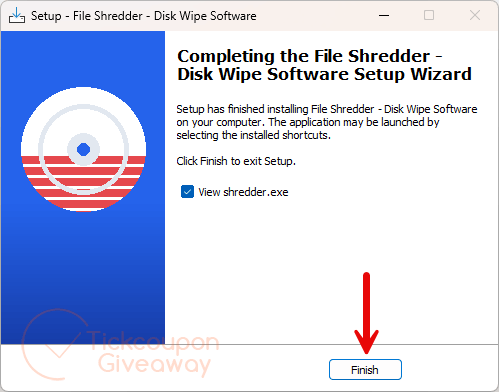
Step 2. Download the Permanent Data Eraser 3.7 installer —> fileshredder.exe. Run the downloaded installer.
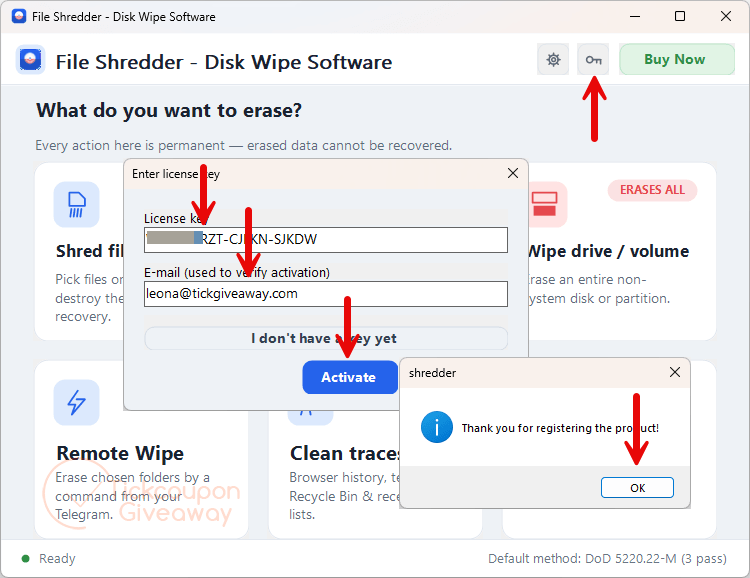
Step 3. Enter the license code you received and complete registration.
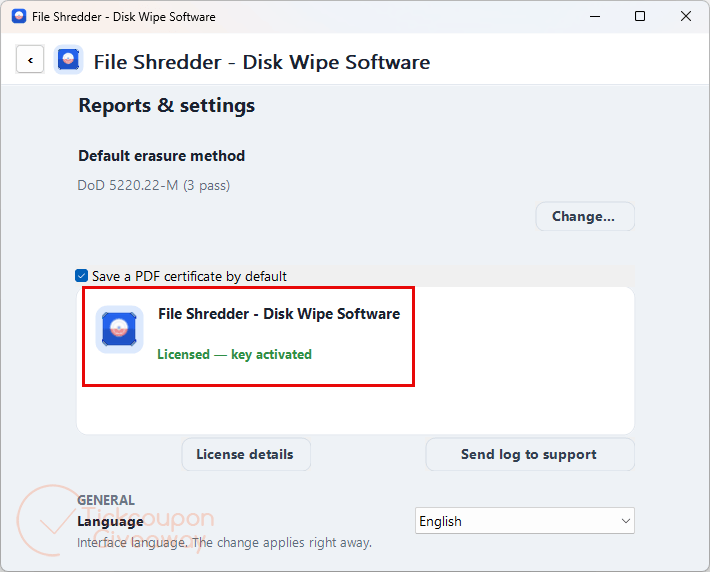
Step 4. Got it for a lifetime free!
Troubleshooting
- The license code is rejected.
Make sure you installed the exact giveaway build linked above. A different installer may not accept the giveaway code. - The giveaway form no longer issues codes.
Leave a comment on the giveaway page so availability can be checked.

code not function